
Dealing with a large volume of sensitive documents can present a significant security challenge. Whether you're distributing contracts, reports, or proprietary information, ensuring that your files are protected against unauthorized use or redistribution is paramount. Applying watermarks is a common and effective strategy to achieve this, clearly indicating ownership and discouraging unauthorized sharing. However, manually watermarking each document is a time-consuming and inefficient process, especially when dealing with hundreds or even thousands of files.
This is where the concept of batch watermarking pdfs becomes invaluable. It allows users to apply a watermark, such as a company logo, a confidentiality notice, or specific recipient information, to multiple PDF files simultaneously. This not only saves considerable time but also ensures consistency across all your documents, reinforcing your brand and security protocols effectively. I've seen firsthand how crucial this capability is for organizations handling sensitive data, preventing costly leaks and maintaining control over their intellectual property.
Table of Contents
Understanding the Basics of PDF Security
PDFs are a ubiquitous file format for document sharing due to their ability to preserve formatting across different devices and operating systems. However, their widespread use also makes them a target for security vulnerabilities if not handled properly. Basic security measures for PDFs include password protection, which can restrict opening or editing the document, and digital signatures, which verify the authenticity and integrity of the document. Understanding these foundational elements is the first step towards implementing more robust protection strategies.
Key Concepts in PDF Security
Beyond simple password protection, advanced pdf security features often involve encryption at various levels. Encryption scrambles the document's content, making it unreadable without the correct decryption key, usually a password. Permissions can also be set to control actions like printing, copying text, or modifying the document. These features are crucial for protecting sensitive information from unauthorized access and misuse, ensuring that only intended recipients can view or interact with the content.
Why Batch Watermarking is Essential

The sheer volume of documents businesses and individuals handle today makes manual processing impractical for security tasks. Imagine needing to add a 'Confidential' watermark to 500 client reports before distribution. Doing this one by one would take hours, if not days, and introduce the risk of human error, such as missing a file or applying the watermark incorrectly. Batch watermarking automates this process, applying the same watermark consistently and efficiently to all selected files in one go.
This capability is not just about saving time; it's about enhancing the overall security posture. A visible watermark serves as a deterrent against casual sharing and clearly marks the document's status. When you need to add watermark bulk to your documents, especially for sensitive materials, batch processing ensures uniformity and reduces the chance of oversight. This is a critical step in protecting document integrity and preventing leaks.
Methods for Batch Watermarking PDFs
Fortunately, there are several effective ways to implement batch watermarking, catering to different user needs and technical capabilities. From user-friendly online tools to more powerful desktop applications and even custom scripting, you can find a solution that fits your workflow.
Using Online PDF Tools
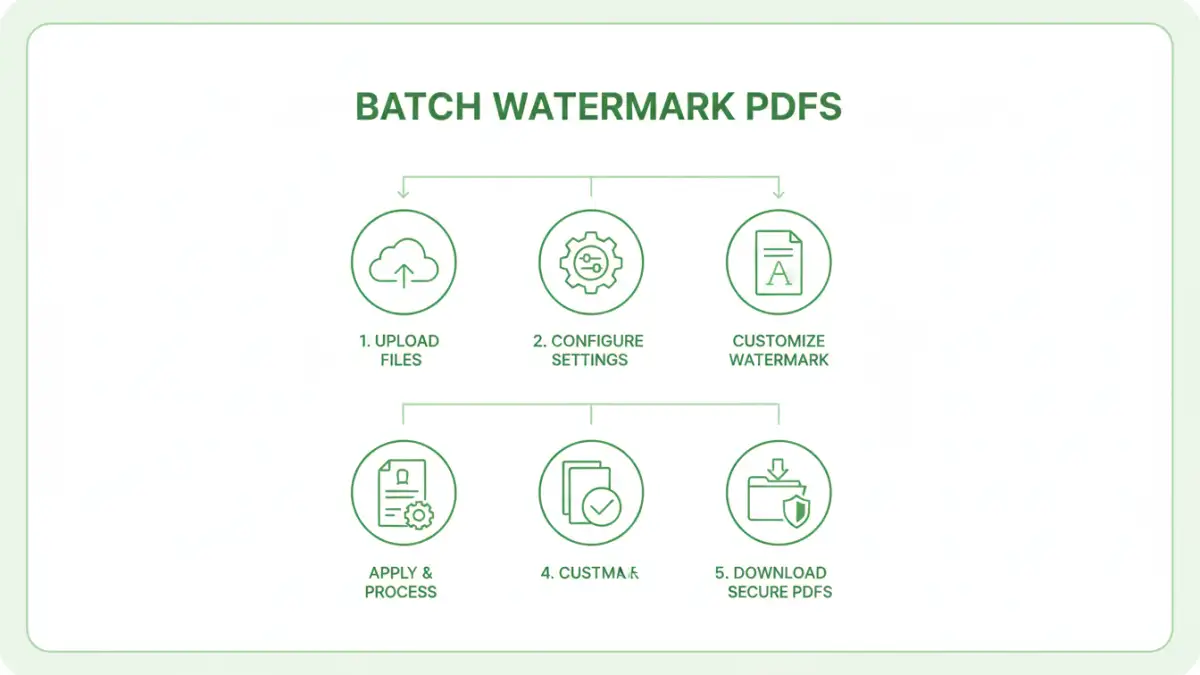
Numerous online platforms offer PDF manipulation services, including batch watermarking. These tools are often the most accessible, requiring no software installation. You typically upload your files, configure the watermark (text, image, position, opacity), select the files for processing, and then download the watermarked documents. While convenient for smaller batches, be mindful of file size limits and privacy policies, especially when dealing with highly sensitive information.
Leveraging Desktop Software
For more control, advanced features, and enhanced security, dedicated desktop software is often the preferred choice. Many professional PDF editors or specialized batch processing tools allow you to add watermark bulk efficiently. These applications typically offer more customization options for watermarks, better performance for larger files, and greater assurance regarding data privacy since the processing happens locally on your machine. Some software even integrates with cloud storage services for seamless workflow.
Scripting and Automation
For IT professionals or those with programming knowledge, scripting offers the ultimate flexibility and automation. Libraries available in languages like Python (e.g., PyPDF2, ReportLab) or command-line tools can be used to build custom solutions for batch watermarking. This approach is ideal for integrating watermarking into existing automated workflows or for handling extremely large volumes of documents with specific, complex requirements. It allows for precise control over every aspect of the watermarking process and can be scheduled to run automatically.
Best Practices for Watermarking
To maximize the effectiveness of watermarking, consider a few best practices. Choose watermark text or images that are clear but not overly intrusive. For sensitive documents, a semi-transparent watermark that doesn't obscure the content is often ideal. Position the watermark strategically, perhaps in a corner or diagonally across the page, making it difficult to remove without altering the document significantly. Always test your watermarking process on a few sample files before applying it to your entire batch to ensure the results are as expected.
Broader PDF Security Features
While watermarking is a strong visual deterrent, it's not the only tool in your arsenal for PDF security. I always recommend combining watermarking with other pdf security features for comprehensive protection. This includes strong password protection to prevent unauthorized opening, setting document restrictions to disable printing or copying, and using digital signatures to verify authenticity. For truly sensitive data, encrypting the PDF file itself provides an additional layer of security that is independent of user permissions.
When you need to protect document files comprehensively, a multi-layered approach is best. Consider the intended audience and the sensitivity of the information. For instance, a public-facing report might only need a subtle copyright watermark, while internal confidential documents would benefit from a prominent 'Confidential' stamp, password protection, and restricted permissions. Understanding the full spectrum of PDF security tools allows you to tailor your approach to your specific needs.
Comparison Table
| Method | Ease of Use | Customization | Security/Privacy | Cost |
|---|---|---|---|---|
| Online Tools | High | Moderate | Variable (depends on provider) | Often Free/Freemium |
| Desktop Software | Moderate to High | High | High (local processing) | One-time purchase or Subscription |
| Scripting/Automation | Low (requires technical skill) | Very High | Very High (fully controlled) | Free (for libraries) / Development time |