
A few years back, my team handled a massive archive migration project. We had to convert tens of thousands of legacy compressed files into a modern, encrypted format. The conversion itself was straightforward, but we nearly overlooked a critical detail: the metadata. Losing the original creation dates and author information would have broken the chain of custody for legal documents, creating a huge compliance headache.
This experience highlighted a common blind spot in data management. While we focus heavily on the content of our files, the context provided by metadata is often just as important. Preserving these details during conversions isn't just a best practice; it's essential for maintaining data integrity and historical accuracy.
Table of Contents
Understanding File Metadata and Its Importance
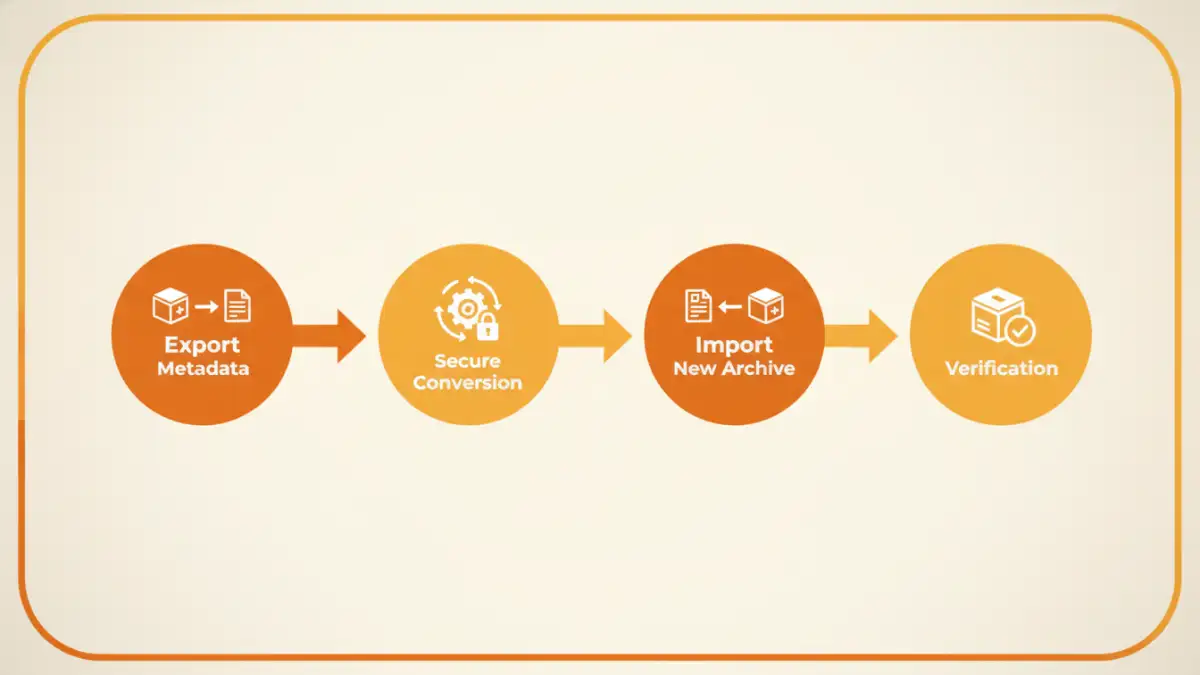
Before we can preserve it, we need to understand what we're dealing with. File metadata, simply put, is data about data. It’s the set of labels and properties that describe a file's history, origin, and characteristics without being part of the content itself. Think of it as the label on a filing cabinet drawer, telling you what's inside without you having to open it.
Key Document Properties
Metadata includes a wide range of information that provides crucial context. Some of the most common and vital document properties include:
- Timestamps: This covers the creation date, last modified date, and last accessed date. These are fundamental for establishing a timeline and are often required for legal e-discovery.
- Author and Ownership Information: Details about who created the file, the company it belongs to, and who last saved it.
- File Attributes: Information like file size, type (e.g., .zip, .docx), and system permissions (read-only, hidden).
- Location Data: In some cases, especially with photos, this can include GPS coordinates where the file was created.
Why Preservation is Non-Negotiable
Losing this information during an archive migration can have serious consequences. For starters, it invalidates audit trails. If you can't prove when a file was created or last modified, its legal and historical value diminishes significantly. It also disrupts internal workflows that might rely on sorting files by date or author. In essence, you're left with the 'what' but lose the 'who,' 'when,' and 'where,' which can be a critical failure in data governance.
Common Pitfalls in Archive Migration
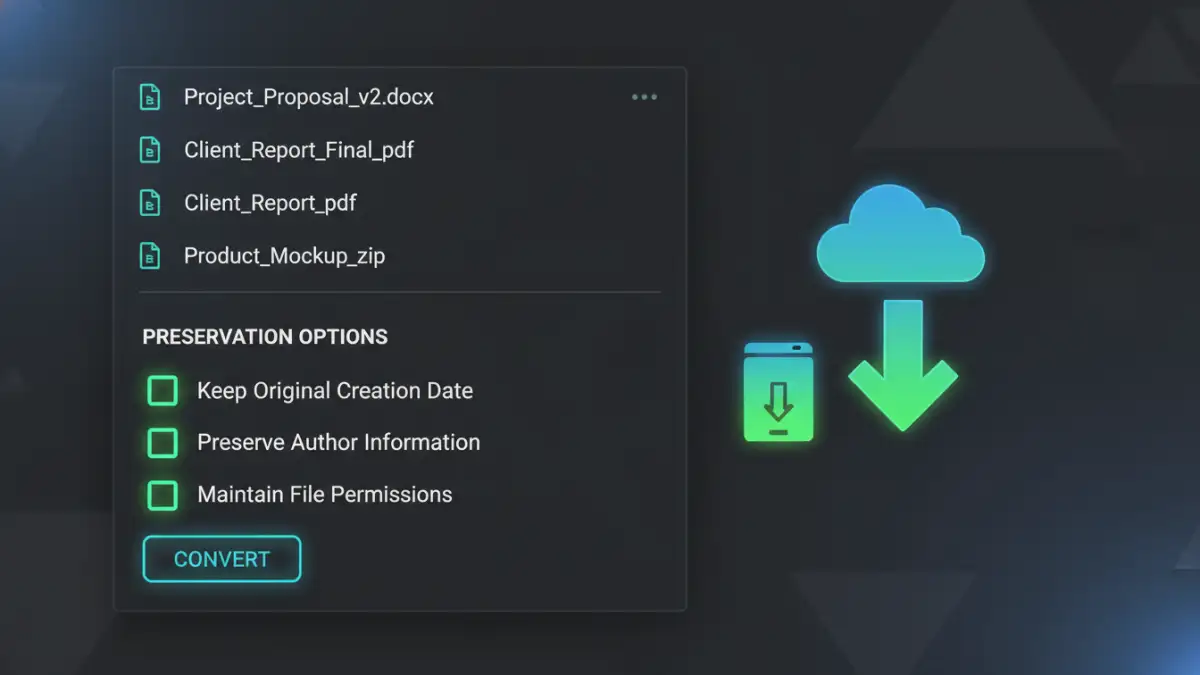
The primary reason metadata gets lost is that many standard conversion or compression tools are not designed for preservation. Their main job is to repackage the file's content, and they often treat metadata as disposable. When a new archive is created, the system typically assigns it a new creation date—the date of the conversion—effectively erasing the original timestamp.
This is especially true when moving between different operating systems (e.g., from a Linux server to a Windows-based archive) or changing archive formats (e.g., from .TAR.GZ to .7z). Each system and format has its own way of storing metadata, and incompatibilities can lead to data loss if not handled by a specialized tool. This is a key challenge in performing reliable secure file conversions at scale.
Strategies for File Metadata Preservation
Fortunately, there are robust methods to ensure metadata survives the conversion process. The approach you choose will depend on the scale of your project, your technical comfort level, and the tools at your disposal. I've found success with a combination of command-line utilities and specialized software.
Using Command-Line Tools
For those comfortable with the command line, tools like `rsync` (on Linux/macOS) and `robocopy` (on Windows) are powerful allies. They have specific flags to copy files while preserving attributes. For example, using `rsync` with the `-a` (archive) flag helps maintain permissions, timestamps, and other properties during transfer. While these tools don't perform the conversion itself, they are excellent for moving files into a staging area before conversion, ensuring the metadata is intact up to that point.
For the conversion itself, you might need a script. I've used Python scripts that first extract metadata using a library like `os.stat`, perform the file conversion using another utility, and then use functions to re-apply the original timestamps to the new file. This gives you granular control but requires programming knowledge.
Leveraging Specialized Migration Software
For large-scale enterprise projects, manual scripting isn't always feasible. This is where dedicated archive migration software comes in. These tools are built for this exact purpose and have file metadata preservation as a core feature. They can handle complex conversions between various formats and platforms while ensuring document properties are mapped correctly from the source to the destination.
These platforms often provide detailed logging and validation reports, which are invaluable for compliance and auditing. While they come at a cost, the investment can save countless hours and prevent costly errors related to data integrity.
Verification and Best Practices for Data Integrity
No migration is complete without verification. It's not enough to assume the metadata was preserved; you must confirm it. A solid workflow involves taking a representative sample of files post-conversion and comparing their new metadata against the original records.
My team typically creates a pre-migration report by exporting a list of all files and their key metadata (creation date, modified date, size) to a CSV file. After the conversion, we run a similar export on the new files and use a simple script to compare the two reports. Any discrepancies are flagged for manual review. This systematic approach ensures accountability and confirms the success of the project.
Metadata Preservation Method Comparison
| Method | Technical Skill Required | Scalability | Cost | Best For |
|---|---|---|---|---|
| Command-Line (rsync, robocopy) | High | Medium | Free | Small to medium projects, tech-savvy users. |
| Custom Scripting (Python, PowerShell) | Very High | High | Free (development time) | Complex, custom workflows requiring full control. |
| Specialized Migration Software | Low to Medium | Very High | Paid Subscription/License | Large-scale enterprise archive migration and compliance-heavy projects. |
| Manual Copy/Paste (GUI) | Very Low | Very Low | Free | A handful of files where manual re-entry of properties is feasible. |