That sinking feeling when a password prompt blocks you from a critical document is all too familiar. Whether it's a legacy file from a former colleague or a personal document with a long-forgotten password, being locked out can disrupt your workflow. The immediate question is always the same: is it even possible to get back in?
The answer is nuanced. It depends entirely on the type of password and the encryption used. Some passwords are more like suggestions, easily bypassed, while others create a nearly unbreakable digital fortress. As a software engineer, I've seen both sides of this coin, and I can tell you that hope is not always lost.
Table of Contents
Understanding the Two Types of Document Passwords
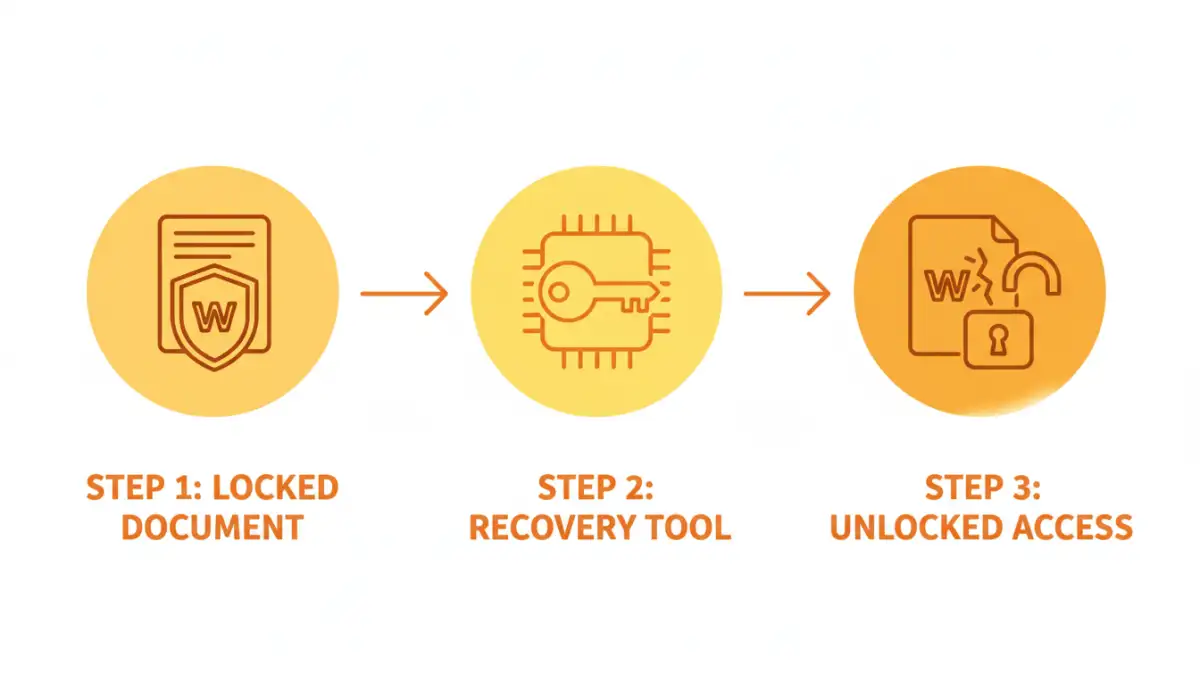
Before attempting any recovery, it's crucial to understand what you're up against. Document protection isn't a one-size-fits-all system. Most applications, like Microsoft Office and Adobe Acrobat, use two fundamentally different kinds of passwords.
The 'Password to Open' (Owner Password)
This is the big one. An 'open' password encrypts the entire document's contents. Without it, the file is just a jumble of unreadable data. Modern document security relies on strong office encryption algorithms like AES-256. Cracking this type of protection requires immense computational power, often referred to as a 'brute-force' attack, which tries every possible password combination.
For a complex password, this process could take years, even with specialized hardware. This is where file password recovery success becomes a matter of probability and patience. If the password is short or simple, recovery is feasible. If it's long and complex, the odds are not in your favor.
The 'Password to Modify' (Permissions Password)
This type of password is much weaker. It doesn't encrypt the file's content but rather sets a flag that tells the software (like Word or Adobe Reader) to restrict certain actions, such as editing, printing, or copying text. The content itself is fully accessible, just protected by a software-level lock.
Because the data isn't encrypted, these restrictions can often be bypassed quite easily. Many free online tools and simple tricks can remove a permissions password in seconds, as they don't need to 'crack' anything—they just need to strip away the restriction flag from the file's metadata.
Common Methods for Password Recovery

For permissions-based passwords or very simple 'open' passwords, you have several options that don't require heavy-duty software. Always be cautious, especially with online tools, and never upload sensitive documents to a service you don't trust.
Using Online Recovery Tools
Numerous websites offer to unlock PDF and Office documents. You upload your file, their servers attempt to remove the restrictions, and you download the unlocked version. These are most effective for 'Password to Modify' scenarios. While convenient, they pose a significant privacy risk. You are uploading your potentially confidential data to a third-party server, so this method should never be used for sensitive information.
The Google Chrome 'Print to PDF' Trick
A surprisingly effective method for removing printing and editing restrictions from PDF files involves using a web browser. You can often open the locked PDF in Google Chrome, go to the 'Print' menu, and instead of choosing a physical printer, select 'Save as PDF'. This creates a brand new, unrestricted copy of the document. This trick works because the browser's print engine simply renders the visual content of the PDF, ignoring the underlying permission flags.
Advanced Recovery Techniques for Tough Cases
When you're facing a strong 'Password to Open,' simple tricks won't work. This is when you need specialized software designed to recover a lost document password through systematic attacks. These tools aren't magic; they use raw computing power to guess the password.
These applications employ several strategies:
- Brute-Force Attack: Tries every possible combination of letters, numbers, and symbols. It's exhaustive but can be incredibly slow.
- Dictionary Attack: Uses a list of common words, phrases, and passwords. It's much faster if the password is a known word.
- Mask Attack: If you remember parts of the password (e.g., 'it started with 'Project' and ended in '2023''), you can configure the software to focus its guesses, dramatically speeding up the process.
Tools like Passware Kit or Elcomsoft Distributed Password Recovery are industry standards. They can even leverage the power of your computer's graphics card (GPU) to accelerate the guessing process millions of times faster than a standard CPU. However, this is a resource-intensive process, and success is never guaranteed. The strength of modern password protection is formidable.
Prevention: The Best Cure for Lost Passwords
Dealing with a locked document is a stressful, time-consuming ordeal. The best strategy is to avoid the situation entirely. Building good habits around modern document security is far more effective than any recovery tool.
Use a Password Manager
This is the single most important step. A password manager (like Bitwarden, 1Password, or LastPass) can generate and securely store long, complex, and unique passwords for your documents. Instead of needing to remember dozens of passwords, you only need to remember one master password. When you encrypt a file, you save the password in your manager, where it's safe and easily retrievable.
Establish Clear Policies
If you work in a team, establish a clear policy for document encryption. This might involve using a shared password vault for team-critical documents or having a designated person who manages access. Consistency prevents situations where a crucial file is locked and the only person with the password has left the company.
Document Password Recovery Method Comparison
| Method | Success Rate | Security Risk | Best For |
|---|---|---|---|
| Google Chrome 'Print' Trick | High (for permissions) | Low | Removing editing/printing restrictions on non-sensitive PDFs. |
| Online Tools | High (for permissions) | High | Non-confidential files with modification restrictions. |
| Desktop Brute-Force Software | Varies (low to high) | Low | Recovering 'Password to Open' when you have clues about the password. |
| Using a Password Manager | N/A (Prevention) | Very Low | Preventing password loss from ever happening in the first place. |