
I recently helped a colleague who was in a tight spot. He had inherited a mission-critical Excel workbook with a complex VBA project, but the original developer had left the company years ago, leaving the project password-protected. His first instinct was to search online, where he found guides on manually removing the password. He asked me, "Is this safe?" My immediate answer was a hard no, and for very good reasons.
While technically possible, bypassing protection this way is like performing surgery with a rusty tool—you might succeed, but the risk of causing irreparable damage is incredibly high. This isn't just about losing the code; it's about potentially corrupting the entire file and the valuable data within it.
Table of Contents
What is VBA Project Protection For?
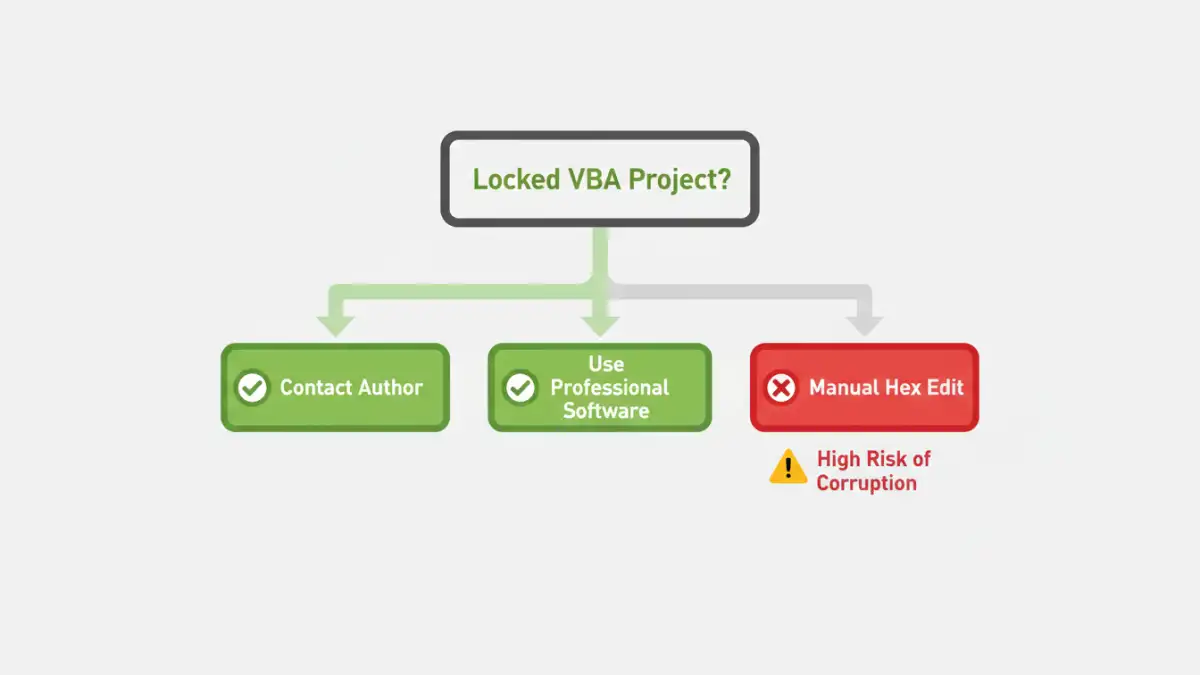
Before we dive into the risks, it's important to understand why developers lock their VBA projects in the first place. It's not always about secrecy. The password serves several practical purposes that maintain the integrity and stability of an application built within an Office document.
Why Developers Use Passwords
First and foremost, it protects intellectual property. A significant amount of time and expertise can go into writing complex automation scripts, and a password prevents unauthorized copying or modification. More commonly, however, it serves as a guardrail. In a corporate environment, it stops well-intentioned users from accidentally changing a variable or deleting a line of code, which could break critical business processes. It ensures the code runs as intended, preserving the application's stability.
The Manual Removal Method: A Look Under the Hood

The most common manual technique you'll find online is the vba hex editor method. This process involves opening the Office file (like an .xlsm or .docm) in a hexadecimal editor, which is a program that lets you view and edit the raw binary data of a file. The goal is to find a specific text string, typically `DPB=`, and change it to something else, like `DPx=`.
This change effectively corrupts the password check mechanism within the file. When you then try to open the VBA project, the application sees the corrupted entry, throws an error, and often provides an option to bypass the check, granting you access. On the surface, it sounds like a clever hack. In reality, you are directly manipulating the binary structure of a complex file format without any safety nets.
The Flaw in the Logic
The problem is that this method relies on a specific, and often outdated, understanding of the file structure. Microsoft's file formats are intricate, and a small, seemingly isolated change can have a ripple effect. What worked for an older version of Office might completely destroy a file created in a newer version. You are essentially gambling with your data.
The Real Dangers of Bypassing VBA Passwords
I cannot stress this enough: manually editing the binary of a file is a last resort for experts in file recovery, not a go-to solution for accessing locked code. The potential for catastrophic failure is immense. Here are the primary risks you face.
Risk 1: VBA Project Corruption
The most common and devastating outcome is vba project corruption. One wrong byte change—an accidental keystroke or a misunderstanding of the instructions—can render the entire VBA project unreadable. When this happens, all your macros, user forms, and modules are gone for good. I've personally seen a case where a panicked attempt to unlock a project resulted in an Excel file that would crash upon opening, with no way to recover the hundreds of hours of development work within it.
Risk 2: Unintended Side Effects and Instability
Even if you successfully gain access, the file may be left in an unstable state. The binary manipulation can subtly damage other parts of the file. You might find that certain functions no longer work, references to external libraries are broken, or the file size inexplicably bloats. These issues can be insidious, causing data inconsistencies that aren't discovered until much later, making troubleshooting a nightmare.
Risk 3: Security and Ethical Considerations
Beyond the technical dangers, there are ethical lines to consider. If the file doesn't belong to you, you are bypassing a security measure put in place by its creator. Even within your own organization, there may be policies against tampering with protected files. Furthermore, understanding these bypass methods is one thing, but it's important to remember that these same techniques can be used by malicious actors to inspect and tamper with code to find vulnerabilities.
Safer Alternatives for Regaining Access
So, if the manual method is off the table, what should you do? Fortunately, there are several safer, more professional approaches to this problem that don't involve risking your data.
The Obvious First Step: Communication
The simplest solution is always the best: try to find the original author or someone else in the organization who might know the password. Check documentation, old project files, or team wikis. It's a low-tech solution, but it's the only one that is 100% safe and guaranteed to work if you can find the information.
Using Reputable Third-Party Software
If communication fails, there are commercial software tools designed specifically for Office password recovery. These programs are built by developers who specialize in Microsoft file formats. They use more sophisticated and safer methods to recover or remove passwords without directly altering the file's binary in a destructive way. While they aren't free, the cost is often negligible compared to the cost of losing the file or rebuilding the project from scratch.
Rebuilding the Project
In some cases, especially if the project is poorly documented or unstable, the safest and most beneficial long-term solution is to rebuild it. This gives you an opportunity to understand the logic, document it properly, and write clean, maintainable, and secure vba code. It's a significant effort, but it results in a better, more reliable application and improves overall vba file password security for the future.
Method Comparison: Regaining VBA Project Access
| Method | Risk Level | Cost | Potential for Success |
|---|---|---|---|
| Manual Hex Editing | Extremely High | Free | Low to Medium (High chance of corruption) |
| Third-Party Recovery Tool | Low to Medium | $30 - $100+ | High (with reputable software) |
| Contacting Original Author | None | Free | Varies (Depends on availability) |
| Rebuilding the Project | None | High (Time/Labor) | Guaranteed (Results in new, clean code) |