It's a sinking feeling—you've compressed a crucial set of files into a 7z archive, secured it with a password for protection, and now, weeks later, you can't remember what it is. The data is locked away, and the security measure you put in place has turned against you. I've seen this happen to colleagues and clients alike, turning a simple task into a significant roadblock.
Fortunately, forgetting the password to an encrypted 7z archive doesn't always mean the data is lost forever. There are systematic approaches and tools designed to help you regain access. The key is understanding the methods available and recognizing that success often depends on what you might remember about the password.
Table of Contents
Understanding the Challenge: 7z Encryption
Before diving into recovery methods, it's important to understand why this is a difficult problem to solve. The 7-Zip tool uses AES-256 encryption, which is an industry standard for data security. It's the same level of encryption used by governments and financial institutions. There is no known 'backdoor' or simple trick to bypass it; the only way in is with the correct password.
This strong encryption means that any attempt to unlock the file involves guessing the password. The challenge lies in making those guesses as efficient as possible. A random brute-force attack trying every single combination of letters, numbers, and symbols could take years, or even centuries, depending on the password's length and complexity.
Password Complexity and Time
The time required to crack a password grows exponentially with its length and the variety of characters used. A simple, 6-character lowercase password might be found quickly. However, a 10-character password with uppercase letters, numbers, and symbols presents a vastly larger set of possibilities, making a pure brute-force attack impractical without powerful hardware.
Manual Recovery Attempts: The First Steps
Before you resort to automated tools, it's always worth spending some time on manual attempts. Our brains often store information contextually, and a few prompts can sometimes jog your memory. It's a low-tech approach, but I've seen it work surprisingly often.
Start by listing all your usual passwords or password patterns. Think about variations you might have used, such as adding a specific year, a project name, or swapping letters for numbers (e.g., 'e' for '3'). Consider capitalization, common suffixes or prefixes, and any personal information you might have incorporated. Document every attempt in a text file so you don't repeat yourself.
Creating a Personal Wordlist
If manual guessing fails, your next step is to create a personal wordlist. This is a simple text file containing every password variation you can think of. Include names of family members, pets, important dates, favorite phrases, and technical terms related to the archive's content. This list will become invaluable if you move on to using specialized software, as it forms the basis for a more targeted dictionary attack.
Using Specialized Recovery Tools
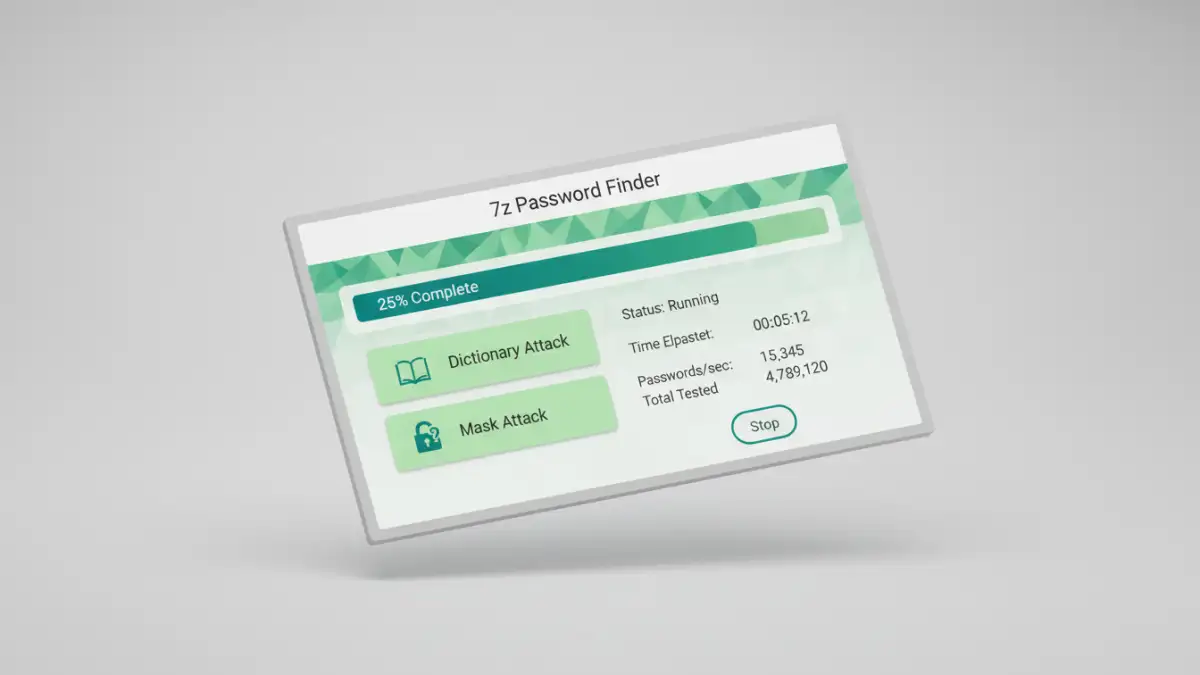
When manual methods are exhausted, it's time to leverage software. There are numerous tools, often called a 7z password finder, designed specifically to recover 7z archive password combinations through automated attacks. These programs don't magically reveal the password; they just try possibilities much faster than a human ever could.
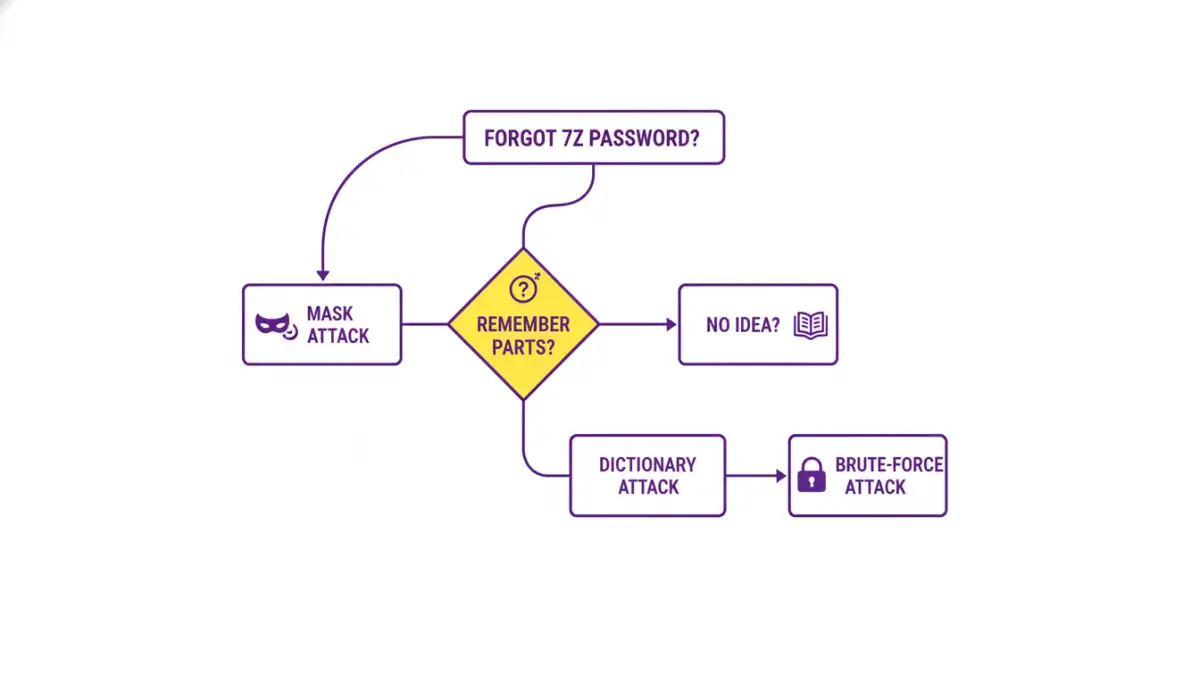
These tools typically offer three main types of attacks:
- Dictionary Attack: This method uses a wordlist (like the personal one you created) and tries every word in the list as the password. It's much faster than a brute-force attack if you suspect the password is a common word or a variation you've used before.
- Mask Attack: This is a more refined brute-force attack. If you remember parts of the password—for example, you know it starts with 'ProjectX' and ends with '23' but can't remember the middle part—you can set up a mask (e.g., 'ProjectX??????23'). The software then only tries combinations for the unknown characters ('?'), dramatically reducing the search time.
- Brute-Force Attack: This is the last resort. The software attempts every possible combination of characters. You can usually define the character set (e.g., lowercase letters only, numbers, symbols) and the password length range to narrow the search, but it remains the most time-consuming method.
The Role of GPU Acceleration
Many modern password recovery tools can leverage your computer's graphics card (GPU) to accelerate the process. GPUs are designed for parallel processing and can test thousands of password combinations per second, far outpacing a standard CPU. If you have a decent gaming or workstation graphics card, enabling GPU acceleration can reduce recovery time from days to hours, or even minutes.
Preventing Future Lockouts
Once you've (hopefully) recovered your file, the experience serves as a valuable lesson in password management. Losing access to important data is stressful and time-consuming. To avoid this situation in the future, adopting a robust password strategy is essential.
Using a reputable password manager is the best solution. These applications generate and securely store complex, unique passwords for all your needs. You only need to remember one strong master password to access your entire vault. When creating a new encrypted archive, you can generate a 20+ character random password and save it directly in your manager, ensuring you never lose it.
Recovery Method Comparison
| Method | Success Chance | Time Required | Best For |
|---|---|---|---|
| Manual Guessing | Low | Minutes to Hours | Recently created passwords or common patterns. |
| Dictionary Attack | Medium | Minutes to Days | Passwords based on common words or a personal list. |
| Mask Attack | High | Hours to Weeks | When you remember parts of the password. |
| Brute-Force Attack | Very High (eventually) | Days to Years | Short passwords or as a last resort with powerful hardware. |