
It’s a scenario I’ve seen play out countless times. You create a secure, password-protected ZIP archive to safeguard sensitive information, only to find yourself locked out weeks or months later. The password, once so clear in your mind, has vanished. This situation can range from a minor inconvenience to a major project roadblock, especially when you need to access that encrypted zip file urgently.
The good news is that all is not necessarily lost. Depending on the complexity of the password and the type of encryption used, there are several avenues you can explore for zip password recovery. Let's walk through the options, from the simplest checks to more technically involved solutions.
Table of Contents
Understanding ZIP File Encryption
Before attempting to unlock a zip file, it helps to understand what you're up against. Modern ZIP files typically use AES-256 encryption, which is incredibly strong and the same standard used by governments and financial institutions. Older archives might use the much weaker ZipCrypto algorithm, which is more vulnerable to attacks.
Knowing the encryption type can set your expectations. If it's AES-256, guessing the password or using a simple recovery tool is your only realistic option. Cracking it through sheer computational force is practically impossible with current technology. For a forgotten zip password on an older archive, recovery is more feasible.
AES-256 vs. ZipCrypto
Most modern compression tools like 7-Zip or WinRAR default to AES-256 when you create an encrypted archive. This standard is robust and has no known practical vulnerabilities. ZipCrypto, on the other hand, is an older, proprietary algorithm that has been shown to have weaknesses that can be exploited by certain advanced recovery techniques.
First Steps: What to Try Immediately
Before diving into complex software, exhaust the simple solutions. As a developer, I always start with the most likely culprits—human error and memory lapses. It's surprising how often the simplest check solves the problem.
Check Your Usual Suspects
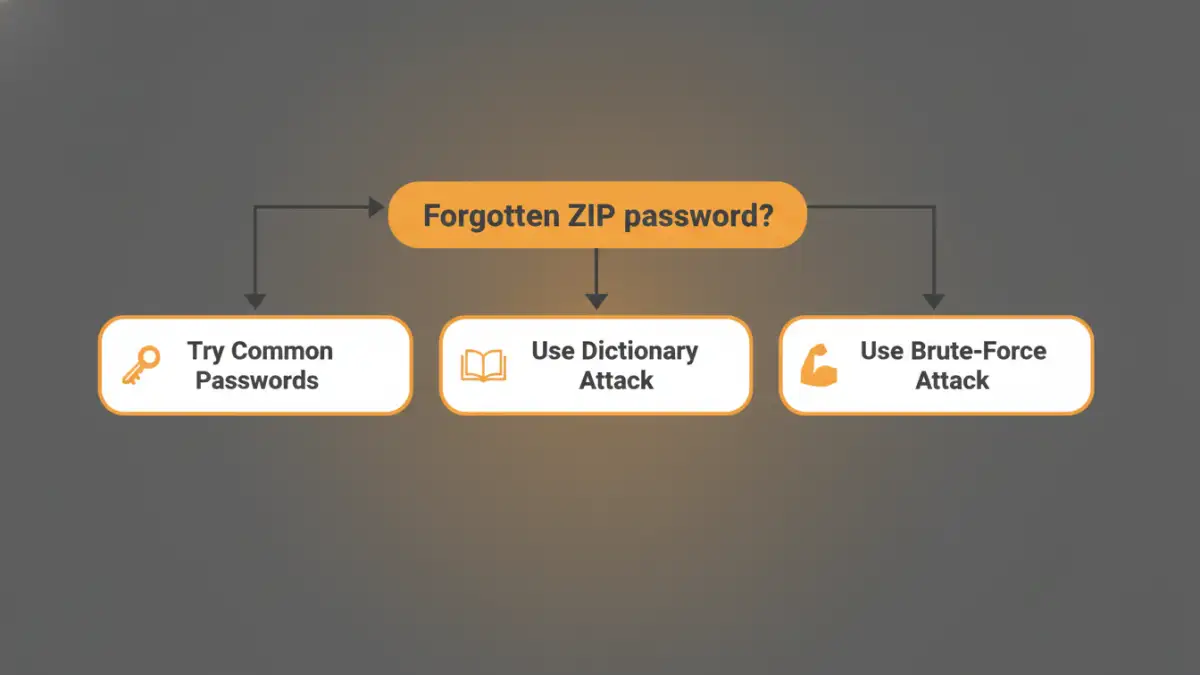
Start by trying all your common passwords. Think about variations you might have used, such as adding a number or symbol to a base password. Consider capitalization, as passwords are case-sensitive. Did you use a project name, a date, or a pet's name? Systematically work through your go-to options.
Search Your Digital Footprint
Where might you have saved the password? Check your password manager, look through old emails or chat messages where you might have shared the file, and search for any text files or notes on your system named 'passwords' or similar. A quick search for the filename in your communication apps can sometimes yield the password you shared with a colleague.
Common Password Recovery Attack Methods
If the simple checks fail, the next step is to use software that employs automated attack methods. These programs systematically try thousands or millions of password combinations until they find the correct one. The success of these methods depends heavily on the password's complexity and length.
Dictionary Attack
A dictionary attack works by trying words from a list, or 'dictionary'. This list can contain common words, phrases, and frequently used passwords. Many recovery tools allow you to use custom dictionaries, which is useful if you suspect the password is a variation of a common word or name. This is much faster than a brute-force attack if the password is a standard word.
Brute-Force Attack
This is the most exhaustive method. A brute-force attack attempts every possible combination of letters, numbers, and symbols. While it will eventually find any password, the time it takes can be astronomical. For a simple, short password like 'test1', it might take seconds. For a complex 10-character password, it could take centuries. This is often the last resort.
Mask Attack
A mask attack is a more intelligent version of the brute-force method. If you remember parts of the password—for instance, you know it starts with 'ProjectX' and ends with a four-digit year but can't recall the year—you can set up a 'mask' like 'ProjectX????'. The software will then only try combinations that fit this pattern, drastically reducing the search time.
Recovery Tools and Software Options
Numerous tools are available to help you unlock a zip file when you've forgotten the password. They range from simple online services to powerful desktop applications. Be cautious with online tools, as you'll be uploading your encrypted file to a third-party server, which poses a security risk.
For sensitive data, I always recommend using reputable offline software. These applications run entirely on your computer, ensuring your data remains private. Many of these tools combine dictionary, brute-force, and mask attacks and can even leverage your computer's GPU to accelerate the recovery process significantly. Research options like Passware or John the Ripper to find a solution that fits your needs.
Comparison of Password Recovery Methods
| Recovery Method | How It Works | Best For | Potential Downside |
|---|---|---|---|
| Manual Guessing | Trying common passwords and variations you typically use. | Simple, recently created, or familiar passwords. | Ineffective for complex or old passwords. |
| Dictionary Attack | Tests words from a predefined list (dictionary). | Passwords based on common words or names. | Will fail if the password is not in the dictionary. |
| Mask Attack | A targeted brute-force attack based on a known password pattern. | When you remember parts of the password. | Requires partial knowledge of the password structure. |
| Brute-Force Attack | Attempts every possible character combination. | Short passwords or as a last resort for any zip file password. | Extremely time-consuming for passwords over 7-8 characters. |
Preventing Future Lockouts
The best way to deal with a forgotten password is to prevent it from happening in the first place. Going forward, I strongly advise using a password manager. These tools generate and securely store complex, unique passwords for all your needs. When you create an encrypted zip file, you can save the password in your manager's vault, ensuring you'll never lose it again. It's a simple habit that has saved my team and me from countless headaches.