
Have you ever considered if the digital contracts, reports, or blueprints created today will be accessible and verifiable in 20, 50, or even 100 years? This isn't just an academic question; it's a critical challenge in digital preservation. For years, the PDF/A standard has been the go-to solution for long-term archiving, ensuring that documents remain self-contained and renderable in the future.
With the introduction of PDF/A-4, the standard has evolved significantly. It aims to simplify the creation process while strengthening the integrity of archived files. This isn't just a minor update; it represents a shift in how we approach the creation of a secure archive format, making it more aligned with modern document workflows.
Table of Contents
What Is PDF/A and Why Does It Matter?
PDF/A is an ISO-standardized version of the Portable Document Format (PDF) specifically designed for the long term archiving of electronic documents. The 'A' stands for Archiving. Unlike a standard PDF, a PDF/A file must be 100% self-contained. This means all information necessary for displaying the document in the same manner every time is embedded within the file itself.
This includes fonts, color profiles, images, and other resources. The standard prohibits features that could hinder future accessibility, such as JavaScript, audio, video, and external dependencies. The goal is simple: guarantee that the visual appearance of a document is preserved over time, regardless of the software or hardware used to view it. This is the foundation of reliable digital preservation.
The Evolution from Previous Standards to PDF/A-4
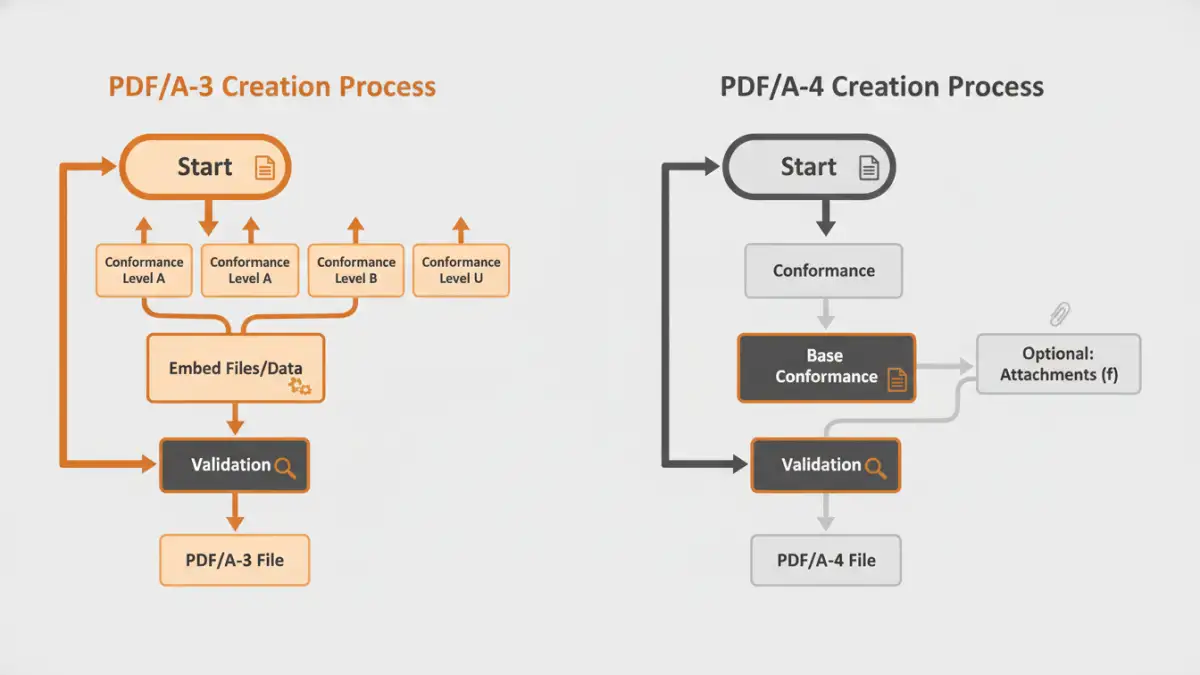
The PDF/A standard has gone through several iterations, each building upon the last. PDF/A-1 was the original, based on PDF 1.4. PDF/A-2 and PDF/A-3, based on PDF 1.7, introduced important features like support for JPEG2000 compression, transparency, and layers. Most notably, PDF/A-3 allowed the embedding of arbitrary file formats (like XML, CSV, or CAD files) as attachments, which was a major step forward.
However, this flexibility also introduced complexity. The different conformance levels (a, b, u) could be confusing, and the very feature that made PDF/A-3 powerful—embedding other files—raised questions about the long-term viability of those embedded files. PDF/A-4 (ISO 19005-4) was developed to address these challenges, aiming for a more streamlined and robust standard.
Key Security and Archiving Enhancements in PDF/A-4
PDF/A-4 isn't a radical reinvention but a thoughtful refinement that directly impacts document integrity and usability. It's based on the modern PDF 2.0 specification, which itself brought significant structural and security improvements. The changes make creating a secure archive format more straightforward.
Simplified Conformance Levels
One of the most practical changes is the simplification of conformance levels. PDF/A-4 eliminates the old 'a', 'b', and 'u' levels. Instead, there is a single base conformance level, which is essentially the old PDF/A-2b/3b (ensuring reliable visual rendering). This simplification reduces ambiguity and lowers the barrier to creating compliant files correctly.
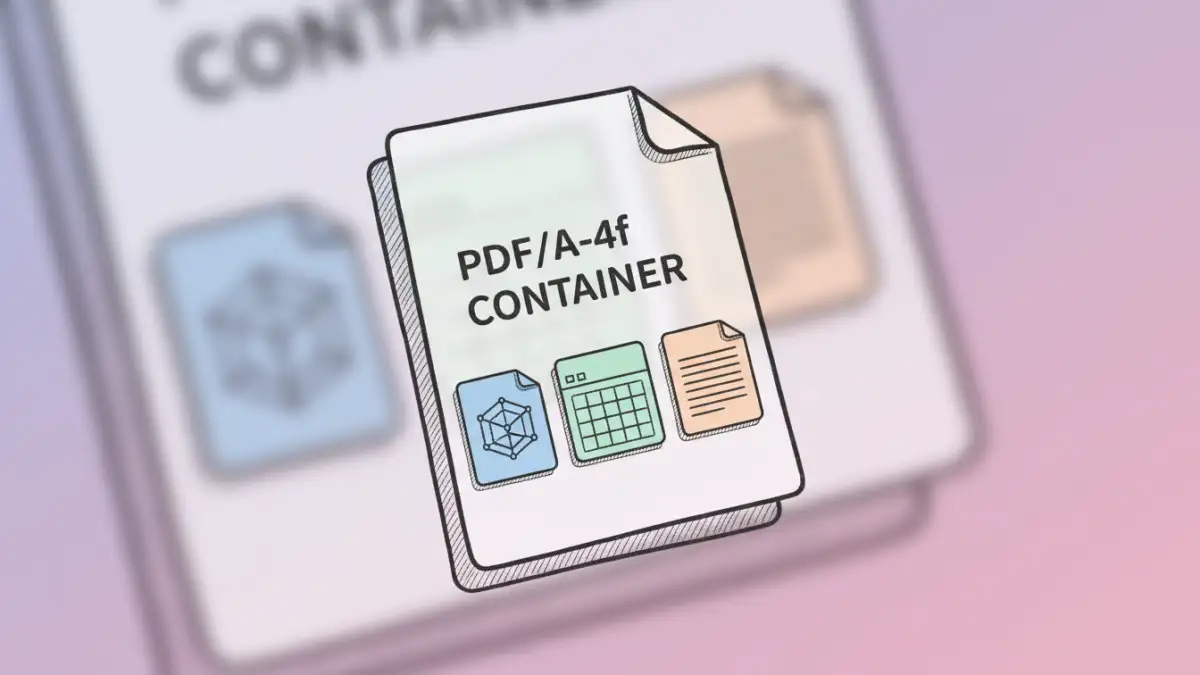
For more complex needs, PDF/A-4 introduces two optional add-on conformance levels: PDF/A-4e and PDF/A-4f. PDF/A-4e is for engineering documents (the 'e' stands for Engineering), providing standardized support for rich media annotations and 3D content in a future-proof way. PDF/A-4f allows for the embedding of files of any type, similar to PDF/A-3, but within the more modern and structured PDF 2.0 framework.
Deprecation of Insecure or Obsolete Features
To enhance security and simplify validation, PDF/A-4 deprecates certain features that were allowed in older versions. For example, XFA (XML Forms Architecture), which was used for dynamic forms, is no longer permitted. This is a crucial move for long-term stability, as XFA forms relied on external logic that could break over time.
By removing such complex and potentially volatile elements, the standard reinforces the core principle of self-contained, predictable rendering. This focus on core stability is a central tenet of the improved pdfa 4 document security model, ensuring fewer variables can compromise a file's integrity decades down the line.
Practical Implications for Your Archiving Strategy
For organizations in sectors like government, finance, legal, and engineering, adopting PDF/A-4 has tangible benefits. The move to a PDF 2.0 base means better handling of modern document features, including page-level output intents and improved metadata handling, which are critical for large-scale document management systems.
I worked on a project for a municipal government that needed to archive building permits, which included the primary PDF application, an embedded CAD drawing, and a spreadsheet with material costs. With PDF/A-3, this was possible but cumbersome. The structure of PDF/A-4f makes this kind of 'container' document more robust and its contents easier to process programmatically, ensuring all parts of the record are preserved together coherently.
Migrating to PDF/A-4 doesn't mean your old archives are obsolete. The standard is designed to be compatible, but new archiving workflows should target PDF/A-4 to take advantage of its simplicity and robustness. This ensures your organization's digital assets are protected with the latest, most stable standard available for long term archiving.
Comparison: PDF/A-3 vs. PDF/A-4 Features
| Feature | PDF/A-3 (ISO 19005-3) | PDF/A-4 (ISO 19005-4) | Security & Archiving Impact |
|---|---|---|---|
| Base PDF Version | PDF 1.7 | PDF 2.0 | Leverages modern PDF structure and security features. |
| Conformance Levels | Levels a, b, u (can be confusing) | Single base level + optional 'e' and 'f' | Simpler to create and validate compliant files correctly. |
| File Attachments | Allowed with level PDF/A-3a/b/u | Allowed with optional level PDF/A-4f | Clearer intent for documents acting as containers. |
| Engineering (3D) | Not standardized | Standardized with optional level PDF/A-4e | Ensures long-term viability of complex technical documents. |
| Form Technology | AcroForms and XFA allowed | Only AcroForms allowed | Removes dependency on complex, potentially insecure XFA logic. |
| Transparency | Handled by transparency groups | Simplified handling via blend modes | More robust and predictable rendering of complex graphics. |