I recently got a frantic message from a colleague in marketing. She was completely locked out of a crucial, password-protected PDF—the final version of a client proposal due in just a few hours. She remembered setting a password but couldn't recall the exact combination. It was a classic case of digital amnesia that put a high-stakes project at risk.
This scenario is incredibly common. We secure documents to protect sensitive information, but sometimes that security works against us. It's precisely this problem that led my team to develop a solution designed for speed, security, and peace of mind.
Table of Contents
The Password Paradox: Security vs. Accessibility
Password protection for PDFs is essential for business. It controls who can view, print, or edit a document, safeguarding everything from financial reports to intellectual property. However, this creates a paradox: the stronger the security, the higher the risk of being locked out yourself due to a forgotten password. This is where most people get stuck.
The challenge is amplified by the two types of PDF passwords. An 'owner' password restricts permissions like printing or copying, while a 'user' password (or open password) prevents the file from being opened at all. Losing the user password is often the more critical issue, as it completely blocks access to the content within.
Why Traditional Methods Fall Short
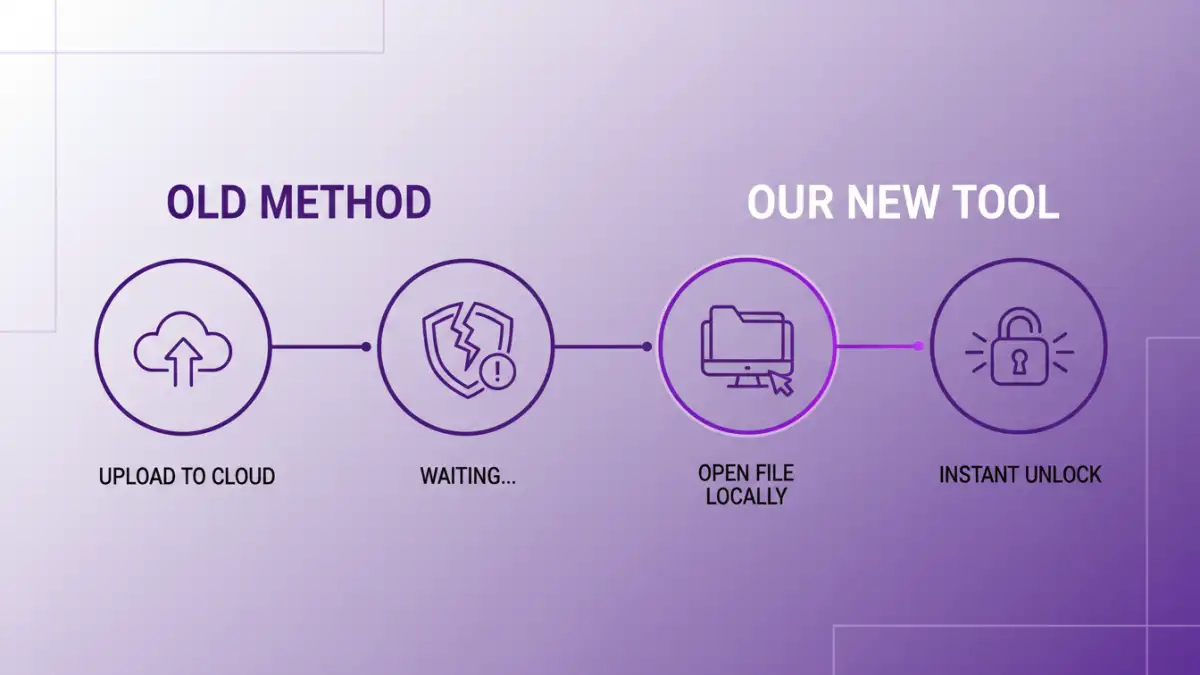
For years, the solutions have been clumsy. Online tools require you to upload your sensitive document to a third-party server, creating a significant privacy risk. Older desktop applications often rely on 'brute-force' attacks, which can take hours or even days and frequently fail if the password is complex. These methods are either too slow or too insecure for professional use.
Introducing Our New Document Access Tool

Seeing these gaps, we decided to build something better. Our new tool is designed from the ground up to address the core problems of security and speed. It's a lightweight, desktop-based application that helps you regain access to your own files without compromising your data's integrity. No uploads, no cloud processing—everything happens locally on your machine.
The goal was to create a reliable solution for those moments of panic. It's not about breaking into files you don't own; it's a utility for legitimate users who have lost their keys. We focused on creating an intuitive interface that guides you through the process, removing the technical guesswork often associated with file recovery.
Key Features of Our New Password Remover
We focused on three main pillars during development. First, an advanced algorithm that intelligently tests password combinations far more efficiently than standard brute-force methods. Second, a user-friendly interface that requires no technical expertise. And third, a commitment to privacy by ensuring all operations are performed offline on the user's computer.
How to Recover Your File Password: A Walkthrough
Using the tool is straightforward. The process is designed to be completed in just a few minutes, turning a stressful situation into a manageable one. There's no complex setup or configuration required.
Here’s the basic workflow:
- Install the Application: Download and install the lightweight tool on your Windows or macOS machine.
- Load the PDF: Open the application and select the encrypted PDF file you need to unlock. The tool will immediately analyze the encryption type.
- Provide Password Hints (Optional): If you remember any part of the password—such as its length, specific characters, or words it might contain—you can provide these hints. This dramatically speeds up the recovery process.
- Start the Recovery Process: Click the 'Start' button. The tool will begin its work, using its smart algorithms to find the correct password. You can see the progress in real-time.
- Access Your File: Once the password is recovered, it will be displayed on the screen. You can then use it to open your PDF and, if desired, remove the password protection entirely.
Security and Privacy-First Design
The most significant concern with any password recovery tool is security. Entrusting a sensitive document to an unknown online service is a risk many aren't, and shouldn't be, willing to take. That's why our tool operates 100% offline. Your file never leaves your hard drive.
This local-first approach means your data remains confidential and under your control throughout the entire process. There's no risk of your document being intercepted, stored, or accessed by a third party. This was a non-negotiable principle for us during development, ensuring our tool is safe for use with even the most sensitive corporate or personal documents.
Tool Comparison: Regaining Document Access
| Feature | Our New Tool | Online Password Removers | Traditional Desktop Software |
|---|---|---|---|
| Processing Location | 100% Local (Offline) | Cloud-Based (Online Upload) | Mostly Local (Offline) |
| Security Risk | Very Low | High (Data exposure risk) | Low |
| Recovery Method | Smart Algorithm & Hint-Based | Server-side decryption | Brute-Force / Dictionary Attack |
| Speed | Fast, especially with hints | Varies by server load | Can be very slow (hours/days) |
| File Size Limit | None | Often has limits (e.g., 100MB) | None |
| Ease of Use | Very High (Guided UI) | High (Drag-and-drop) | Moderate to Complex |