The way we work with documents has fundamentally shifted to mobile, yet the tools for protecting them have lagged behind. I’ve seen countless teams struggle with a clunky, insecure process: downloading a sensitive PDF from an email, editing it in one app, and then trying to find another app to encrypt it before sending it back. This workflow is not only inefficient but also riddled with security gaps.
That's why our team set out to build a truly integrated solution. We're thrilled to announce the launch of SecureDocs Mobile, an application designed from the ground up to provide a seamless and robust environment for all your mobile document security needs.
Table of Contents
The Problem with Mobile Document Security Today
For years, desktop users have had access to powerful tools for managing document permissions. On mobile, however, the experience is fragmented. Users often resort to risky workarounds, creating multiple unsecured copies of a file across different applications and cloud services. This decentralization makes it nearly impossible to maintain control over who accesses sensitive information.
Many people assume that storing a document in a major cloud service automatically makes it secure. While these services provide excellent security for their infrastructure, the files themselves are often not end-to-end encrypted by default. This means that if an account is compromised, the documents within are fully accessible. True security requires protection at the file level, not just the storage level.
Introducing SecureDocs Mobile: A Unified Solution
Our goal with SecureDocs Mobile was to eliminate the friction and insecurity of the typical mobile workflow. We wanted to build a single application where you can import, encrypt, manage, and securely share your PDFs without the file ever leaving a protected environment. This is a significant step forward for anyone who handles contracts, financial reports, or confidential client data on the go.
This new security app release isn't just another PDF reader with a password feature tacked on. It's a comprehensive platform for secure pdf management. It integrates powerful encryption and granular permission controls directly into a user-friendly mobile interface, making high-level security accessible to everyone, not just IT experts.
Core Features Designed for Security and Simplicity
We focused on three pillars when developing SecureDocs Mobile: impenetrable security, intuitive usability, and seamless integration. Every feature was built to serve these core principles, ensuring the app is both powerful and easy to use.
Military-Grade Encryption on the Go
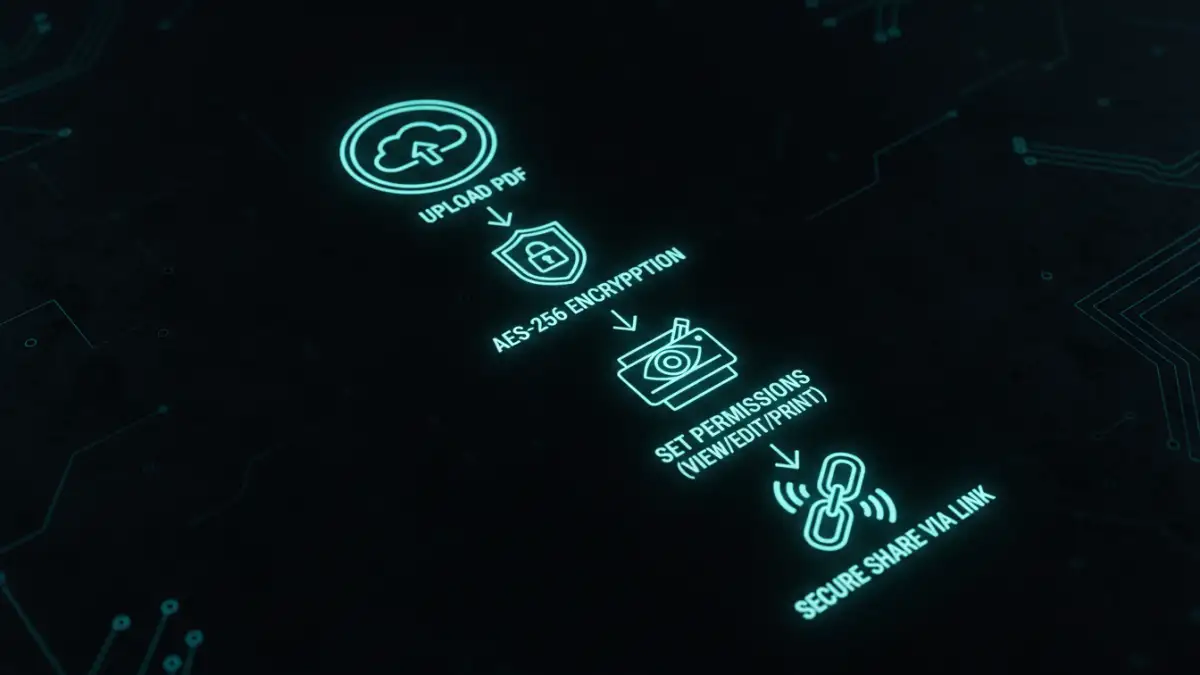
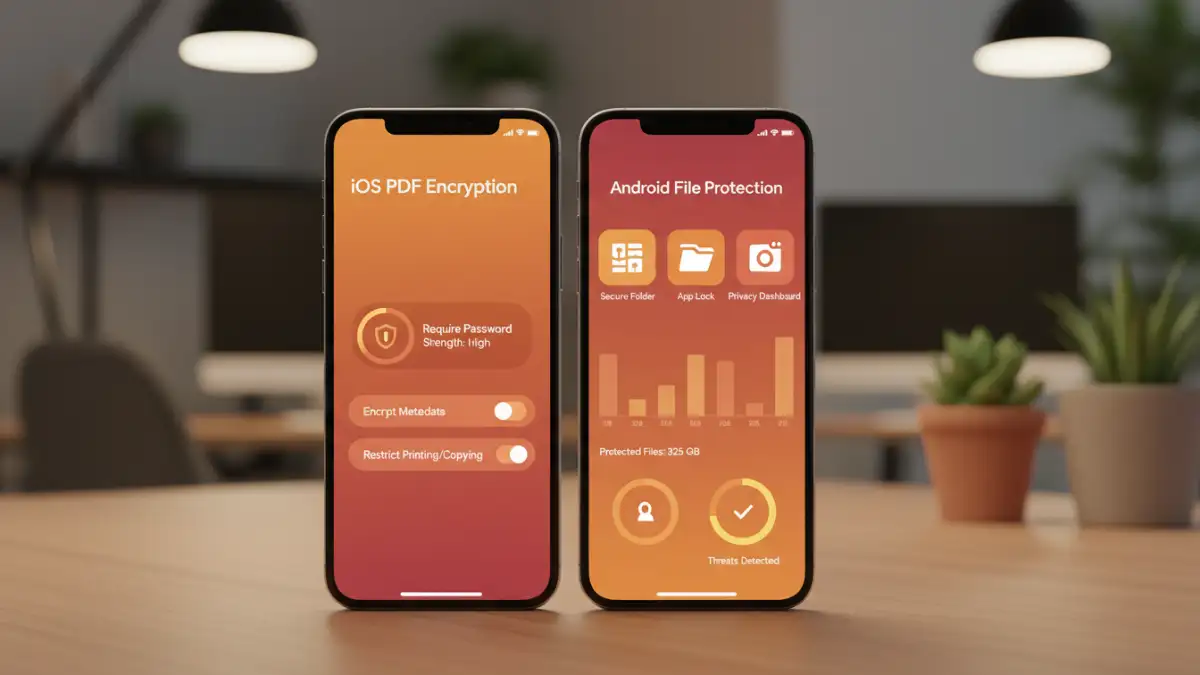
At the heart of our app is AES-256 encryption, the same standard trusted by governments and financial institutions worldwide. Whether you're using our iOS PDF encryption features or our dedicated Android file protection, every document you import is encrypted at rest and in transit. This ensures your data remains unreadable to unauthorized parties, even if your device or cloud account is compromised.
Granular Access Controls
Standard password protection is often an all-or-nothing affair. SecureDocs Mobile gives you nuanced control. You can set specific permissions for each document you share, such as disabling printing, preventing copying of text, or setting an expiration date for access. This allows you to share information confidently, knowing it will only be used as intended.
Secure Sharing and Audit Trails
Emailing sensitive documents is a major security risk. Our app replaces this with secure, shareable links. When you share a document, you can see who has viewed it and when, providing a clear audit trail. You can also revoke access at any time with a single tap, giving you complete control even after the document has been sent.
How We Built It: A Look Under the Hood
As an engineer, I'm particularly proud of the technical foundation we built. We opted for a native development approach for both iOS and Android to leverage the best security features each platform has to offer, like Keychain on iOS and the Keystore system on Android. This wasn't the easiest path, but it was the right one to ensure maximum performance and security.
Our backend services are built on a zero-knowledge architecture. This means that we, the service providers, never have access to your unencrypted files or your encryption keys. Your data is your own, and we've architected our system to ensure it stays that way. This commitment to user privacy is at the core of everything we do.
Feature Comparison: SecureDocs Mobile vs. Traditional Methods
| Feature | SecureDocs Mobile | Standard Cloud Storage | Email Attachment |
|---|---|---|---|
| File-Level Encryption | AES-256 (End-to-End) | Server-side (Not E2E) | None by default |
| Access Permissions | View, Print, Edit, Copy controls | Folder/File level only | None |
| Secure Sharing | Trackable, revocable links | Public or invited links | Unsecured file copy |
| Access Audit Trail | Yes, per-user tracking | Limited to file access events | None |
| Mobile Workflow | Fully integrated | Requires multiple apps | Requires multiple apps |
| Platform Availability | iOS and Android | Web, Desktop, Mobile | Any email client |