It’s a scenario I’ve seen play out too many times: a colleague needs to access a critical project archive from six months ago, only to be met with a password prompt they can't answer. The sinking feeling that follows is universal. Modern encryption is so effective that without the correct password, that data is likely gone for good. Protecting the password is just as important as creating the encrypted archive in the first place.
Forgetting an encrypted archive file password isn't just an inconvenience; it can mean the permanent loss of valuable data. The key is to be proactive. By implementing a reliable system for password management before you even create the archive, you can save yourself from a future data recovery crisis.
Table of Contents
Understanding the Risk of Password Loss
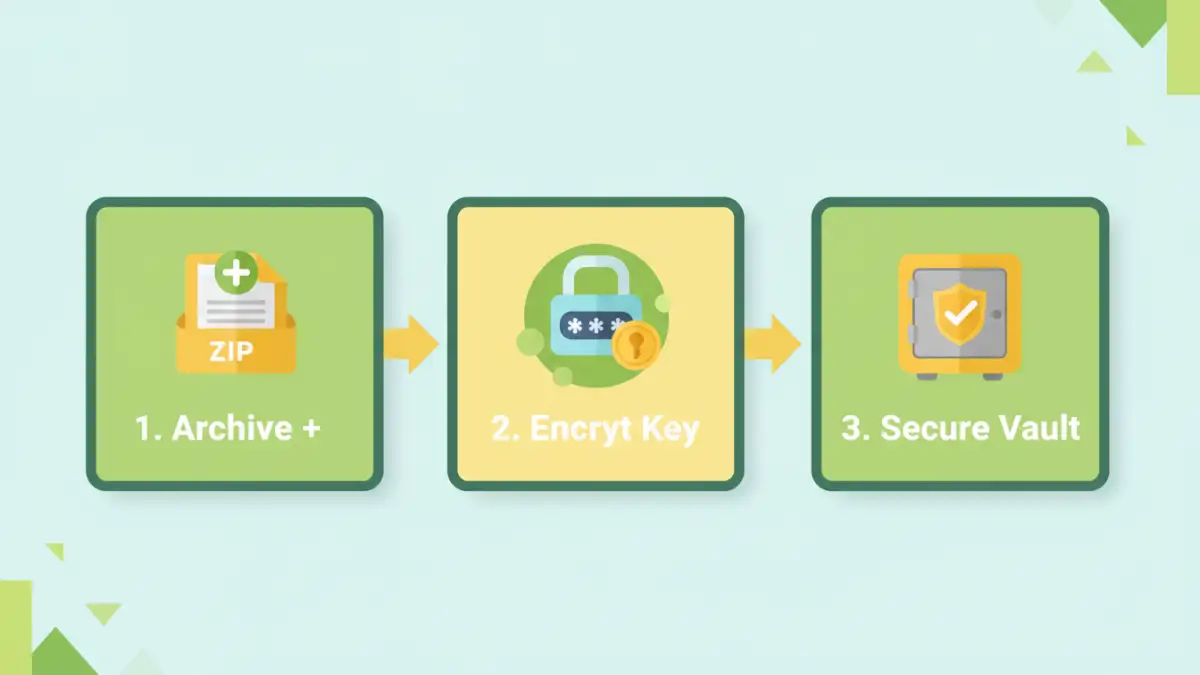
When you encrypt a file archive (like a ZIP or 7z file), the algorithm uses your password to create a unique encryption key. Without that exact password, the decryption process cannot be initiated. Unlike a website where you can click a "Forgot Password" link, local file encryption is a closed system. There is no central server to appeal to for a reset.
This design is intentional. It ensures that even if the file is stolen, it remains unreadable and secure. However, this strength becomes a major vulnerability if your own password management is weak. Losing the password is functionally the same as deleting the data permanently.
Why Relying on Memory Isn't Enough
Many of us believe we'll remember a password, especially if we use it frequently. But archive passwords are often created for long-term storage and may not be used for months or even years. Over time, memory fades, details get mixed up, and what was once a familiar password becomes a frustrating puzzle. Relying solely on memory is a high-risk strategy that often fails when you need it most.
Proactive Password Storage Methods
The best way to avoid losing a password is to have a secure system for storing it from the moment you create it. Relying on chance is not a strategy. Here are the most effective methods I recommend and personally use for secure password storage.
Using a Dedicated Password Manager
This is, by far, the most secure and efficient method. A password manager is an encrypted digital vault that stores all your login credentials, secure notes, and other sensitive information. When you create a password for an archive, you immediately save it as a secure note or a non-website entry in your manager.
Reputable password managers like Bitwarden, 1Password, or KeePass use strong, end-to-end encryption. You only need to remember one strong master password to access your entire vault. They also help you generate complex, random passwords that are nearly impossible to guess, which you can then store safely without needing to memorize them.
Creating Physical and Digital Backups
For extremely critical archives, I advocate for redundancy. This means having more than one copy of the password stored in different, secure locations. A digital backup could be an encrypted text file stored on a separate cloud service (like a secure note in Google Drive or Dropbox) that is itself protected by two-factor authentication.
A physical backup involves writing the password down and storing it in a secure physical location, like a home safe or a bank deposit box. While this might seem old-fashioned, it creates an offline copy that is immune to hacking or digital data loss. Just be mindful of who might have physical access to that location.
Best Practices for Password Hygiene
Beyond storage, the way you create and handle passwords plays a significant role in preventing loss. A password that is easy to remember is often easy to guess, while one that is too complex can be easily forgotten if not stored properly.
A great technique is the "three random words" method. Instead of a complex string like `Tr0ub4dor&3`, you combine three unrelated words like `CorrectHorseBattery`. This creates a password that is long, has high entropy (making it hard to brute-force), and is significantly easier to remember or transcribe accurately into your password manager. Adding a number or symbol can increase its strength further, but the length provided by the words is the most important factor.
Emergency Measures and Recovery Options
What if you've already lost the password and didn't have a backup? The outlook is often grim, but there are a few last-resort options. Password recovery tools exist that attempt to "crack" the password using various techniques like brute-force (trying every possible combination) or dictionary attacks (trying common words and phrases).
However, their success depends heavily on the password's complexity. If you used a short, simple password, these tools might find it in a few hours or days. If you used a long, complex, and random password, the time required could be hundreds or even thousands of years with current computing power. These tools are a long shot and should never be your primary plan.
Password Storage Method Comparison
| Storage Method | Security Level | Accessibility | Risk of Loss |
|---|---|---|---|
| Password Manager | Very High | High (across devices) | Low (if master password is safe) |
| Physical Copy (in safe) | High | Low (location-dependent) | Low (immune to digital threats) |
| Encrypted Digital Note | Medium-High | High (cloud access) | Medium (account compromise risk) |
| Plain Text File | Very Low | High | Very High (theft, accidental deletion) |
| Human Memory | Low | High (if remembered) | Very High (forgetfulness) |