We store so much of our lives in the cloud, from family photos to sensitive work documents. While services like Google Drive and Dropbox are convenient, a question I often get from colleagues is, "Are my files truly private?" The standard security is good, but it doesn't always provide the end-to-end, user-controlled encryption needed for highly confidential data. This gap has been a persistent challenge for both individuals and businesses.
That's why our team has been working on a solution. After months of development and testing, I'm thrilled to announce we've launched a new integration designed to solve this exact problem. It’s a tool that provides a seamless, powerful layer of security right on top of your existing cloud storage, giving you full control over your data's privacy.
Table of Contents
The Problem with Default Cloud Security
Cloud storage providers do a great job of securing their infrastructure. They encrypt data in transit and at rest on their servers. However, the provider typically holds the encryption keys. This means, in certain scenarios—like a government subpoena or a breach of their internal systems—your files could potentially be accessed by third parties. It’s a model built on trusting the provider completely.
For many day-to-day files, this is perfectly acceptable. But for financial records, legal documents, intellectual property, or personal health information, you need a higher standard. True privacy comes from a system where you, and only you, hold the keys to your data. This is often referred to as zero-knowledge or end-to-end encryption.
Client-Side vs. Server-Side Encryption
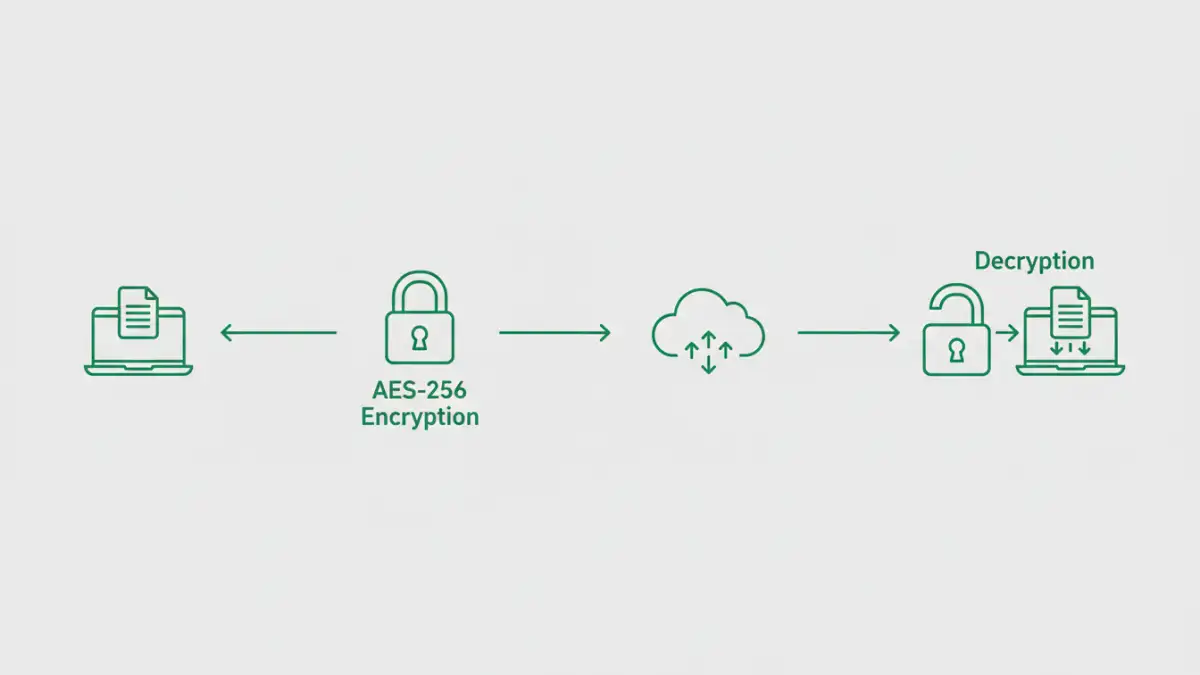
The standard approach is server-side encryption, where files are encrypted after they reach the cloud provider's servers. Our new tool focuses on client-side encryption. This means your files are encrypted on your device *before* they are ever uploaded to Google Drive or Dropbox. The cloud service only ever stores the encrypted, unreadable version of your data, ensuring ultimate privacy.
Introducing Our New Encryption Integration
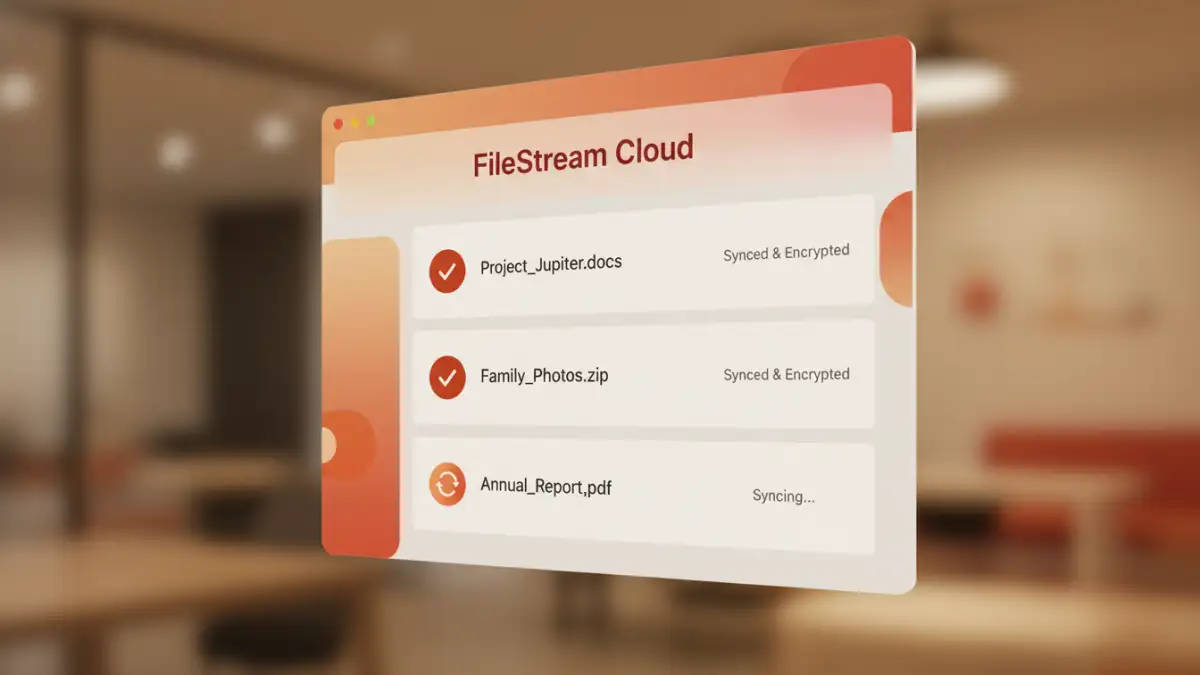
Our new integration, which we're calling SecureSync, acts as a secure gateway to your cloud storage. It's not a new storage service; instead, it enhances the ones you already use and love. It creates a special encrypted folder within your Google Drive or Dropbox. Any file you place in this folder is automatically encrypted on your local machine before it syncs.
The core principle is simple: we never see your data or your passwords. The encryption key is derived from your unique password, which is never transmitted to our servers. This zero-knowledge architecture ensures that you are the only person who can decrypt and access your files. It’s a straightforward solution for enhancing your cloud storage protection without changing your workflow.
How the Zero-Knowledge Approach Works
When you set up SecureSync, you create a master password. This password is used to generate a strong encryption key that stays on your device. When you add a file, it’s encrypted using this key with AES-256, a military-grade encryption standard. The encrypted file is then synced to the cloud. When you need to access it, the tool pulls the encrypted file and decrypts it locally using the same key. The process is seamless and happens in the background.
Core Features for Total Data Control
We built this integration with both security and usability in mind. From my own experience building software, I know that if a security tool is too complicated, people won't use it. We focused on a few key features to make robust encryption accessible.
- Seamless Integration: SecureSync works directly with your existing Google Drive and Dropbox accounts. It appears as a simple folder on your desktop, just like the native apps.
- Client-Side Encryption: All encryption and decryption happens on your device. Your unencrypted files and your password never leave your machine.
- Cross-Platform Sync: Access your encrypted files from any device—Windows, macOS, or Linux. Mobile apps are currently in development.
- Secure Sharing: You can share encrypted files with other SecureSync users without compromising security. We are also working on a feature for password-protected link sharing for non-users.
Getting Started in Three Simple Steps
We wanted the setup process to be as painless as possible. There’s no complex configuration or server setup required. Here’s how you can start improving your Dropbox file security or Google Drive encryption in just a few minutes.
- Download and Install: Head to our website and download the application for your operating system. The installation is quick and straightforward.
- Connect Your Cloud Account: During setup, you’ll be prompted to authorize access to your Google Drive or Dropbox account. This is done via a standard OAuth flow, so we never see your cloud account password.
- Create Your Secure Vault: Choose a strong master password for your encrypted vault. Remember this password, as it cannot be recovered. Once set, your secure folder is ready to use. Just drag and drop files to start encrypting them.
This new integration release is our first step toward making true data privacy simple and accessible for everyone. By focusing on a user-controlled model for encrypting cloud files, we put the power back in your hands.
Security Model Comparison
| Security Feature | Standard Cloud Storage (e.g., Google Drive) | SecureSync Integration | Typical Third-Party Tools |
|---|---|---|---|
| Encryption Location | Server-side (at rest/in transit) | Client-side (before upload) | Varies (mostly client-side) |
| Key Management | Provider holds the keys | User holds the keys (zero-knowledge) | User holds the keys |
| Privacy Level | Provider can access data | Provider cannot access data | Provider cannot access data |
| Ease of Use | Very high (native) | High (integrates as a folder) | Medium to High |
| Sharing Method | Standard links | Encrypted sharing between users | Often requires manual decryption/re-encryption |