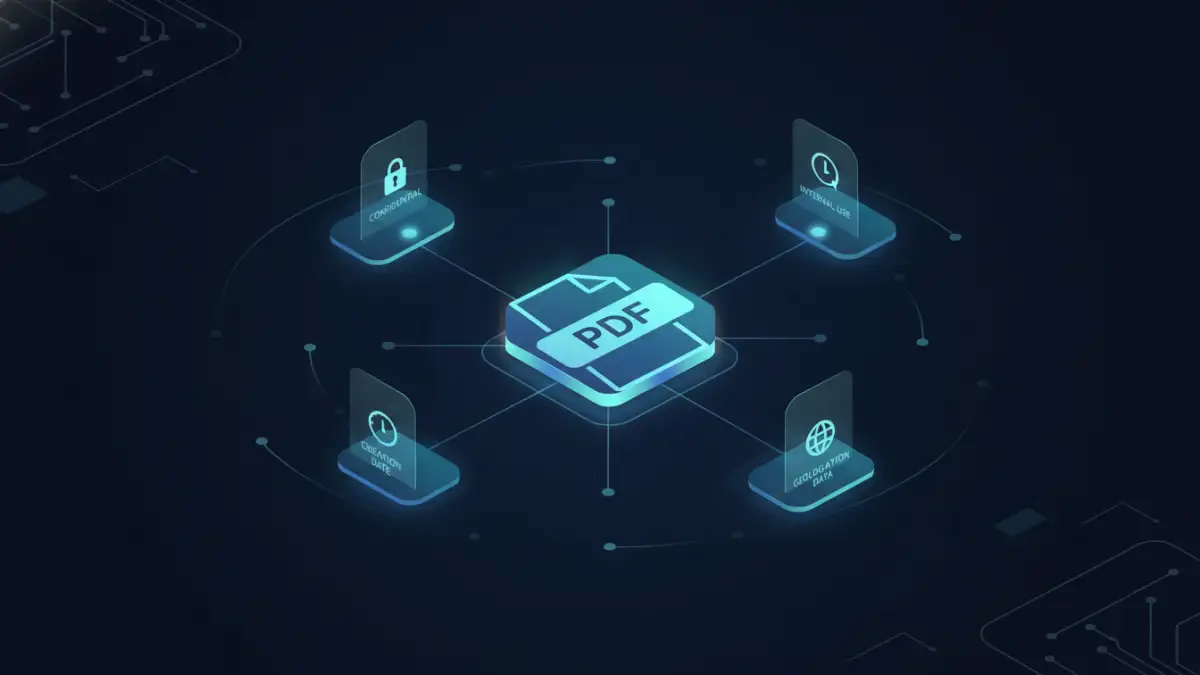
When we think about securing a PDF, the first thing that usually comes to mind is a password. While effective for simple access control, passwords are a blunt instrument. They don't tell you anything about the *nature* of the data inside the document. Is it public, internal, confidential, or top secret? This is a problem I've seen many organizations struggle with as they try to build automated security workflows.
This is where a more sophisticated approach is needed. Instead of just locking the door, we need to attach a machine-readable label to the document that describes its sensitivity. This is precisely what the Extensible Metadata Platform (XMP) allows us to do, forming the backbone of a modern strategy for pdf security labeling.
Table of Contents
What is XMP and Why Does It Matter for Security?
The Extensible Metadata Platform (XMP) is an ISO standard, originally created by Adobe, for embedding metadata into files. Think of it as a set of standardized digital sticky notes inside your PDF. While many people are familiar with basic metadata like 'Author' or 'CreationDate', XMP is far more powerful. It's based on XML, which means it's structured, extensible, and, most importantly, machine-readable.
For security, this is a game-changer. You can define your own custom metadata properties to classify a document. Instead of just a password, a PDF can carry its own security context, such as 'Sensitivity: Confidential' or 'Distribution: Internal Only'. This information travels with the file wherever it goes, providing a persistent data classification that automated systems can understand and act upon.
XMP vs. Standard PDF Properties
You might wonder how this differs from the standard document properties you can edit in Adobe Acrobat. The key difference is extensibility and standardization. Standard properties are a fixed set ('Title', 'Subject', 'Keywords'). The XMP metadata standard allows you to create entire custom schemas, which is essential for building a robust document classification schema tailored to your organization's specific needs.
This means you can create a structured set of labels that align perfectly with your corporate data governance policies. For example, you could have a schema that includes not just a classification level but also a project code, a retention period, and the responsible department. This level of detail is impossible with standard properties.
The Anatomy of an XMP Security Label

At its core, an XMP packet is a block of XML text embedded within the PDF file structure. This XML is structured using the Resource Description Framework (RDF), which provides a standardized way to make statements about resources (in this case, the PDF document).
A typical XMP security label might look something like this in its raw form:
<rdf:Description rdf:about=''
  xmlns:myCorp='http://mycorp.com/ns/security/'>
  <myCorp:Classification>Confidential</myCorp:Classification>
  <myCorp:Department>Legal</myCorp:Department>
  <myCorp:RetentionDays>1825</myCorp:RetentionDays>
</rdf:Description>
In this example, we've defined a custom namespace, `myCorp`, to avoid conflicts with other metadata. We then created three specific properties: `Classification`, `Department`, and `RetentionDays`. This structured data is far more useful for automation than a simple text string.
Designing a Document Classification Schema
Creating a good schema is the first step. You need to decide what information is critical for your security policies. Common properties include:
- Classification Level: Public, Internal, Confidential, Restricted.
- Handling Instructions: Do Not Forward, Encrypt Before Sending.
- Data Type: PII, Financial, Health Information.
- Project ID: A code linking the document to a specific project.
By standardizing these fields, you ensure that every application in your security ecosystem—from email gateways to cloud storage scanners—is speaking the same language.
Practical Implementation of XMP Labels
Embedding XMP metadata can be done in several ways, ranging from manual editing to fully automated server-side processes. Manually, you can use tools like Adobe Acrobat Pro to edit the XMP metadata through its properties dialog.
However, the real power comes from programmatic access. I once worked on a project where we needed to classify millions of legacy documents. We used a Python script with the `pikepdf` library to read document contents, infer a classification level, and then inject the appropriate XMP packet into each PDF. This is where the true value of an extensible metadata platform shines—in its ability to be integrated into custom workflows.
Many enterprise solutions also handle this automatically. For instance, Microsoft Purview Information Protection (MIP) uses XMP to embed its sensitivity labels into Office documents and PDFs. When a user applies a 'Confidential' label in Word, that metadata is preserved when the file is saved as a PDF, ensuring consistent policy enforcement across formats.
Automation and Enforcement: The Real Power of XMP
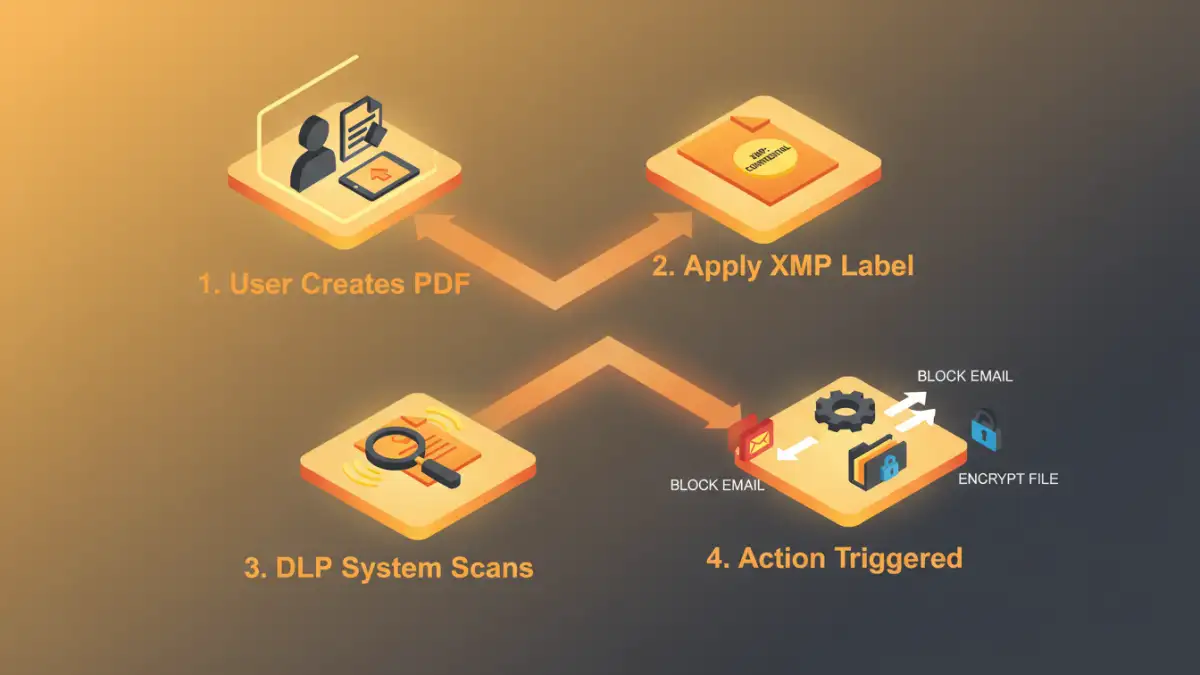
Having a label is only half the battle; you need systems that can read and enforce it. This is where XMP-based pdf security labeling truly excels. Because the metadata is standardized and machine-readable, it becomes a trigger for automated security actions.
Here are a few real-world examples:
- Data Loss Prevention (DLP): An email gateway can scan outgoing attachments. If it finds a PDF with an XMP tag of `Classification: Confidential`, it can automatically block the email or force encryption before sending it to an external recipient.
- Document Management Systems (DMS): A system like SharePoint can read the XMP metadata on upload. A document labeled `Department: Legal` could automatically be placed in the correct folder with restricted access permissions applied.
- Smart Printing: Network printers can be configured to read the metadata. If a user tries to print a document with a `Handling: DoNotPrint` tag, the job can be canceled, and an alert can be sent to a security administrator.
- Digital Rights Management (DRM): The XMP label can instruct a DRM system on what policies to apply, such as disabling copy/paste functionality or setting an expiration date for the document.
This automated enforcement moves security from a manual, error-prone process to a reliable, policy-driven system that scales across the entire organization.
XMP Security Property Comparison
| XMP Property | Description | Example Value | Primary Use Case |
|---|---|---|---|
mycorp:Classification | Defines the overall sensitivity level of the document. | Confidential | Access control and DLP triggers. |
mip:Label | Microsoft's standard property for its sensitivity labels. | a1b2c3d4-....-e5f6 | Integration with Microsoft Purview ecosystem. |
dc:rights | A standard Dublin Core element describing rights held in and over the resource. | Copyright 2024. Internal Use Only. | Communicating legal and usage restrictions. |
mycorp:RetentionPeriod | Specifies how long the document should be retained. | 7 years | Automated archival and deletion workflows. |
pdfx:Trapped | A technical flag indicating if the file has been pre-processed for printing. | True | Though not strictly for security, it can inform print workflow decisions. |