
Managing sensitive financial documents requires a robust strategy, especially when it comes to long-term storage. The PDF format has become a de facto standard for financial statements due to its portability and consistent formatting across devices. However, simply saving these files isn't enough; ensuring their security and integrity over time is paramount.
From my experience, dealing with legacy financial data often presents unique challenges. Ensuring that these documents remain accessible to authorized personnel while being protected from unauthorized access or corruption is a balancing act. Implementing proper archiving procedures for your PDF financial statements is not just good practice, it's often a regulatory necessity.
Table of Contents
Understanding PDF Archiving
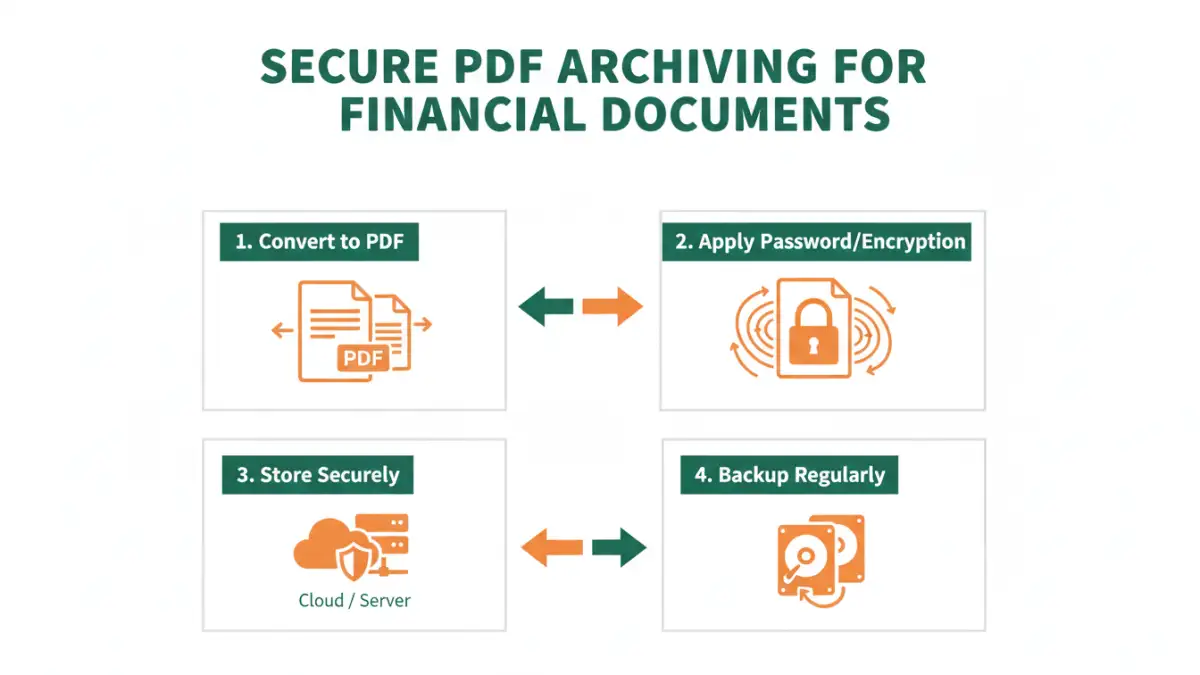
Archiving financial statements in PDF format involves more than just saving files. It's about creating a system that preserves the authenticity, integrity, and accessibility of these critical documents over extended periods. This means considering factors like file format stability, metadata preservation, and security measures.
Why PDF for Financial Statements?
The PDF format is favored for its ability to maintain document layout and formatting regardless of the operating system or software used to view it. This consistency is vital for financial records, where precise presentation of numbers and text is non-negotiable. Furthermore, PDFs can embed various types of data, including text, images, and even interactive elements, making them versatile for reporting.
Security Methods for PDFs

Protecting your archived financial documents is crucial. PDFs offer several built-in security features that can be leveraged to prevent unauthorized access or modification. Implementing these methods ensures that only authorized individuals can view or edit your sensitive financial data.
Password Protection
One of the most common and effective methods is applying password protection to your PDF files. This can be done in two ways: an owner password to restrict editing, printing, or copying, and a user password to require a password for opening and viewing the document. I've found that using a strong, unique user password is the first line of defense.
Encryption Options
Beyond simple password protection, PDFs can utilize encryption algorithms to scramble the document's content. Modern PDF standards support robust encryption, such as AES-256, which is considered highly secure. This makes the document unreadable without the correct decryption key (often derived from the password).
Effective Archiving Strategies
A well-defined archiving strategy ensures that your financial statements are not only secure but also easily retrievable when needed. This involves careful planning of where and how you store these documents, along with a system for managing them over time.
Centralized Storage Solutions
Storing archived financial statements in a centralized location, whether on a secure network drive, a dedicated document management system, or a reputable cloud storage service, is essential. This prevents files from being scattered across individual computers, making them harder to locate and manage. When considering how to archive financial statements pdf documents, a centralized approach is key for accountability.
Regular Backups and Redundancy
Implementing a regular backup schedule is non-negotiable. Storing backups in multiple physical locations or using cloud-based backup services provides redundancy in case of hardware failure, natural disasters, or cyber-attacks. This ensures that your financial records are safe and recoverable.
Best Practices for Long-Term Storage
To ensure the longevity and security of your archived financial statements, adhering to best practices is vital. These guidelines help maintain data integrity and compliance with potential regulatory requirements.
Maintain Version Control
For critical financial documents, maintaining clear version control can prevent confusion and ensure that the most accurate and up-to-date versions are being accessed. Labeling files clearly with dates and version numbers is a simple yet effective practice.
Regular Audits and Access Reviews
Periodically review who has access to your archived financial documents and audit access logs if your system provides them. This helps identify any unauthorized access attempts or overly broad permissions that could pose a security risk. It's a proactive step in maintaining secure financial documents.
Comparison Table: PDF Security Features
| Feature | Description | Use Case | Security Level |
|---|---|---|---|
| Password Protection (Open) | Requires a password to view the PDF. | Restrict access to sensitive statements. | Moderate |
| Password Protection (Owner) | Restricts printing, copying, editing. | Prevent unauthorized distribution or alteration. | Moderate |
| AES-256 Encryption | Scrambles document content using a strong algorithm. | High-level protection against data breaches. | High |
| Digital Signatures | Verifies the identity of the signer and ensures document integrity. | Authenticating official financial reports. | High (for authenticity) |