When dealing with sensitive legal agreements, ensuring the confidentiality and integrity of your documents during transit is paramount. I've seen firsthand how a single misplaced file or an unauthorized glimpse can lead to significant legal and financial repercussions. Sharing legal documents often involves multiple parties, increasing the surface area for potential security breaches. Therefore, implementing robust security measures for your digital files, especially those in PDF format, is not just good practice; it's a necessity.
This guide will walk you through the essential methods and best practices for securely sharing legal contracts in PDF format, ensuring your sensitive information remains protected from prying eyes and malicious actors.
Table of Contents
Understanding PDF Security Basics
PDFs are a ubiquitous format for legal documents due to their ability to preserve formatting across different operating systems and devices. However, their widespread use also makes them a target for security vulnerabilities if not handled correctly. Understanding the inherent security features of PDFs and the potential risks is the first step toward effective protection.
Core Security Features
PDFs offer built-in security functionalities that, when utilized properly, can significantly enhance document protection. These include password protection for opening documents, restricting printing or editing, and even encrypting the file content itself. Many PDF editors and viewers provide these options, making them accessible to most users.
Practical Methods for Secure Sharing
There are several straightforward methods to ensure your legal documents are shared securely. These range from simple password protection to utilizing specialized online tools, each offering different levels of security and convenience.
Password Protection
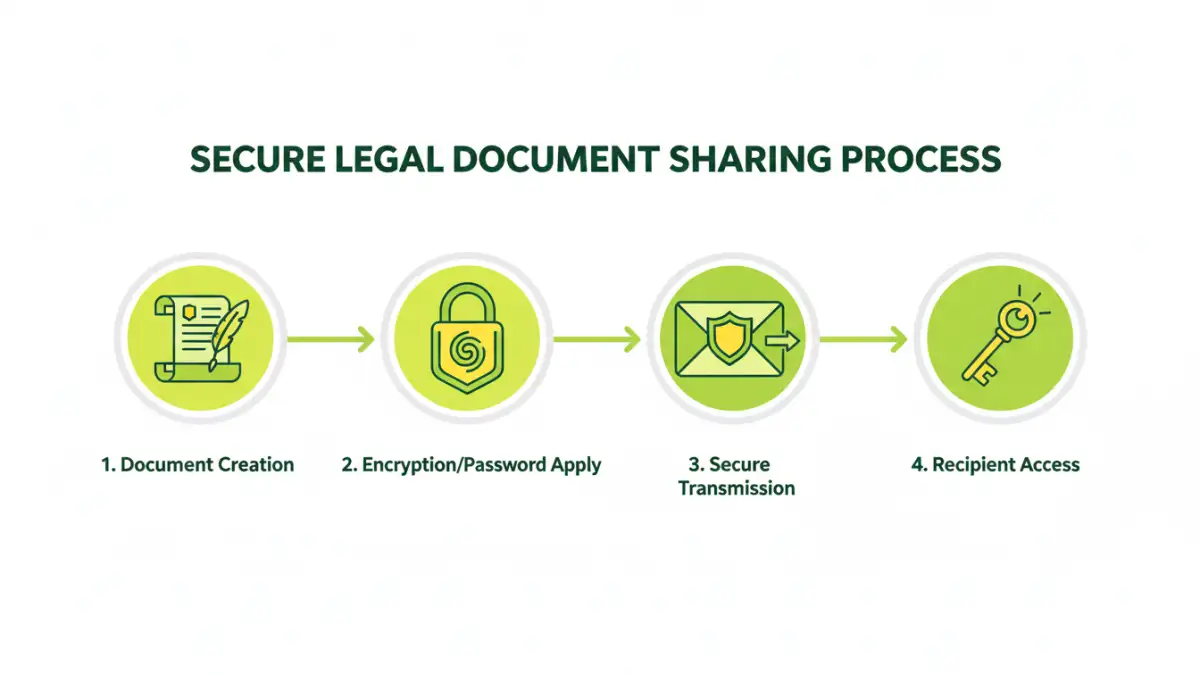
The most common and accessible method is applying a password to your PDF document. This prevents unauthorized users from opening or viewing the file without the correct password. Most PDF creation software, like Adobe Acrobat or even built-in OS tools, allows you to set passwords. When sharing, you would then communicate the password separately through a different, secure channel.
Using Secure Online Tools
Various online platforms offer services to encrypt PDFs or create password-protected links for file sharing. These can be convenient for quick sharing needs, but it's crucial to choose reputable services. Always research the platform's privacy policy and security protocols to ensure your data isn't compromised by the service provider itself. For a truly secure legal contract pdf, vetting these tools is essential.
Advanced Security Techniques
Beyond basic password protection, more sophisticated methods can be employed to safeguard highly sensitive legal documents. These techniques often involve stronger encryption standards or specialized software.
End-to-End Encryption Services
For maximum security, consider using cloud storage or file-sharing services that offer end-to-end encryption (E2EE). With E2EE, only the sender and the intended recipient can decrypt and read the content. The service provider itself cannot access the data, offering a robust layer of privacy. This is particularly valuable for attorney PDF security when dealing with client confidentiality.
Digital Signatures and Certificates
Digital signatures can verify the authenticity and integrity of a document. They confirm that the document has not been altered since it was signed and who the rightful sender is. While not strictly for preventing unauthorized access, they are crucial for ensuring that a shared legal document is the genuine, unaltered version.
Best Practices for Legal Document Sharing
Implementing security measures is only part of the equation. Adopting best practices in your workflow ensures that your efforts are effective and consistent. These practices cover how you manage passwords, who you share with, and how you track access.
Manage Passwords Securely
Never embed passwords directly within the document file name or send them in the same email as the protected PDF. Use a separate, secure communication channel, like an encrypted messaging app or a phone call, to share passwords. Consider using strong, unique passwords and updating them periodically.
Limit Access and Permissions
When setting up password protection or using sharing services, grant access only to the individuals who absolutely need it. Review permissions regularly and revoke access when it's no longer necessary. This principle of least privilege is fundamental to maintaining security.
Audit and Track Access
Some advanced PDF security solutions and sharing platforms offer audit trails, allowing you to see who accessed or attempted to access your documents and when. This can be invaluable for compliance and for detecting potential security breaches in legal document sharing.
Comparison Table: PDF Security Methods
| Method | Ease of Use | Security Level | Best For | Considerations |
|---|---|---|---|---|
| Basic Password Protection | High | Moderate | General sharing, non-critical docs | Password must be shared separately |
| Secure Online Tools | High | Moderate to High | Quick sharing, collaboration | Requires trust in the provider, potential privacy risks |
| End-to-End Encryption Services | Moderate | Very High | Highly sensitive client data, confidential agreements | May require specific software or subscriptions |
| Digital Signatures | Moderate | Integrity & Authenticity | Verifying document origin and immutability | Does not prevent unauthorized viewing |