Sharing files within a business context is a daily necessity, but doing so securely and legally requires careful consideration. Many businesses grapple with how to grant access to sensitive documents while remaining compliant with various regulations. It's not just about sending a file; it's about ensuring the right people have access, and unauthorized individuals do not.
My experience has shown that overlooking the legal aspects of file sharing can lead to significant penalties, data breaches, and reputational damage. This is particularly true when dealing with client data, financial records, or proprietary information. Understanding the nuances of permissions is key to maintaining both operational efficiency and legal integrity.
Table of Contents
Understanding the Legal Landscape
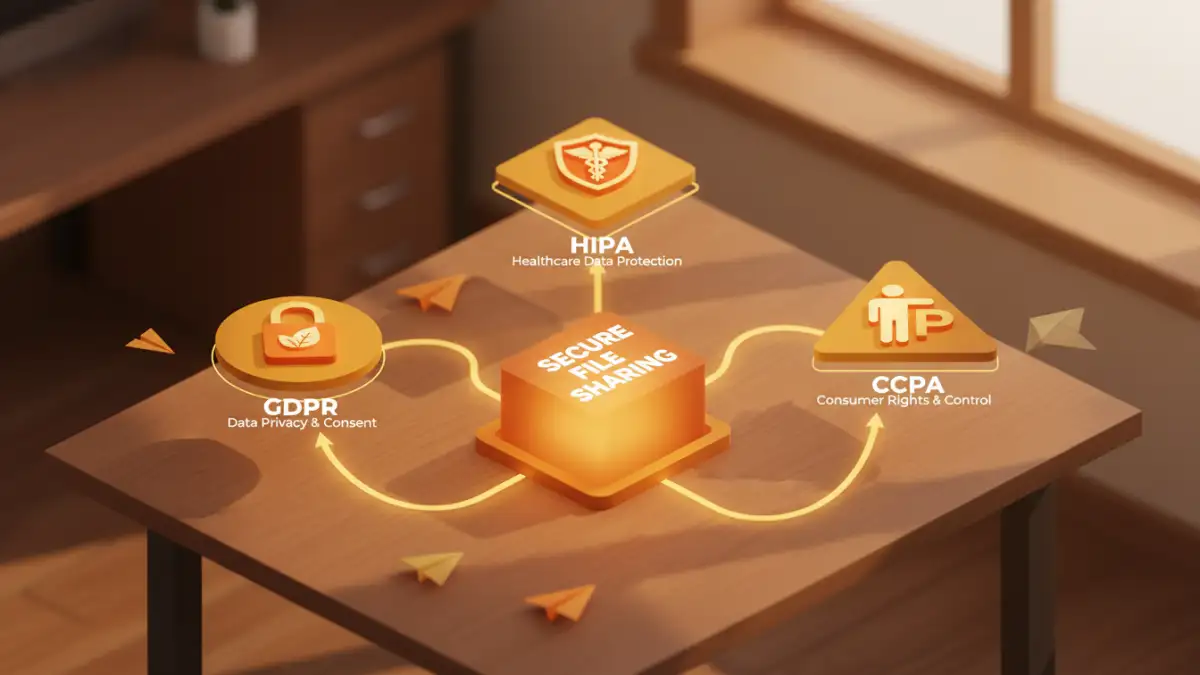
The legal framework surrounding data sharing is complex and constantly evolving. Depending on your industry and the location of your operations and clients, you might be subject to laws like GDPR, HIPAA, CCPA, or industry-specific regulations. These often dictate how data can be accessed, stored, and shared, placing a strong emphasis on consent and explicit permissions.
For businesses, this means that simply sharing a file via email or a cloud service without proper controls is not enough. You need a clear policy on who can share what, with whom, and under what conditions. This involves understanding the concept of secure file sharing permissions and implementing them diligently.
Data Privacy Laws
Data privacy laws are paramount. They impose strict rules on how personal data can be processed and shared. Businesses must ensure that any file sharing activity involving personal data adheres to these regulations, often requiring explicit consent from individuals before their data can be shared, even internally.
Types of Permissions and Access Controls

Effective secure file sharing relies on granular access controls. This allows you to define precisely who can do what with a given file or folder. Common types of permissions include read-only access, edit access, download capabilities, and the ability to share further.
Implementing a robust system for managing these permissions is crucial. It’s not just about setting them once; it’s about regularly reviewing and updating them as roles and responsibilities change within the organization. This proactive approach minimizes the risk of unauthorized access or accidental data leaks.
Role-Based Access Control (RBAC)
Role-Based Access Control is a widely adopted method where access is granted based on a user's role within the company. For example, HR personnel might have access to employee records, while sales teams have access to client management files. This simplifies management and ensures that access is aligned with job functions.
Least Privilege Principle
The principle of least privilege dictates that a user should only be granted the minimum level of access necessary to perform their job duties. This is a critical security measure that limits the potential damage if an account is compromised. Applying this principle to your secure file sharing permissions is a fundamental best practice.
Key Compliance Frameworks to Consider
Different industries have specific compliance requirements that dictate how data must be handled. For healthcare, HIPAA is essential, governing the sharing of Protected Health Information (PHI). Financial institutions must adhere to regulations like GLBA (Gramm-Leach-Bliley Act) for customer financial data.
For businesses operating internationally, or those handling data of EU residents, GDPR (General Data Protection Regulation) is a major consideration. It mandates strict controls over data processing, consent, and the right to be forgotten, all of which impact how files are shared and managed.
GDPR and Data Subject Rights
The GDPR emphasizes the rights of data subjects, including the right to access, rectify, and erase personal data. When sharing files that contain personal data, businesses must be able to track who has accessed what and be prepared to remove data upon request, making granular permissions vital.
Best Practices for Secure File Sharing
Beyond understanding legalities, adopting best practices ensures your file sharing strategy is both secure and efficient. This includes using encrypted channels for transfer, implementing strong authentication methods, and regularly auditing access logs. Educating employees on secure data handling practices is also a cornerstone of effective compliance.
Regular training and clear policies are non-negotiable. Employees are often the first line of defense, but also the most common vector for breaches if not properly informed about security protocols. Understanding the importance of secure file sharing permissions helps foster a security-conscious culture.
Comparison Table: File Sharing Security Features
| Feature | Description | Importance for Legal Compliance | Implementation Difficulty |
|---|---|---|---|
| End-to-End Encryption | Data is encrypted from sender to receiver, unreadable by intermediaries. | High - Protects data confidentiality. | Moderate - Depends on the service/software. |
| Access Control Lists (ACLs) | Defines specific permissions (read, write, execute) for users or groups. | Very High - Essential for granular secure file sharing permissions. | Moderate to High - Requires careful configuration. |
| Audit Trails/Logging | Records who accessed, modified, or shared files and when. | High - Crucial for accountability and incident investigation. | Moderate - Most platforms offer this. |
| Multi-Factor Authentication (MFA) | Requires more than one verification method to log in. | High - Strengthens user authentication. | Easy to Moderate - Widely supported. |
| Data Loss Prevention (DLP) | Tools that identify and prevent sensitive data from leaving the organization. | Very High - Directly addresses compliance with data exfiltration laws. | High - Can be complex and costly to implement effectively. |