
A marketing team I worked with recently faced a common but tricky situation. They needed to send a large design file, a contract PDF, and a project plan spreadsheet to a new agency. Their first instinct was to attach everything to an email, but the combined size was too large, and the contract contained sensitive information. This scenario perfectly illustrates the challenge businesses face daily: how do you enable effective external document collaboration without compromising security?
Simply emailing files to vendors, clients, or partners is fraught with risk. Attachments can be intercepted, forwarded without permission, or sit unprotected in someone's inbox for years. When you're dealing with multiple formats—from legal documents to creative assets and financial reports—the complexity and risk multiply. A robust strategy is essential.
Table of Contents
Why Standard Email Attachments Fall Short
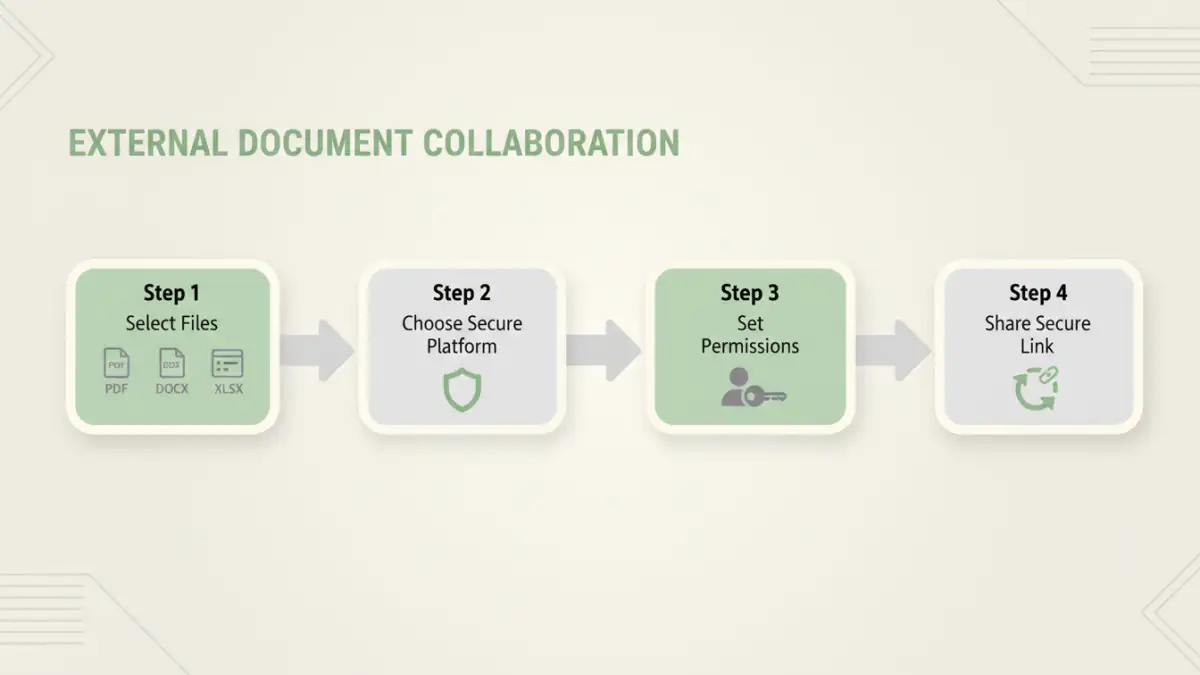
For decades, email has been the default for communication, but it was never designed for secure file transfer. When you attach a document to an email, you essentially lose control over it the moment you hit 'send.' The file is duplicated across servers and can be easily downloaded, copied, and shared by the recipient without any oversight.
Furthermore, email services have strict size limits, making it impossible to share large video files, high-resolution design assets, or extensive datasets. Relying on workarounds like splitting files into multiple archives is cumbersome and introduces more points of failure. The lack of audit trails means you have no visibility into who accessed the file, when, or what they did with it.
Key Pillars of Secure External Collaboration
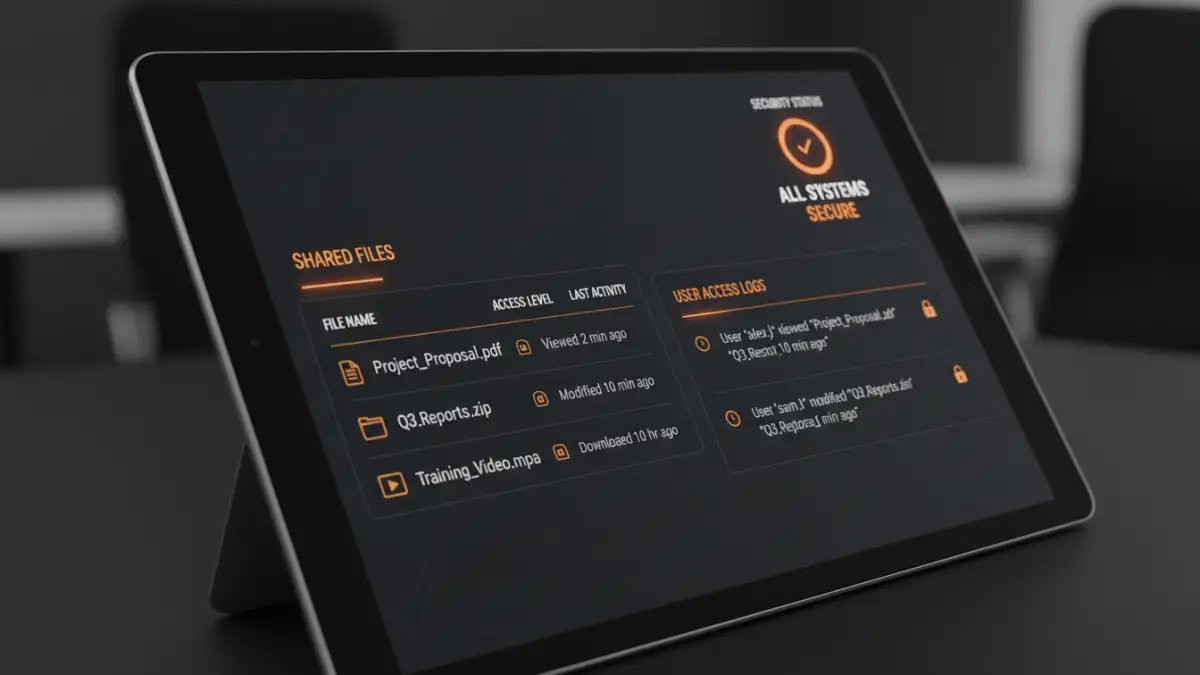
To build a reliable system for third party data sharing, we need to focus on a few core principles. These pillars ensure that data remains protected throughout its lifecycle, from creation to delivery and beyond.
Access Control and Permissions
The foundation of security is controlling who can access what. A robust system allows you to set granular permissions. For example, you might allow a partner to view a contract but not download or print it. For a collaborative spreadsheet, you might grant editing access to specific users while others have view-only rights. This prevents unauthorized users from accessing sensitive data and limits what authorized users can do with it.
Encryption in Transit and at Rest
Data should be protected at all times. Encryption in transit, typically using TLS (Transport Layer Security), protects files while they are being uploaded or downloaded. Encryption at rest protects the files while they are stored on a server. This ensures that even if a server is breached, the data remains unreadable without the proper decryption keys. An effective encrypted file transfer is non-negotiable for sensitive information.
Audit Trails and Reporting
Visibility is crucial for compliance and security monitoring. A comprehensive audit trail logs every action taken on a file: who viewed it, who downloaded it, who edited it, and when. This traceability is vital for regulatory requirements like GDPR, HIPAA, or CCPA and provides invaluable insights in the event of a security incident.
Methods for Securely Sharing Diverse File Formats
With the principles established, let's look at the practical methods for sharing files. The right choice often depends on the sensitivity of the data, the file size, and the nature of the collaboration.
Dedicated Client Portals
For ongoing relationships with clients or partners, a dedicated client portal is often the best solution. A portal is a secure, branded, web-based space where you can share files, manage projects, and communicate. Client portal security provides a centralized hub, eliminating the chaos of email chains. You can organize files by project, set user-specific permissions, and maintain a complete history of all interactions. This method is ideal for complex projects requiring frequent external document collaboration.
Encrypted File Transfer Services
When you need to send large or sensitive files on an ad-hoc basis, specialized file transfer services are an excellent choice. Platforms like WeTransfer (Pro version), Tresorit Send, or Citrix ShareFile are built for this purpose. They offer end-to-end encryption, link expiration dates, password protection, and download notifications. Unlike email, they can handle massive files and provide confirmation that your file was successfully received and accessed.
Secure Cloud Storage Links
Services like Google Drive, Dropbox Business, and Microsoft OneDrive have evolved significantly. They are no longer just for personal storage. Business-tier plans offer advanced sharing features, including password-protected links, access expiration, and the ability to disable downloads. The key is to use these features diligently. A common mistake I see is sharing a link with 'anyone can view' permissions, which is almost as insecure as a public website.
Implementing a Secure File Sharing Strategy
Choosing a tool is only part of the solution. A successful implementation requires a clear strategy that your entire organization understands and follows. This is where a true secure file sharing enterprise approach comes into play, integrating technology with policy.
First, classify your data. Not all information requires the same level of protection. A public marketing brochure has different security needs than unreleased financial statements. Create clear data classification tiers (e.g., Public, Internal, Confidential, Restricted) and define the appropriate sharing method for each. This prevents employees from using an insecure method for highly sensitive data out of convenience.
Next, train your team. Technology is only as effective as the people using it. Conduct regular training sessions on company policies, the importance of data security, and how to use the approved tools correctly. Show them how to set permissions, password-protect links, and recognize phishing attempts that might try to trick them into sharing files insecurely.
Best Practices for Third Party Data Sharing
To wrap up, here are some actionable best practices to keep in mind:
- Principle of Least Privilege: Always grant the minimum level of access necessary for a partner to do their job. If they only need to view a file, don't give them editing rights.
- Set Expiration Dates: For time-sensitive information, set links and access to expire automatically. This prevents data from being accessible indefinitely.
- Regularly Review Access: Periodically audit who has access to your shared files and folders. Revoke permissions for partners or employees who no longer need them.
- Use Strong, Unique Passwords: When password protection is used, enforce strong password policies. Never send the password in the same email as the file link.
- Enable Two-Factor Authentication (2FA): For any platform that supports it, especially client portals, enable 2FA for an extra layer of security.
By moving away from email attachments and adopting a structured, multi-layered approach, you can collaborate effectively with external partners while keeping your sensitive data secure across all file formats.
Comparison of Secure Sharing Methods
| Method | Security Features | Ease of Use | Best For |
|---|---|---|---|
| Email with Encryption (e.g., PGP) | Strong encryption but complex setup. No access control post-send. | Low for sender and recipient. High technical barrier. | Highly technical users sending one-off, smaller files. |
| Secure File Transfer Services | End-to-end encryption, link expiration, password protection, audit trails. | High. Simple drag-and-drop interface. | Sending large or sensitive files on an ad-hoc basis. |
| Cloud Storage (Business Tier) | Granular permissions, link protection, 2FA, data loss prevention (DLP). | Moderate. Requires user training on security features. | Ongoing collaboration and central file storage. |
| Dedicated Client Portals | Highest level of control, granular permissions, full audit logs, branded environment. | Moderate to High. Centralized but requires user onboarding. | Long-term, project-based client and partner relationships. |