
You just received an important contract—a job offer, a mortgage agreement, or a client proposal. It arrives as a link in your email, asking you to sign digitally. For a moment, you might pause and wonder: just how secure is this process? Clicking a button to apply your signature feels almost too easy, especially when compared to the old-world ritual of printing, signing with ink, and scanning.
That question is one I've helped both technical and non-technical colleagues answer many times. The convenience of e-signatures is undeniable, but it's built on layers of technology designed to ensure privacy, integrity, and legal validity. Let's pull back the curtain and examine the architecture that makes it all work.
Table of Contents
The Foundation: Electronic vs. Digital Signatures
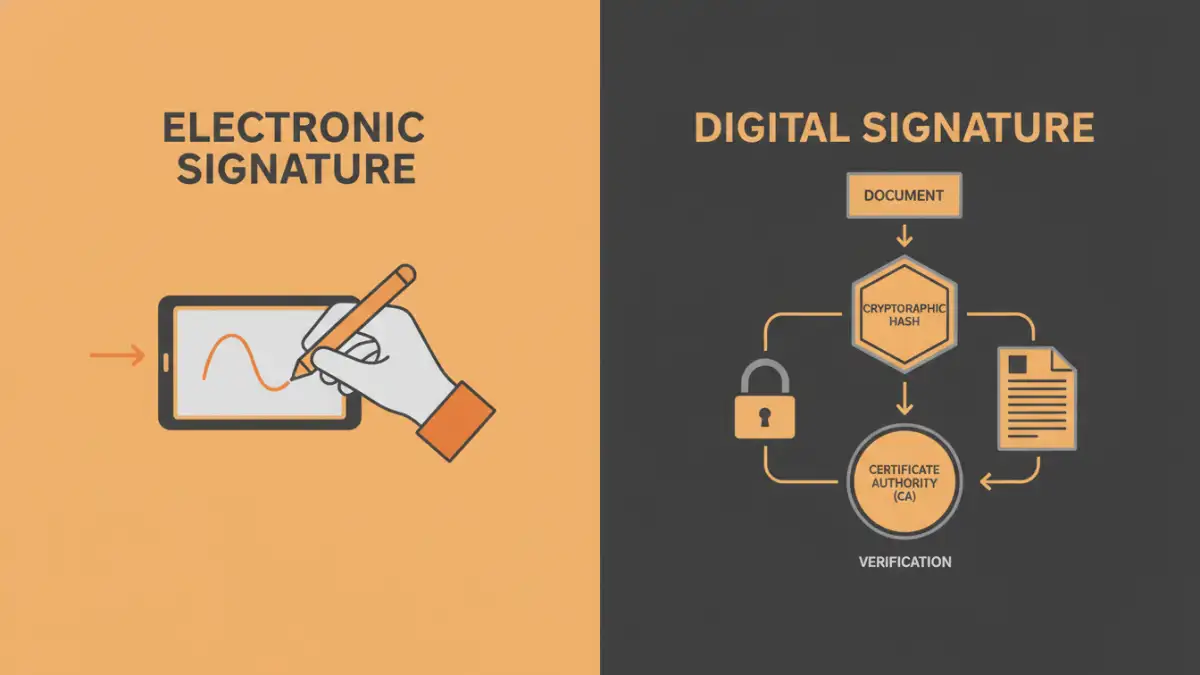
First, it's crucial to understand that not all e-signatures are created equal. The terms "electronic signature" and "digital signature" are often used interchangeably, but from a technical standpoint, they represent different levels of security. This distinction is fundamental to evaluating e-signature security.
Electronic Signatures: The Basic Intent
An electronic signature is, in its simplest form, a digital representation of intent to agree to terms. This could be as simple as typing your name into a form, pasting an image of your handwritten signature, or clicking an "I Agree" button. Its primary function is to capture intent, but it doesn't inherently contain robust security features to prevent tampering or verify the signer's identity beyond a reasonable doubt.
Digital Signatures: The Cryptographic Proof
This is where things get more sophisticated. A digital signature is a specific type of electronic signature that uses cryptographic technology. When you sign a document with a digital signature, a unique digital "fingerprint" (a hash) of the document is created. This fingerprint is then encrypted using your private key, which is part of a secure, certificate-based digital ID issued by a trusted Certificate Authority (CA).
Anyone with your corresponding public key can decrypt the signature, re-calculate the document's fingerprint, and confirm it matches. If even a single comma is changed in the document after signing, the fingerprints won't match, and the signature is invalidated. This provides powerful evidence of both signer identity and document integrity.
Key Security Layers in E-Signature Platforms
Reputable platforms build a fortress of security measures around the signing process. When I evaluate a system's architecture, I look for several core components that work together to create a trustworthy environment. These are the non-negotiables for any platform handling sensitive agreements.
Data Encryption in Transit and At Rest
From the moment you upload a document to the second it's downloaded by the final recipient, the data must be protected. Encryption is the primary tool for this. Data in transit is protected by protocols like TLS (Transport Layer Security), which is the same technology that secures your online banking sessions. This prevents anyone from snooping on the document as it travels across the internet.
Once the document reaches the provider's servers, it must be encrypted at rest. This means the file itself is scrambled using strong encryption algorithms like AES-256. If a physical server were ever compromised, the data on it would be unreadable without the correct decryption keys, making it a critical layer for digital signature privacy.
Authentication and Identity Verification
How does the system know you are who you say you are? Basic authentication often relies on email access—the link to sign is sent to a specific address. However, more secure document signature apps offer stronger methods. Multi-Factor Authentication (MFA), which requires a code from your phone in addition to a password, is a common and effective step-up. For highly sensitive transactions, platforms may integrate identity verification services that require you to scan a government-issued ID.
The Unseen Guardian: Audit Trails and Tamper-Sealing
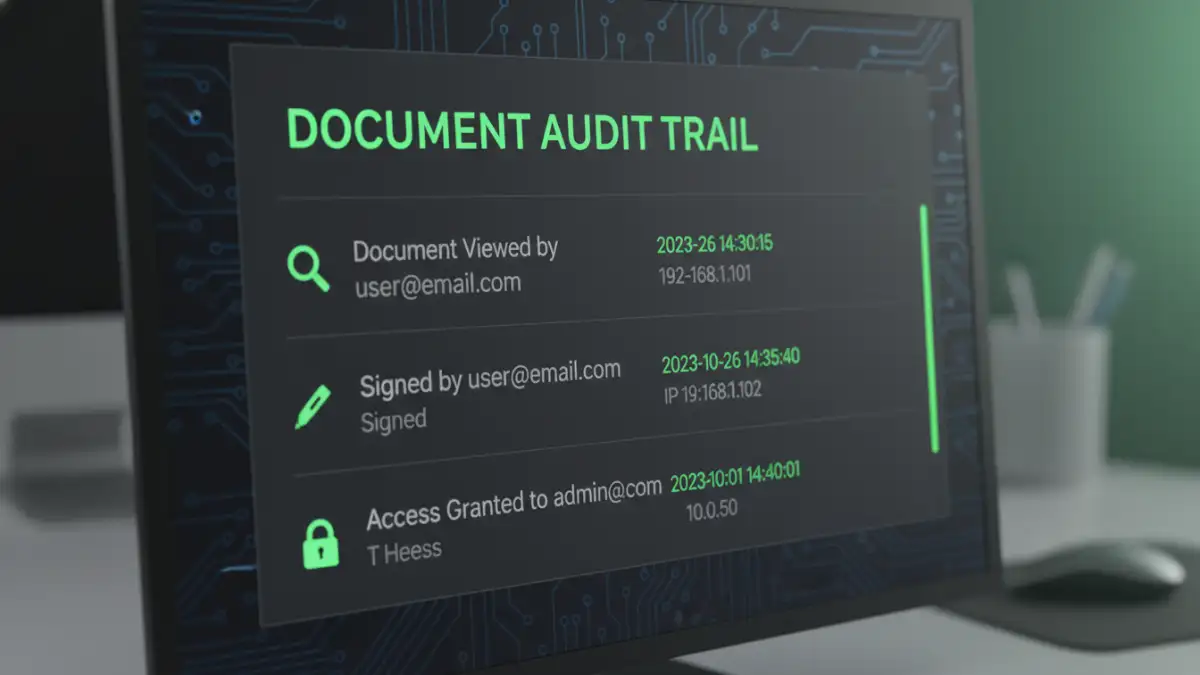
Perhaps the most powerful feature supporting e-signature security is the comprehensive audit trail. Every action taken on a document is logged with a timestamp. This includes who viewed it, when they viewed it, their IP address, and the precise moment they applied their signature. This detailed log provides a complete, court-admissible history of the document's lifecycle.
This log is cryptographically sealed along with the signed document. This tamper-sealing ensures that neither the document nor its audit trail can be altered after the fact without detection. From a developer's perspective, this immutable logging is similar to how we build secure financial or medical systems—every action must be traceable and unchangeable.
Understanding the Legal Standing of E-Signatures
Technology is only one part of the equation; legal acceptance is the other. In the United States, the Electronic Signatures in Global and National Commerce (ESIGN) Act of 2000 and the Uniform Electronic Transactions Act (UETA) grant electronic signatures the same legal status as handwritten ones. Similar laws exist in the European Union (eIDAS) and many other countries.
For a signature to be considered legally binding, a platform must typically prove intent to sign, ensure the signer's consent to do business electronically, and maintain a clear record associated with the signature. The audit trail is paramount here, as it provides the evidence to satisfy these legal requirements. A well-designed system doesn't just capture a signature; it captures a defensible record of the entire signing event.
Security Feature Comparison in E-Signature Platforms
| Security Feature | What It Does | Why It's Important |
|---|---|---|
| Digital Signature (PKI) | Uses certificate-based cryptography to lock the document. | Provides the highest level of assurance for signer identity and document integrity. |
| Comprehensive Audit Trail | Logs every action (view, sign, download) with timestamps and IP addresses. | Creates a legally admissible record of the entire signing process. |
| Multi-Factor Authentication (MFA) | Requires a second form of verification (e.g., a code from a phone). | Protects against unauthorized access if email accounts are compromised. |
| Encryption (In Transit & At Rest) | Scrambles data as it travels online and while stored on servers. | Protects document contents from eavesdropping and data breaches. |
| Tamper-Sealing | Cryptographically seals the final document to prevent undetected changes. | Guarantees that the signed document is the original and has not been altered. |
| Compliance Certifications | Adherence to standards like SOC 2, ISO 27001, HIPAA, or FedRAMP. | Indicates that a third party has audited and verified the platform's security practices. |