
I once watched a project manager nearly have a meltdown. A critical, encrypted project file containing months of work was inaccessible because the one person who knew the password had just left the company. In a panic, someone suggested finding a "universal password cracker" online. This scenario is incredibly common, and the immediate impulse is to find a quick fix. But as an engineer, my first thought is always about the underlying risks.
These tools promise a simple solution to a frustrating problem, but they operate in a gray area of software development. Handing your locked document over to a third-party application requires a huge amount of trust. The question isn't just whether the tool can open the file, but what happens to your data in the process.
Table of Contents
What Exactly Are Universal Password Recovery Tools?
Universal password recovery tools are applications designed to bypass or recover the password from a protected file, such as a PDF, Word document, Excel spreadsheet, or ZIP archive. They aren't magical keys; they use computational force to guess the password.
How They Actually Work
Most of these tools rely on a few common techniques. A 'brute-force attack' attempts every possible combination of letters, numbers, and symbols until it finds a match. This is computationally expensive and can take anywhere from minutes to years, depending on the password's complexity and the encryption strength.
A 'dictionary attack' is more targeted. It uses a predefined list of common words, phrases, and simple passwords. If the user chose a weak password like "password123" or "qwerty," a dictionary attack will find it very quickly. More advanced tools can also use 'mask attacks,' where you provide parts of the password you remember to narrow the search.
The Inherent Security Risks You Can't Ignore

The biggest problem with these tools isn't their effectiveness but their potential for harm. The moment you use one, you introduce a significant document security risk. This is where a free solution can become incredibly costly.
Data Exposure and Privacy Breaches
Many password removers are web-based. You upload your locked file, their server processes it, and you download the unlocked version. But what happens to your file on their server? Reputable services will have clear privacy policies, but less scrupulous ones might store, scan, or even sell the data within your documents. For any sensitive file—financial records, legal contracts, proprietary information—this is an unacceptable risk related to data privacy file recovery.
Malware and Bundled Adware
Freeware is often a delivery vehicle for malware. A developer offering a 'free' password cracker has to make money somehow. Many of these downloads come bundled with adware that bombards you with pop-ups, spyware that monitors your activity, or even ransomware that locks all your files. The tool might successfully unlock your document, but it could compromise your entire system in the process.
How to Evaluate a Tool's Safety
If you absolutely must use one of these tools, you need to perform due diligence to find a safe password unlocker. Not all are malicious, but the burden of proof is on the software provider.
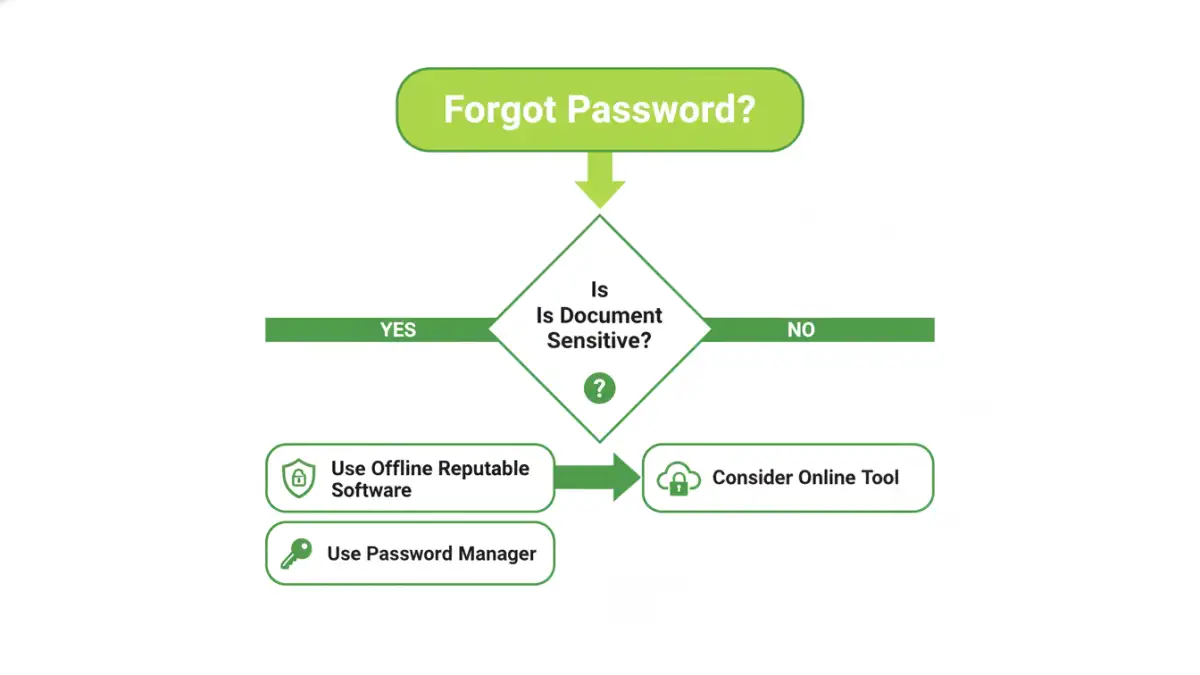
First, prioritize desktop applications over online services for sensitive files. An offline tool keeps your document on your machine, eliminating the risk of server-side data snooping. Second, stick to well-known software companies with a long history and positive reviews from professional tech journalism sites. Avoid downloading from aggregator sites or unfamiliar sources.
Before running any downloaded executable, use a robust antivirus and anti-malware scanner to check it for threats. Reading user forums can also provide insight into whether a tool is legitimate or just a front for malware. A high level of password recovery tool security means the application respects your data and system integrity.
Secure Alternatives to Password Recovery
The best strategy is to avoid needing a secure password cracker in the first place. Prevention is always better than a cure, especially in data security. Adopting better practices can make forgotten passwords a non-issue.
For individuals, using a reputable password manager is the most effective solution. You can generate and store incredibly complex, unique passwords for each document and only need to remember one master password. Most password managers can store secure notes, so you can save the document password there.
In a business context, the solution is policy-based. Instead of emailing individually encrypted files, use a centralized, access-controlled platform like Microsoft 365, Google Workspace, or a dedicated document management system. These systems manage permissions at the user level, so access can be granted or revoked centrally without dealing with individual file passwords. This approach is more secure, scalable, and eliminates the risk of a single point of failure.
Tool Type and Security Risk Comparison
| Tool Type | Primary Risk Factor | Data Privacy Level | Best For |
|---|---|---|---|
| Online Web-Based Tools | Data exposure on third-party servers | Low | Non-sensitive files where convenience is key. |
| Freeware Desktop Tools | High risk of bundled malware/spyware | Medium (if offline) | Users willing to risk system security for a free solution. |
| Professional Desktop Software | Cost; potential for complex UI | High (offline) | Sensitive or critical documents where data must remain local. |
| Password Managers | Requires proactive setup and trust in the provider | Very High | Preventing the problem by securely storing document passwords. |
| Collaborative Platforms | Subscription costs and platform dependency | Very High | Business environments needing centralized access control. |