When it comes to managing documents, particularly PDFs, having the right tools can make a significant difference in productivity and efficiency. For years, professionals have relied on robust software to create, edit, convert, and secure their PDF files. Two prominent contenders in this space are Nitro PDF Pro and PDFelement.
Both software packages aim to provide comprehensive PDF solutions, but they approach features, user experience, and pricing differently. Deciding which one is superior often comes down to specific user needs and workflows. I've spent considerable time working with various PDF applications, and understanding the nuances between these two is crucial for making an informed choice. This breakdown will explore their strengths and weaknesses to help you decide.
Table of Contents
Software Overview
Nitro PDF Pro has established itself as a strong alternative to Adobe Acrobat, focusing on offering a full suite of PDF tools for businesses and individuals. It emphasizes collaboration and workflow integration, aiming to streamline document processes from creation to finalization. Its interface is designed to be familiar to users accustomed to Microsoft Office applications.
PDFelement, developed by Wondershare, positions itself as an all-in-one PDF solution that is both powerful and accessible. It strives to balance advanced functionality with an intuitive user experience, making it suitable for a wide range of users, from beginners to advanced professionals. Its feature set covers most common PDF tasks, often at a more competitive price point.
Core Feature Comparison

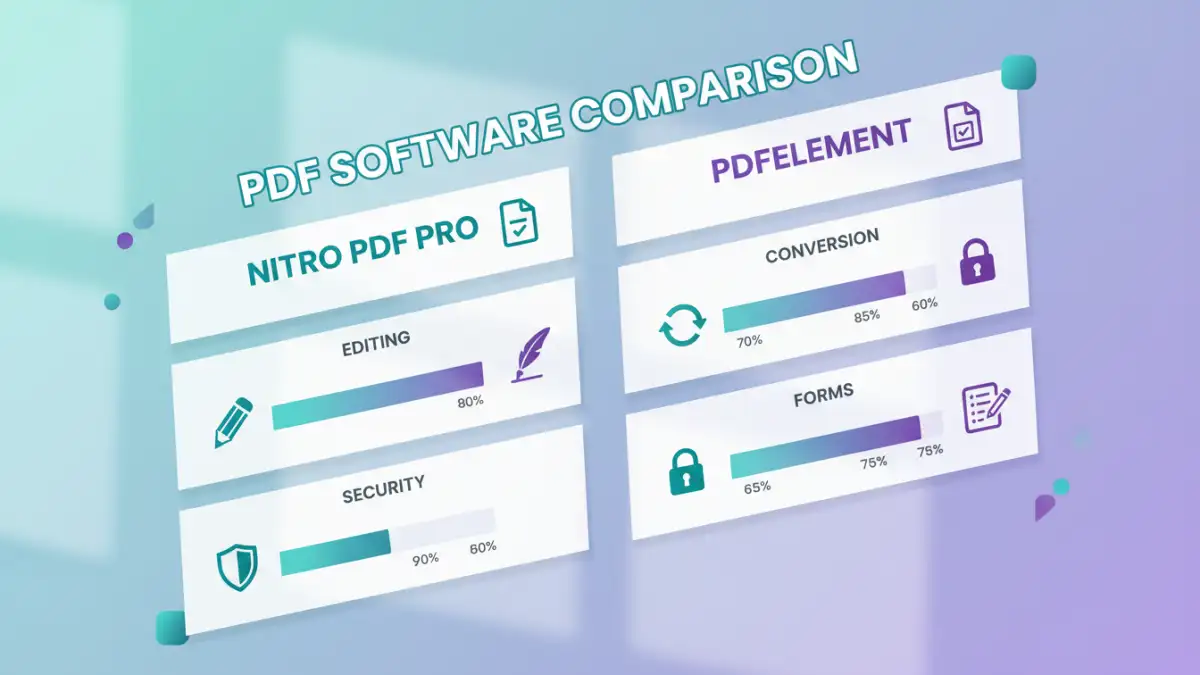
At their core, both Nitro PDF Pro and PDFelement offer extensive functionality. This includes creating PDFs from scratch or from other file types, editing text and images within PDFs, annotating documents with comments and markups, and converting PDFs to and from various formats like Word, Excel, and PowerPoint.
Where they differentiate is in the depth and breadth of certain features, as well as their integration with other services. For instance, Nitro often highlights its cloud connectivity and team collaboration tools more prominently, while PDFelement might emphasize its AI-powered features or simpler, more direct approach to common tasks.
Editing and Annotation
When it comes to editing, both applications perform admirably. You can easily modify text, change fonts, resize images, and rearrange pages within your documents. The editing experience in Nitro PDF Pro feels very much like working within a word processor, which can be a significant advantage for users transitioning from applications like Microsoft Word.
PDFelement also provides robust editing tools, often praised for its straightforward approach. Adding comments, highlighting text, drawing shapes, and using stamps are all readily available. I've found PDFelement's annotation tools to be particularly user-friendly, making it simple to mark up documents for review or feedback without a steep learning curve.
Conversion Capabilities
The ability to convert PDFs accurately is a critical function for many users. Both Nitro PDF Pro and PDFelement offer impressive conversion capabilities, supporting a wide array of output formats. They generally maintain the formatting and layout of the original document quite well, which is crucial for professional documents.
In my testing, both have shown strong performance in converting PDFs to editable formats like Word and Excel. Nitro PDF Pro's conversion engine is highly regarded for its accuracy, especially with complex layouts. PDFelement also delivers high-quality conversions, often matching Nitro in fidelity, and sometimes offering more granular control over the conversion process in its advanced settings.
Security and Form Features
Document security is paramount, and both Nitro PDF Pro and PDFelement provide essential tools for protecting your files. This includes the ability to password-protect PDFs, add digital signatures, and redact sensitive information. Nitro PDF Pro offers granular control over permissions, allowing users to restrict printing, copying, or editing.
PDFelement also offers strong security features, including password protection and redaction. It excels in form creation and management, providing tools to easily create fillable forms, import/export form data, and even recognize form fields automatically. This is a significant advantage for businesses that rely heavily on digital forms.
User Interface and Experience
The user interface is a key differentiator. Nitro PDF Pro adopts a ribbon-style interface similar to Microsoft Office, which many users find familiar and easy to navigate. This can reduce the learning curve for those already comfortable with the Office suite.
PDFelement, on the other hand, features a cleaner, more modern interface that many find less cluttered and more intuitive. Its design prioritizes ease of access to core functions, making it very approachable for new users. I've observed that while Nitro feels more like a direct Microsoft Office alternative, PDFelement feels more like a dedicated, streamlined PDF application.
Pricing and Value
Pricing is often a deciding factor. Nitro PDF Pro typically offers a perpetual license, which can be appealing for users who prefer a one-time purchase. However, its price point is generally higher than PDFelement.
PDFelement offers a more flexible pricing structure, including subscription-based options and often a perpetual license at a more affordable cost than Nitro. This makes it a very attractive option for individuals, small businesses, or users who need powerful PDF capabilities without a significant upfront investment.
Comparison Table
| Feature | Nitro PDF Pro | PDFelement |
|---|---|---|
| Editing Text & Images | Excellent, Office-like interface | Very Good, intuitive |
| Annotation Tools | Comprehensive | Extensive and user-friendly |
| PDF to Office Conversion | High accuracy, preserves formatting | High accuracy, good fidelity |
| Form Creation | Robust | Excellent, with auto-recognition |
| Security (Password, Redaction) | Strong, granular control | Strong, easy to apply |
| User Interface | Microsoft Office-like ribbon | Clean, modern, intuitive |
| Pricing Model | Perpetual license (higher cost) | Subscription & Perpetual (more affordable) |
| Collaboration Features | Strong, cloud integration | Basic, improving |