When it comes to safeguarding sensitive information, choosing the right data security tools is paramount. I've spent years evaluating and implementing solutions that protect everything from proprietary code to client data, and the landscape is constantly evolving. Two prominent players in this space are Vera and Microsoft Information Protection (MIP). Both offer robust capabilities, but they cater to different needs and environments.
Deciding between them often comes down to your organization's existing infrastructure, specific security requirements, and desired level of control. Understanding their core functionalities, strengths, and weaknesses is crucial for making an informed decision that truly enhances your data security posture.
Table of Contents
Understanding Vera
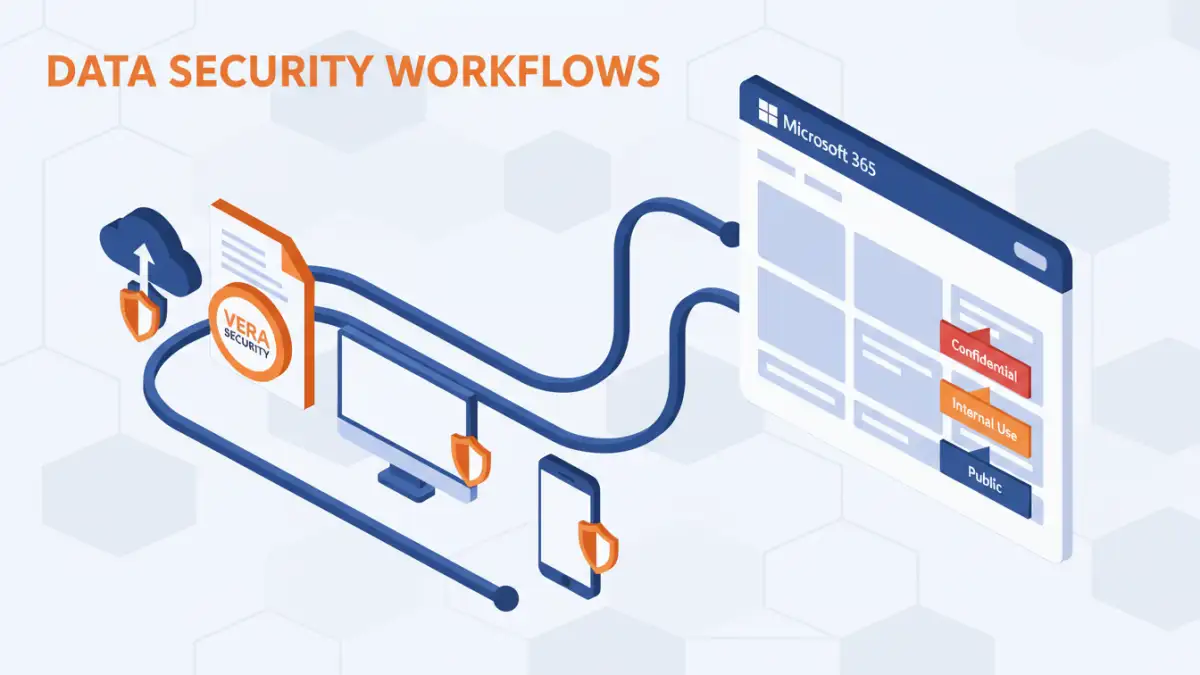
Vera, now part of HelpSystems, focuses on providing a unified platform for data protection, governance, and visibility. Its core strength lies in its ability to apply persistent protection to files, regardless of where they are stored or who has access. This means you can encrypt, track, and control access to documents even after they've left your network's perimeter.
Vera's Core Features
Vera offers granular control over sensitive files. You can set access policies, define who can view, edit, or share a document, and even revoke access remotely if a situation changes. This makes it particularly effective for protecting intellectual property and confidential information that might be shared with external partners or contractors.
Understanding Microsoft Information Protection

Microsoft Information Protection (MIP) is an integrated suite of services and tools designed to protect sensitive data across Microsoft 365 and beyond. It leverages Azure Information Protection (AIP) for classification, labeling, and encryption, and integrates deeply with other Microsoft services like SharePoint, OneDrive, and Azure Active Directory.
MIP's Integrated Approach
MIP's strength is its seamless integration within the Microsoft ecosystem. For organizations already heavily invested in Microsoft 365, MIP offers a familiar interface and a streamlined experience for applying protection policies based on data sensitivity labels. It provides automated discovery and classification, helping to identify sensitive data at scale.
Key Differences: Vera vs MIP
The primary distinction between Vera and MIP lies in their approach and ecosystem integration. Vera offers a more platform-agnostic solution, providing persistent protection that follows the file. This independence from a specific ecosystem is a significant advantage for organizations with diverse IT environments or those that frequently share data externally.
MIP, on the other hand, excels within the Microsoft cloud. Its deep integration means that policy enforcement and user experience are often smoother for organizations that live within Microsoft 365. However, its capabilities can be more complex to extend effectively to non-Microsoft applications or file types.
Policy Management and Enforcement
Vera's policy management is designed to be straightforward, allowing users to apply protection directly to files. MIP's policy management is tied into Microsoft's broader compliance and security framework, offering extensive customization but potentially a steeper learning curve. The choice here often depends on whether you prefer a dedicated, file-centric approach or an integrated, cloud-centric one.
Ideal Use Cases
For companies that need to protect data regardless of its location or the applications used, Vera stands out. Think of organizations that share sensitive documents with third-party vendors, legal firms, or clients where maintaining control is paramount. Its persistent protection ensures that even if a file is downloaded or forwarded, the defined access controls remain in place.
Microsoft Information Protection is an excellent fit for organizations that are already committed to the Microsoft 365 suite. Its ability to integrate with SharePoint, Teams, and Outlook allows for automated policy application based on content classification. This makes it ideal for enterprises looking to enhance data governance and compliance within their existing Microsoft environment.
Implementation Considerations
Implementing Vera typically involves deploying its client software or leveraging its APIs to integrate with existing workflows. The focus is on empowering users to protect their data directly. While generally straightforward, it requires user adoption and training to ensure policies are applied consistently.
MIP implementation often involves configuring Azure Information Protection policies, defining sensitivity labels, and setting up integration with Microsoft 365 services. For organizations with existing Microsoft expertise, this can be a more natural transition. However, it requires a solid understanding of the Microsoft security and compliance stack.
Comparison Table
| Feature | Vera | Microsoft Information Protection (MIP) |
|---|---|---|
| Ecosystem | Platform-agnostic | Primarily Microsoft 365 |
| Protection Persistence | Persistent, follows the file | Policy-based, relies on endpoint/service integration |
| Ease of Use (End-user) | Generally straightforward, direct file protection | Integrated, can be seamless within M365 |
| Granular Control | High, remote revocation | High, policy-driven |
| External Sharing | Strong capabilities | Can be complex to manage outside M365 |
| Integration | APIs for workflow integration | Deep integration with Microsoft services |
| Data Discovery & Classification | User-driven or integrated | Automated and policy-driven within M365 |