
Navigating the world of digital document protection can feel overwhelming, especially when you just need a straightforward way to safeguard your sensitive information. Many solutions exist, from complex enterprise-grade systems to simple, user-friendly tools. The key often lies not just in the strength of the security, but in how easily it integrates into your daily workflow without causing unnecessary friction.
My own journey through software development has shown me firsthand how crucial this balance is. A highly secure system that's too cumbersome to use will inevitably lead to workarounds or outright avoidance, defeating its purpose. This is why evaluating document security apps through the lens of workflow simplicity is so important for both individuals and businesses.
Table of Contents
Understanding Workflow Simplicity
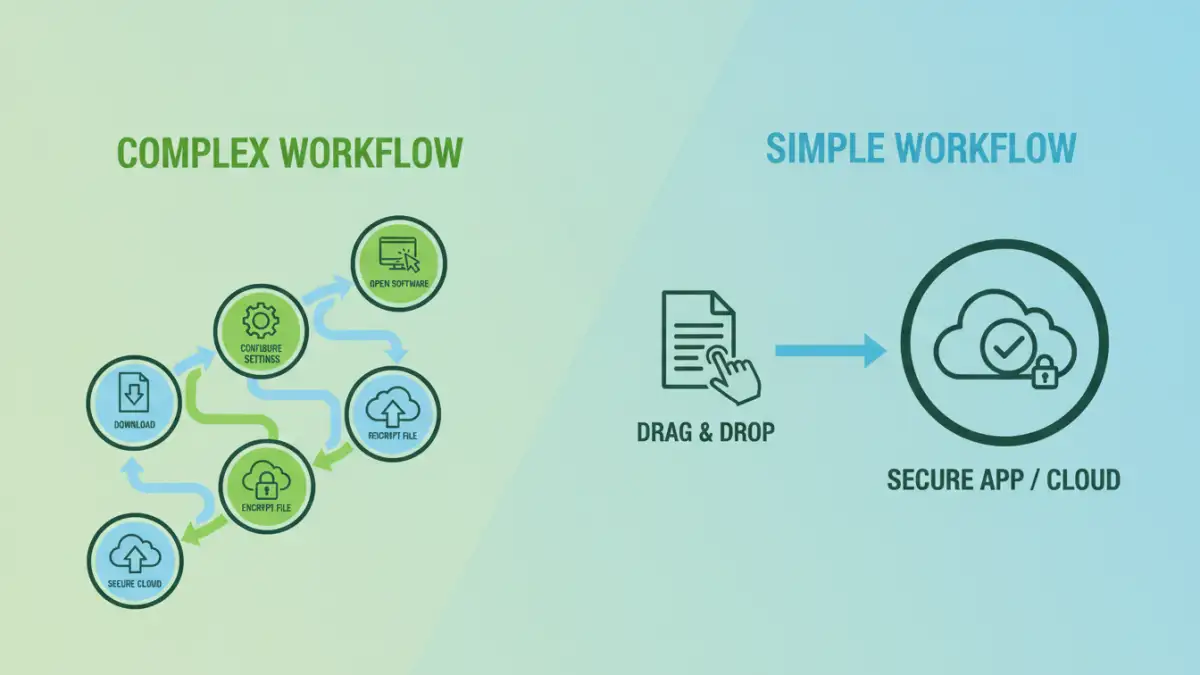
Workflow simplicity in document security refers to how seamlessly a security measure or application integrates into a user's or team's existing processes. It means that protecting documents doesn't require extensive training, multiple complex steps, or a significant deviation from normal work habits.
The goal is to enhance security without hindering productivity. When a solution is intuitive, users are more likely to adopt it consistently, leading to better overall protection. This is especially true for those who aren't IT security experts.
Key Aspects of Simplicity
Key aspects include the number of steps required to secure a document, the clarity of the user interface, and the availability of helpful guidance or automation. A simple app might offer one-click encryption or easy password setting.
Conversely, a complex workflow might involve multiple configuration menus, understanding different encryption algorithms, or manual key management. These can be powerful but are often a barrier to consistent adoption for everyday document protection.
Categories of Document Security Apps
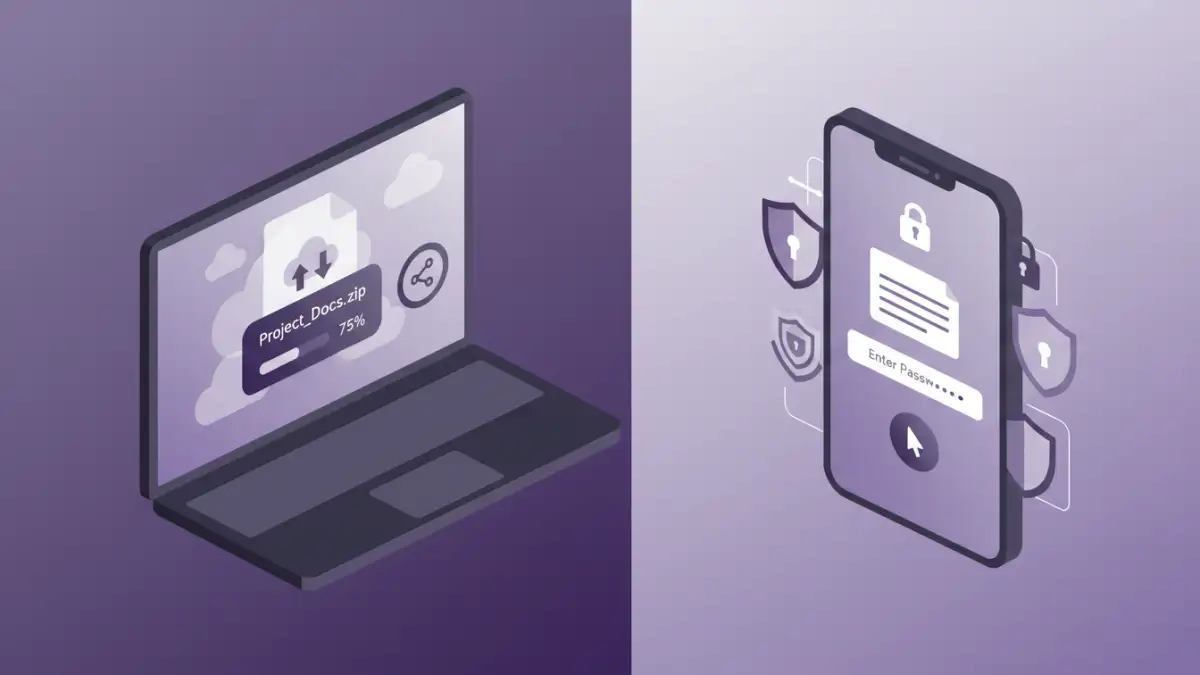
Document security apps can broadly be categorized by their primary function and how they achieve protection. Understanding these categories helps in evaluating their potential workflow simplicity.
We often see standalone encryption tools, cloud storage services with built-in security features, and specialized document management systems. Each offers a different approach to securing files.
Standalone Encryption Tools
These applications are designed specifically for encrypting and decrypting files. They often provide robust encryption but their user experience can vary wildly. Some are as simple as drag-and-drop, while others require more technical setup.
Their strength lies in focused security features. However, if your workflow involves frequent sharing or collaboration, managing separate encryption and decryption steps can become cumbersome. This is where the ease of use really comes into play.
Cloud Storage with Security Features
Services like Google Drive, Dropbox, or OneDrive offer file storage and often include basic security measures like password protection for shared links or end-to-end encryption options. The simplicity here comes from integration into a familiar cloud environment.
The workflow is typically straightforward: upload your file, set sharing permissions or add a password. However, the level of granular control over document security might be less than dedicated apps, and the security is dependent on the provider's implementation.
Document Management Systems (DMS)
DMS platforms are designed for organizing, storing, and managing documents. Many include advanced security features like access controls, audit trails, and encryption. While powerful, the workflow can sometimes be more complex due to the breadth of features.
For teams, a DMS can simplify security by centralizing control. However, for individual users or small businesses, the overhead of a full DMS might be overkill, making simpler, targeted solutions more appealing for workflow simplicity.
Evaluating Ease of Use
When comparing document security apps, I always look for a few key indicators of user-friendliness. The first is the onboarding process. Is it quick and intuitive, or does it require reading extensive manuals?
Next, I examine the core functions. How many clicks does it take to encrypt a file or set a password? Are the options clearly labeled? For example, a good app will have a clear 'Encrypt' button and straightforward password entry fields.
User Interface (UI) and User Experience (UX)
A clean, uncluttered interface is paramount. If an app looks like a wall of technical jargon and complex settings, it's likely to intimidate users. I prefer interfaces that guide you through the process, using plain language and visual cues.
For instance, an app that uses icons to represent security levels or clearly outlines the steps involved provides a much better user experience. This directly impacts how easily someone can adopt the app into their daily routine.
Feature Set vs. Simplicity Trade-off
There's often a trade-off between the number of features an app offers and its simplicity. Highly advanced features like granular access control or multi-factor authentication, while valuable, can add complexity. The best document security apps find a balance, offering essential security features in an accessible package.
For many users, easy document protection means having reliable encryption and password protection without needing to understand the underlying cryptography. The app should abstract away the complexity.
Integration and Workflow Challenges
One of the biggest hurdles for any document security app is how well it integrates with existing tools and workflows. If you need to constantly export files, decrypt them, edit, re-encrypt, and re-export, it creates significant friction.
I've seen teams struggle when a new security tool doesn't play nicely with their existing cloud storage or collaboration platforms. This leads to inefficiency and can even compromise security if users find workarounds.
Cross-Platform Compatibility
For many, security needs to be consistent across devices. An app that works flawlessly on a desktop but is clunky or unavailable on a mobile device creates a disjointed workflow. Ensuring cross-platform compatibility is key for seamless document security.
This means being able to secure a document on your laptop and then easily access and manage it on your tablet or phone without losing any security features or encountering usability issues.
Collaboration and Sharing
Securing documents often goes hand-in-hand with sharing them. The challenge is to allow secure sharing without compromising the simplicity of the process. This might involve secure links, temporary access, or easy decryption for authorized recipients.
If sharing a secured document requires the recipient to download a separate decryption tool and go through a complex process, it severely impacts workflow. The ideal scenario allows for quick, secure sharing that feels almost as easy as sharing an unsecured file.
Best Practices for Simple Document Security
When choosing and implementing document security solutions, prioritizing simplicity can lead to greater overall effectiveness. Start by assessing your actual needs. Do you need military-grade encryption for every document, or is strong password protection sufficient for most?
Focus on tools that offer clear interfaces and minimal steps for core functions. Look for apps that integrate well with your current file management and sharing habits.
Regularly review your security practices and the tools you use. As your needs evolve, ensure your chosen document security apps continue to meet your requirements for both security and workflow ease. Don't be afraid to switch if a simpler, more effective solution becomes available.
Comparison Table
| App Type | Primary Use Case | Workflow Simplicity Score (1-5) | Key Features for Simplicity | Potential Drawbacks for Simplicity |
|---|---|---|---|---|
| Standalone Encryption Apps | Encrypting/Decrypting individual files | 3-4 | Drag-and-drop, clear UI options | Managing multiple encrypted files, sharing complexity |
| Cloud Storage (with security) | File storage, sharing, basic protection | 4-5 | Integrated into existing platforms, easy sharing controls | Limited advanced security options, provider reliance |
| Document Management Systems (DMS) | Centralized document control, team collaboration | 2-3 | Centralized security policies, access controls | Steeper learning curve, can be overkill for individuals |
| Password Managers (for file passwords) | Generating and storing strong passwords for files | 4-5 | Auto-fill, strong password generation | Requires separate file encryption step, subscription costs |