
I recently helped a colleague who was locked out of a critical, password-protected project archive. He was convinced the file was lost forever, but that's not always the case. The situation highlighted a common misconception: that all file passwords are created equal. In reality, the method used to recover or remove a password depends entirely on the type of protection and the file's underlying encryption.
Understanding how these tools operate isn't just for recovering lost access; it's crucial for creating stronger, more resilient passwords for your own sensitive documents. When you know the attacker's methods, you can build better defenses.
Table of Contents
Understanding the Two Tiers of File Protection
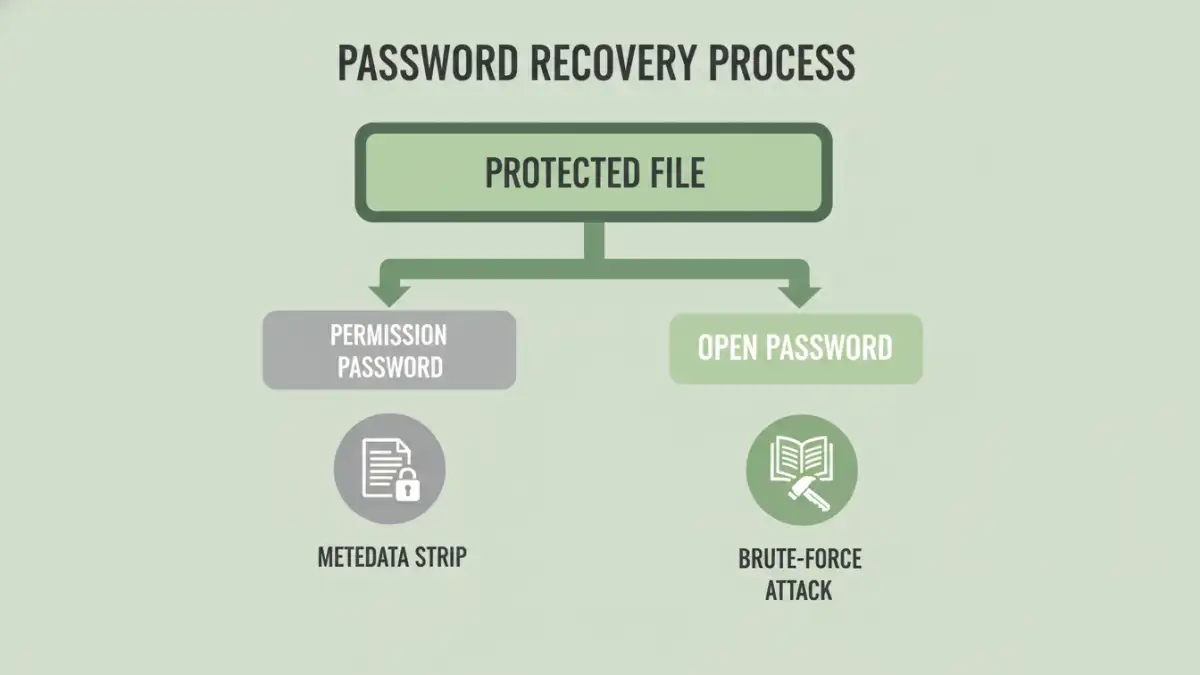
Before diving into cracking methods, it's essential to know that document protection generally falls into two categories. Many password "removers" only deal with the first, simpler type.
Owner vs. User Passwords
An "Owner Password" (or permissions password) restricts actions like printing, copying text, or editing a document. In many cases, especially with PDFs, this isn't true encryption. It's often just a flag in the file's metadata that compliant software respects. Many online tools can strip this metadata instantly without needing the password at all.
A "User Password" (or open password), on the other hand, is the real deal. It encrypts the file's contents, and you cannot view the document without it. This is where true password cracking techniques are required, and it's the barrier that separates simple removers from powerful recovery software.
Core Password Cracking Techniques Explained

When a file is properly encrypted with a user password, a tool can't just "remove" it. It has to find the correct password by trying possibilities until it gets a match. This is where the classic methods of password cracking come into play.
The Brute-Force Attack
A brute-force attack is the most straightforward method. The software attempts every single possible combination of characters—'a', 'b', 'c', 'aa', 'ab', and so on. Given enough time, it is guaranteed to find the password. However, its practicality depends heavily on password length. Cracking a simple 6-character lowercase password might take minutes, but a 10-character password with mixed cases, numbers, and symbols could take centuries with current technology. This is a common method for a brute force attack pdf when no other clues are available.
The Dictionary Attack
Most people don't use truly random passwords. A dictionary attack word tool leverages this by trying words from a list—or "dictionary." These lists can contain millions of common passwords, words from an actual dictionary, and permutations of them (like 'password123'). This is much faster than a brute-force attack if the password is a common word or phrase. I've seen simple dictionary-based passwords on Word documents fall in seconds.
Hybrid and Mask Attacks
More sophisticated tools use hybrid methods. A hybrid attack might combine dictionary words with numbers and symbols (e.g., trying 'password2024!' or 'Secret!1'). A mask attack is useful when you remember part of the password. For example, if you know it was 8 characters, started with 'Project', and ended with a number, you could set a mask like 'Project??#'. This drastically reduces the number of possibilities compared to a full brute-force attempt.
The Critical Role of File Encryption Algorithms
The effectiveness of any cracking attempt is dictated by the strength of the file encryption algorithms used to protect the document. The algorithm determines how difficult it is to check if a guessed password is correct. A weak algorithm allows a tool to make billions of guesses per second, while a strong one slows that rate to a relative crawl.
Older file formats, like those from the Office 97-2003 era or early PDF versions, used weaker encryption like RC4. Modern formats (.docx, .xlsx, recent PDFs) use industry-standard AES (Advanced Encryption Standard), typically with 128-bit or 256-bit keys. Cracking an AES-256 encrypted file is computationally intensive, making strong, long passwords on modern files incredibly secure.
How Recovery Tools Target Different File Formats
The process of how file password removers work is tailored to the specific structure and encryption of each file type. A tool designed for ZIP files won't work on a PDF because the underlying security mechanisms are different.
PDF Files
PDFs can have both owner and user passwords. As mentioned, the owner password is often trivial to remove. For user passwords, the strength depends on the PDF version. Modern PDFs encrypted with AES-256 are very secure and require a determined brute-force or dictionary attack.
Microsoft Office Documents
Modern Word (.docx) and Excel (.xlsx) files use strong AES encryption. Password recovery relies entirely on brute-force or dictionary attacks. These tools often leverage the power of a computer's GPU (graphics card) to accelerate the number of password guesses per second from thousands to millions or even billions.
ZIP and RAR Archives
Compressed archives are another common target. Both formats support strong AES-256 encryption. Because archives often contain multiple files, the tool only needs to decrypt a small part of the file header with a guessed password to verify if it's correct, making the process relatively efficient for automated attacks.
Best Practices for Securing Your Documents
Understanding these cracking methods provides a clear roadmap for creating secure passwords. To protect your files, you should always use a long, complex, and unique password for each important document. Aim for over 12 characters with a mix of uppercase letters, lowercase letters, numbers, and symbols. Using a password manager to generate and store these is the most effective defense against both dictionary and brute-force attacks.
Password Cracking Method Comparison
| Attack Method | How It Works | Speed | Best For |
|---|---|---|---|
| Brute-Force Attack | Tries every possible character combination. | Very Slow | Short or simple passwords when nothing is known. |
| Dictionary Attack | Tries words from a pre-defined list. | Fast | Common words, phrases, or leaked passwords. |
| Mask Attack | A targeted brute-force on passwords with a known pattern. | Medium to Fast | When you remember parts of the password. |
| Hybrid Attack | Combines dictionary words with numbers and symbols. | Medium | Common password patterns like 'Word123!'. |