
It's a scenario that causes a spike in adrenaline for any legal professional: a critical deadline is looming, and an essential case file—a PDF brief, an encrypted evidence folder, or a protected spreadsheet—is locked. The password is gone. Maybe the associate who set it has left the firm, or it was simply lost in the shuffle of a high-stakes case. This isn't just an inconvenience; it's a direct threat to deadlines, client confidentiality, and the firm's reputation.
Before panic sets in, it's important to understand that you have options. The path you take depends on the type of password and the sensitivity of the data. The goal is to regain access securely and efficiently, without compromising the integrity of the file or exposing confidential client information.
Table of Contents
Understanding the Lock: Two Types of Passwords
When dealing with a locked file, particularly PDFs, you're usually facing one of two password types. Identifying which one you're dealing with is the first step in formulating a recovery plan. I've seen teams waste hours trying the wrong approach because they didn't understand this fundamental difference.
The User or 'Open' Password
This is the more challenging of the two. A user password, also known as an 'open' password, encrypts the entire document. Without it, you cannot open or view the file's contents at all. It's the digital equivalent of a locked safe. Recovering this type of password often requires specialized software that attempts to guess the password through various computational methods.
The Owner or 'Permissions' Password
This password is less about access and more about control. An owner password restricts certain actions, such as printing, copying text, editing, or adding comments. You can typically open and view the file without this password, but you'll be blocked from performing specific functions. These passwords are often much easier to remove because the file's content isn't fully encrypted in the same way.
The Non-Technical Approach

Before diving into complex software, always exhaust the simplest solutions first. In a busy firm, human error or a simple oversight is often the root cause. These steps can save you significant time and resources.
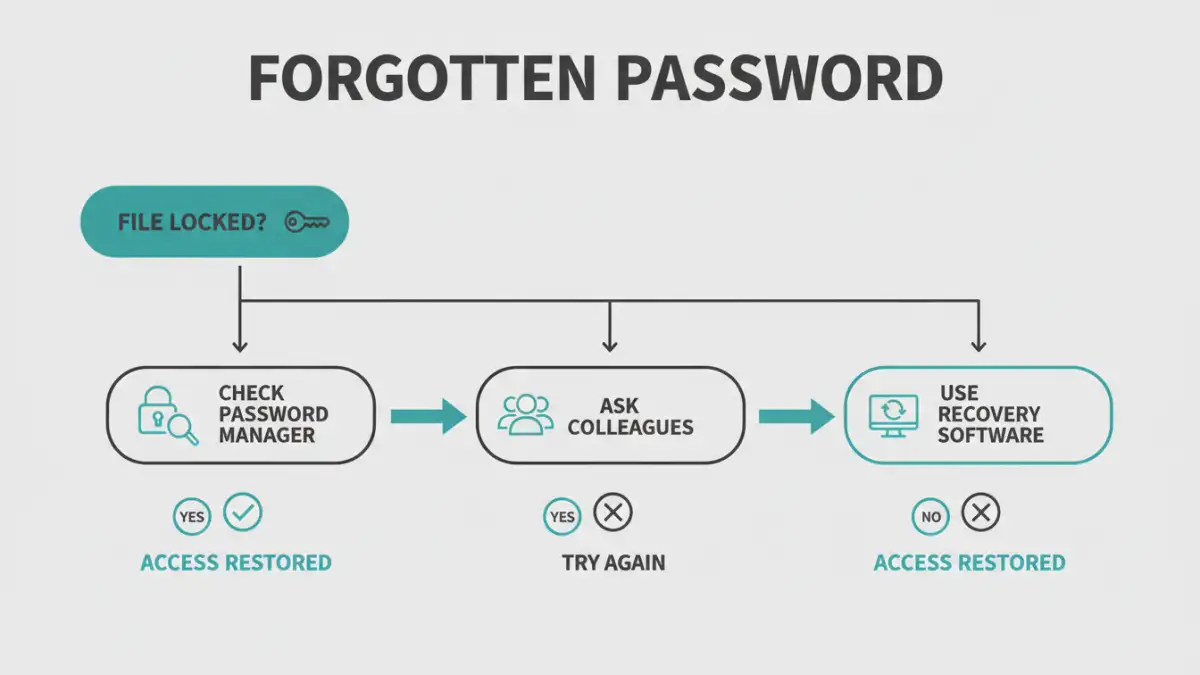
First, check your firm's password manager. If you use a tool like 1Password, LastPass, or Dashlane, the password might be stored securely there. Conduct a thorough search using the case name, client number, or document type. Next, check with colleagues. The person who created the document or others on the case team may have the password saved or remember it. A quick email or instant message can sometimes solve the problem in minutes.
Finally, look for documentation. Check the case management system, shared team notes, or any file-handling protocols your firm has in place. Sometimes passwords are noted in a secure location as part of standard procedure. It's a long shot, but it's worth a look before escalating to technical legal document recovery methods.
Technical Recovery Methods for Legal Documents
If the simple steps fail, it's time to move on to more technical solutions. For a law firm handling sensitive information, the key is to choose a method that respects client confidentiality and data security. This is where you must be extremely cautious.
A Word of Warning: Online Recovery Tools
A quick search will reveal dozens of websites promising to unlock your files for free. For a law firm, these are almost always a bad idea. When you upload a document to one of these services, you are sending confidential client data to an unknown third-party server. You have no control over how that data is stored, who can access it, or if it will be deleted. The risk of a data breach is simply too high. I strongly advise against using these for any sensitive legal files.
Professional Password Recovery Software
The most secure and effective option is to use professional, offline password recovery software. These tools are installed directly on a firm's computer, ensuring that the sensitive document never leaves your secure network. They work by using the computer's processing power to systematically try and find the correct password.
This type of software typically employs a few methods:
- Brute-Force Attack: Tries every possible combination of letters, numbers, and symbols. It's exhaustive but can be incredibly slow.
- Dictionary Attack: Uses a list of common words, phrases, and passwords. It's much faster if the password is simple.
- Mask Attack: If you remember parts of the password (e.g., "It started with 'Case2023' but I forget the rest"), you can provide a "mask" to dramatically speed up the search.
Tools like Passware Kit Forensic or ElcomSoft's recovery suites are designed for this purpose and are trusted in corporate and government environments. They are an investment, but for a firm dealing with a forgotten legal file password, they are an essential part of the toolkit.
Prevention Is the Best Cure: Building a Resilient System
Regaining access to a locked file is a reactive solution. The best long-term strategy is to implement policies that prevent this from happening again. A robust document management and security protocol is non-negotiable for a modern law firm.
Start by implementing a business-grade password manager across the firm. These tools allow for secure sharing of credentials within teams, so if one person is unavailable, others can still access critical files. They also generate and store strong, unique passwords, reducing the reliance on weak, memorable ones.
Next, establish a clear policy for document encryption. Define when passwords should be used, create a standardized complexity requirement, and dictate where and how these passwords should be stored in the shared password manager. For highly sensitive matters, consider using two-person controls, where two authorized individuals are needed to access a password. Regular training ensures everyone understands and follows these crucial security protocols.
Recovery Method Comparison
| Method | Security Risk | Effectiveness | Best For |
|---|---|---|---|
| Checking with Colleagues | Low | Moderate | Recently created documents or collaborative projects. |
| Firm Password Manager | Very Low | High | Firms with an established password policy. |
| Online Recovery Tools | Extremely High | Varies (High for simple passwords) | Non-sensitive, personal files only. Not for legal use. |
| Desktop Password Recovery Software | Low | High (but can be slow) | Solving a forgotten legal file password for sensitive or encrypted documents. |