
Working with sensitive information in the digital age means constantly thinking about security. Whether it's personal financial records, confidential business proposals, or private correspondence, ensuring that your data remains private when stored online is paramount. Cloud storage offers convenience and accessibility, but it also presents potential risks if your files aren't adequately protected.
I've seen firsthand how a simple oversight in security can lead to significant headaches. That's why I always advocate for proactive measures. Taking the time to encrypt your documents before uploading them to cloud services is one of the most effective ways to safeguard your digital life. It adds a crucial layer of protection that standard cloud security might not always provide.
Table of Contents
Understanding Document Encryption
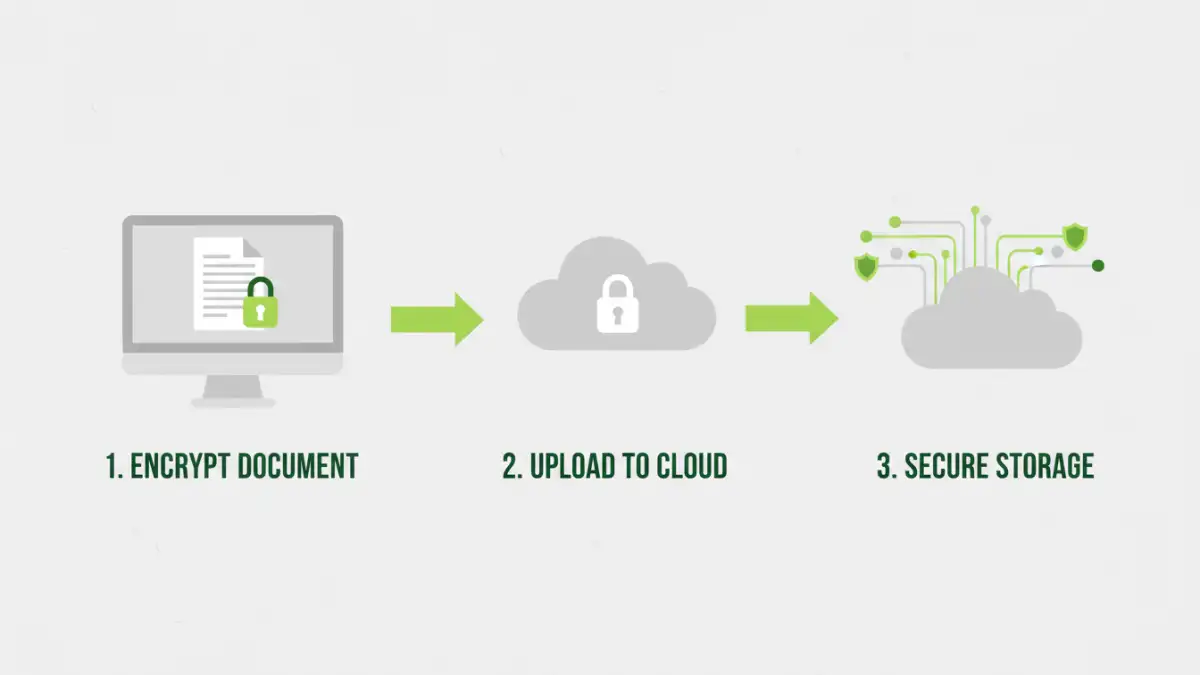
At its core, encryption is the process of converting readable data into a coded format that can only be deciphered with a specific key. This key is usually a password or a cryptographic key. When you encrypt a document, you essentially scramble its contents, making it unintelligible to anyone who doesn't possess the correct decryption key.
Why Encryption Matters for Cloud Storage
Cloud providers employ various security measures, but their systems can still be vulnerable to breaches, insider threats, or legal demands. By encrypting your documents before they reach the cloud, you ensure that even if unauthorized parties gain access to the storage servers, they won't be able to read your files. This is fundamental for maintaining document safety online.
Methods to Encrypt Documents

Fortunately, there are several accessible ways to encrypt your documents. The best method for you will depend on your technical comfort level, the type of documents you're handling, and the specific cloud service you use. Each approach offers a different balance of security, convenience, and cost.
Built-in Operating System Features
Both Windows and macOS offer built-in encryption capabilities. On Windows, you can use BitLocker (for full disk encryption) or encrypt individual files and folders by right-clicking and selecting 'Advanced attributes' to encrypt contents. macOS provides FileVault for full disk encryption and encrypted disk images (.dmg files) which can hold your sensitive documents.
Third-Party Software Solutions
Beyond native tools, a plethora of third-party software exists for file encryption. Programs like VeraCrypt offer robust, open-source disk encryption, allowing you to create encrypted containers. Other tools might focus on individual file encryption or provide integrated solutions for secure cloud storage. These often offer more granular control and advanced features.
Online Encryption Tools
For quick, occasional encryption needs, several websites offer online tools to encrypt files. You typically upload your document, enter a password, and the service encrypts it before you download the protected file. While convenient, it's crucial to use reputable online services, as privacy can be a concern with less well-known platforms.
Choosing the Right Method
Selecting the appropriate encryption method involves considering several factors. For maximum security and ease of use with sensitive data, many professionals opt for dedicated desktop encryption software. These applications are designed for robust protection and often integrate well with workflows.
If you're primarily concerned about protecting a few specific files or folders, using built-in OS features or creating encrypted archives (like password-protected ZIP files) can be sufficient. For very sensitive data, ensure you use strong, unique passwords and consider a password manager to keep them secure.
Best Practices for Cloud Storage
Beyond encryption, several best practices enhance your overall secure cloud storage strategy. Regularly review the privacy policies and security features of your cloud provider. Implement multi-factor authentication (MFA) on your cloud account for an extra layer of security. Finally, maintain regular backups of your important encrypted files in a separate, secure location.
When you encrypt documents cloud services, remember that the responsibility for managing the encryption key (your password) ultimately lies with you. Losing your password means losing access to your files forever. Therefore, choose strong passwords and store them securely, perhaps using a reputable password manager.
Comparison of Encryption Methods
| Method | Ease of Use | Security Level | Best For |
|---|---|---|---|
| Built-in OS Features (File/Folder Encryption) | Moderate | Good | Individual files/folders, general users |
| Encrypted Archives (e.g., Password-Protected ZIP) | Easy | Moderate to Good (depends on algorithm) | Small batches of files, sharing |
| Third-Party Desktop Software (e.g., VeraCrypt) | Moderate to Complex | Very High | Sensitive data, full disk encryption, advanced users |
| Online Encryption Tools | Very Easy | Variable (depends on service reputation) | Quick, occasional encryption of non-critical files |
Frequently Asked Questions
Here are answers to common questions regarding encrypting documents for cloud storage.
Is it truly necessary to encrypt documents before uploading to the cloud?
While cloud providers offer security, encryption adds a critical, user-controlled layer of protection. It ensures your data remains confidential even if the provider's security is compromised or if legal requests are made for your data. It's a vital step for robust document safety online.
What makes a password strong for encryption?
A strong password is long (at least 12-15 characters), uses a mix of uppercase and lowercase letters, numbers, and symbols. Avoid easily guessable information like names, birthdays, or common words. Using a password manager to generate and store complex, unique passwords significantly enhances security.
Can I encrypt a document that is already stored in the cloud?
Generally, no. Most cloud services do not offer built-in encryption for individual files you upload. You need to encrypt the document on your local device *before* uploading it to the cloud. Once encrypted, it remains in that state as it's transferred and stored.