Working with password-protected documents can be frustrating, especially when you've forgotten the password or received a file without one. It's a common scenario where sensitive information needs to be accessed, but the encryption stands in the way. Fortunately, there are ways to navigate this challenge.
Over my years in software engineering, I've encountered numerous situations where data accessibility was paramount. This often involves dealing with encrypted files, and understanding the best approaches to handle them is crucial. This article will guide you through practical methods and tools to help you unlock password protected PDF files.
Table of Contents
Understanding PDF Encryption
PDF files can be protected in two main ways: user passwords and owner passwords. A user password prevents the file from being opened at all, requiring the correct password to view its content. An owner password, on the other hand, restricts actions like printing, copying text, or editing, even if you can open the file.
Types of PDF Passwords
The distinction between user and owner passwords is vital when considering how to unlock them. User passwords are designed for strict access control, while owner passwords are more about controlling document usage. Knowing which type of protection you're dealing with can significantly influence the method you choose to open password protected PDF files.
Using Browser Features
One surprisingly effective method to bypass certain PDF restrictions, particularly owner passwords (like printing or copying), involves using your web browser's print functionality. This technique doesn't recover a forgotten user password but can help if you need to print or convert a restricted PDF.
The 'Print to PDF' Trick
Open the password-protected PDF in a browser that allows it (like Chrome or Edge). If the file opens without a user password prompt, go to print and select 'Save as PDF' or 'Microsoft Print to PDF' as your printer. This process essentially creates a new PDF file from the existing one, often stripping away the owner-level restrictions. It's a clever workaround that doesn't require any external software.
Leveraging Online PDF Unlocker Software
For situations where the browser trick isn't sufficient or you need a more direct approach, numerous online PDF unlocker software options are available. These web-based tools are designed to remove password protection from PDF files quickly and easily.
How Online Tools Work
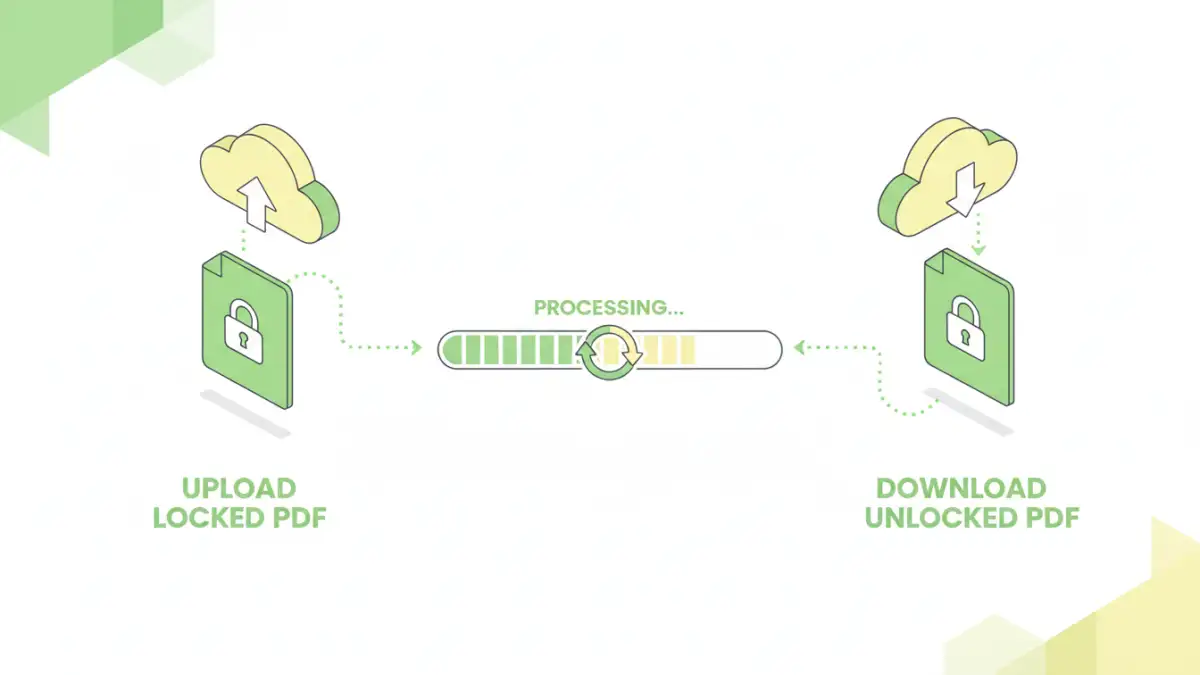
You typically upload your protected PDF to the website, enter the known password if prompted (for owner password removal), and the tool processes the file. It then provides a link to download the unlocked version. While convenient, it's crucial to use reputable services, as uploading sensitive documents to unknown third-party sites carries inherent privacy risks.
Exploring Desktop Solutions
For users who deal with password-protected PDFs regularly or handle highly sensitive information, dedicated desktop software offers a more robust and secure solution. These applications often provide advanced features for password recovery and removal.
PDF Unlocker Software
There are many PDF unlocker software programs available that can help you recover PDF password information or remove restrictions. Some tools use brute-force or dictionary attacks to guess forgotten user passwords, though this can be time-consuming and is not always successful, especially for complex passwords. Others are more adept at removing owner restrictions.
When choosing desktop software, look for options that are well-reviewed, offer clear privacy policies, and support the specific type of password protection you're encountering. This approach generally offers better security than online tools, as your files remain on your local machine.
Best Practices for Document Security
While it's useful to know how to unlock password protected PDF files, the best strategy is always robust security from the outset. When creating sensitive documents, consider the level of protection needed. Use strong, unique passwords for user-level encryption, and only apply owner restrictions if necessary.
For critical documents, consider using dedicated encryption software or secure cloud storage solutions that offer advanced protection features. Regularly backing up important files, both protected and unprotected, is also a fundamental security practice. Understanding how to unlock pdf password tool functionalities is a valuable skill, but preventing the need for it through good security habits is even better.
Comparison of PDF Unlocking Methods
| Method | Type of Password Addressed | Ease of Use | Security Concerns | Best For |
|---|---|---|---|---|
| Browser 'Print to PDF' | Owner Restrictions (Print, Copy, Edit) | Very High | None (if file opens) | Quickly removing print/copy limitations |
| Online PDF Unlocker Software | Owner Restrictions, sometimes User Passwords | High | Potential privacy risks, data exposure | Convenient, non-sensitive files |
| Desktop PDF Unlocker Software | Owner Restrictions, User Passwords (Recovery/Removal) | Medium to High | Generally Low (local processing) | Frequent use, sensitive files, complex passwords |
| Password Recovery Tools | User Passwords (Brute-force/Dictionary) | Low to Medium (requires setup/time) | Low (local processing) | Recovering forgotten user passwords |