The digital world often requires us to store information for extended periods. Whether it's historical records, legal documents, or personal archives, ensuring their integrity and privacy over time is paramount. This isn't just about keeping files away from prying eyes today, but also about safeguarding them against future vulnerabilities and unauthorized access. Implementing robust encryption is a cornerstone of this long-term data safety strategy.
As someone who has spent over a decade building and securing software systems, I've seen firsthand how crucial it is to approach file archiving with a security-first mindset. The methods we use to protect data today might be obsolete tomorrow, so building a foundation of strong encryption for archived documents is essential for enduring data protection.
Table of Contents
Understanding Encryption Basics
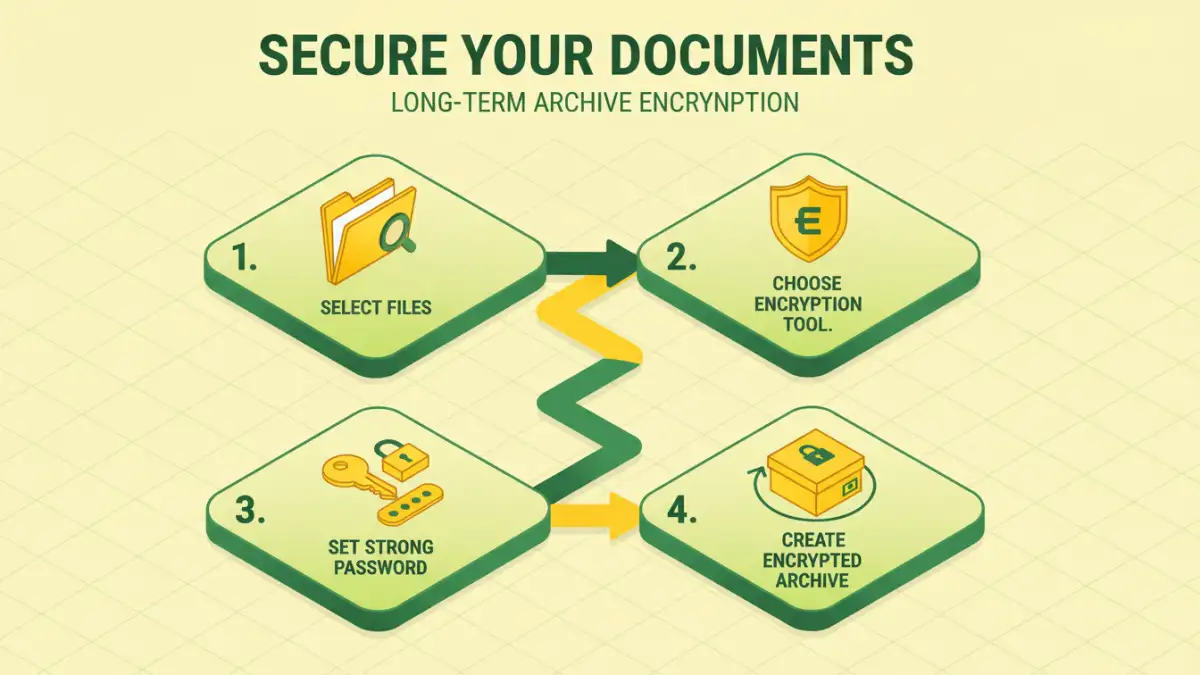
At its core, encryption is the process of converting readable data into a coded format that can only be deciphered with a specific key. For archived documents, this means transforming your files into an unreadable jumble that resists casual or even determined snooping. Strong encryption algorithms, like AES-256, are industry standards for a reason – they are computationally very difficult to break.
Key Concepts in Data Protection
When we talk about encrypting archived documents, two primary concepts come to mind: symmetric and asymmetric encryption. Symmetric encryption uses a single key for both encryption and decryption, making it fast and efficient for large files. Asymmetric encryption, on the other hand, uses a pair of keys – a public key for encryption and a private key for decryption, offering more complex security but generally slower performance. For most archival needs, symmetric encryption is the go-to choice.
Methods for Secure Archiving
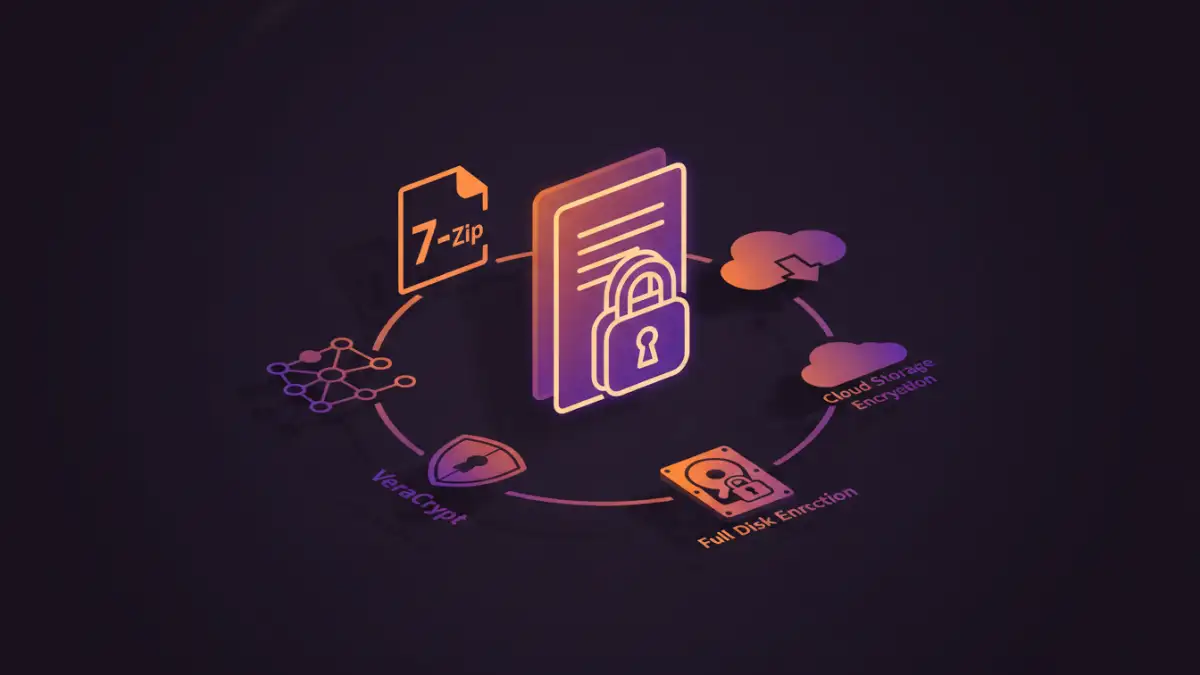
Securing your files for the long haul involves more than just applying a password. It requires a systematic approach to archiving and encryption. Different methods cater to various needs, from individual users to enterprise-level solutions. The goal is always to create a secure archive that remains protected against evolving threats.
Using Built-in Operating System Tools
Many operating systems offer built-in tools that can help. For example, Windows has EFS (Encrypting File System) which allows you to encrypt individual files or folders, making them accessible only to authorized users. macOS offers FileVault for full-disk encryption, and also allows for encrypted disk images which can serve as secure archives. While convenient, these might not always offer the highest level of granular control for specific archived documents.
Leveraging Archiving Software
Dedicated archiving software, such as 7-Zip, WinRAR, or PeaZip, provides robust options for creating password-protected archives. These tools often support strong encryption standards like AES-256. You can create a compressed archive (like a .zip or .7z file) and set a strong password. This method bundles multiple files into one encrypted container, simplifying management and enhancing security for your long-term file safety.
Cloud Storage Encryption Options
Cloud storage providers sometimes offer their own encryption services, or you can use third-party tools to encrypt files *before* uploading them. This adds an extra layer of security, ensuring that even if the cloud provider's security is breached, your sensitive archived documents remain unreadable. End-to-end encryption is the gold standard here, where only you hold the keys.
Choosing the Right Tool
Selecting the appropriate encryption tool depends on your technical expertise, the volume of data, and the sensitivity of the information. For personal use, a user-friendly archiving tool might suffice. For business-critical data, you might need more sophisticated solutions that offer centralized management and auditing capabilities.
Factors to Consider
When evaluating tools, look for support for strong encryption algorithms (AES-256 is common), ease of use, platform compatibility, and whether the software is actively maintained. For secure archives, reliability and proven security are key. Consider the password management aspect: how easy is it to set strong passwords, and are there options for password recovery (though this can be a double-edged sword).
Best Practices for Long-Term Security
Beyond just encrypting your files, maintaining long-term file security requires ongoing attention. A strong password is your first line of defense, but it's not the only one. Regularly review your security practices and update your methods as technology evolves. Ensuring that your archived documents are truly secure means thinking ahead.
Password Management
Use strong, unique passwords for your encrypted archives. A password manager can be invaluable for generating and storing these complex passwords securely. Avoid using easily guessable information like birthdays or names. Remember that the strength of your encryption is only as good as the password protecting it.
Regular Audits and Updates
Periodically audit your encrypted archives. Check that you can still access them and that the encryption methods are still considered secure by industry standards. If new, more robust encryption algorithms become available, consider migrating your sensitive data. This proactive approach is crucial for maintaining long-term file security.
Comparison Table
| Method | Encryption Strength | Ease of Use | Best For | Considerations |
|---|---|---|---|---|
| Built-in OS Tools (EFS/FileVault) | Good (OS dependent) | Easy | Individual files/folders, basic security | Limited control, OS dependent |
| Archiving Software (7-Zip, WinRAR) | Very Good (AES-256 support) | Moderate | Bundling multiple files, general archiving | Requires software installation, password management |
| Cloud Encryption Services | Varies (check provider) | Easy to Moderate | Syncing and remote access, added layer | Privacy concerns, provider dependency |
| Third-Party Encryption Tools | Excellent (e.g., VeraCrypt) | Moderate to Difficult | High-security containers, sensitive data | Steeper learning curve, dedicated software |
Frequently Asked Questions
Here are some common questions regarding encrypting archived documents and ensuring long-term data safety.
What is the best way to encrypt archived documents for long-term storage?
For long-term file security, using dedicated archiving software that supports strong encryption like AES-256 is highly recommended. Tools like 7-Zip or VeraCrypt allow you to create encrypted archives with robust passwords, ensuring your data remains protected over many years.
Can I lose access to my encrypted files if I forget the password?
Yes, if you forget the password for an encrypted archive and there's no recovery mechanism in place, you will permanently lose access to your data. This is why strong password management, potentially using a reputable password manager, is critical for long-term file security.
Are online encryption services safe for sensitive documents?
Online encryption services can be convenient, but safety varies greatly. It's crucial to choose reputable services that offer end-to-end encryption and have a strong privacy policy. Encrypting your documents *before* uploading them using desktop software often provides a higher level of assurance for your secure archives.
How often should I update my encryption methods for archived documents?
While strong encryption algorithms like AES-256 are currently very secure, it's good practice to review your security strategy every few years. If significant advancements in cryptanalysis occur or new, more secure standards emerge, consider migrating your most sensitive archived documents to the updated methods to maintain optimal long-term file security.