
Navigating the complexities of document management, especially when strict regulatory requirements are involved, can feel like a constant uphill battle. Many organizations struggle with manual processes that are not only time-consuming but also prone to errors, leaving sensitive data vulnerable and compliance gaps wide open. I've seen firsthand how these inefficiencies can create significant bottlenecks.
Implementing an automated PDF workflow isn't just about saving time; it's a strategic move towards ensuring data integrity, meeting stringent compliance mandates, and fortifying your security posture against evolving threats. It allows for consistent application of security policies and audit trails, which are critical for many industries.
Table of Contents
Understanding Automated PDF Workflows
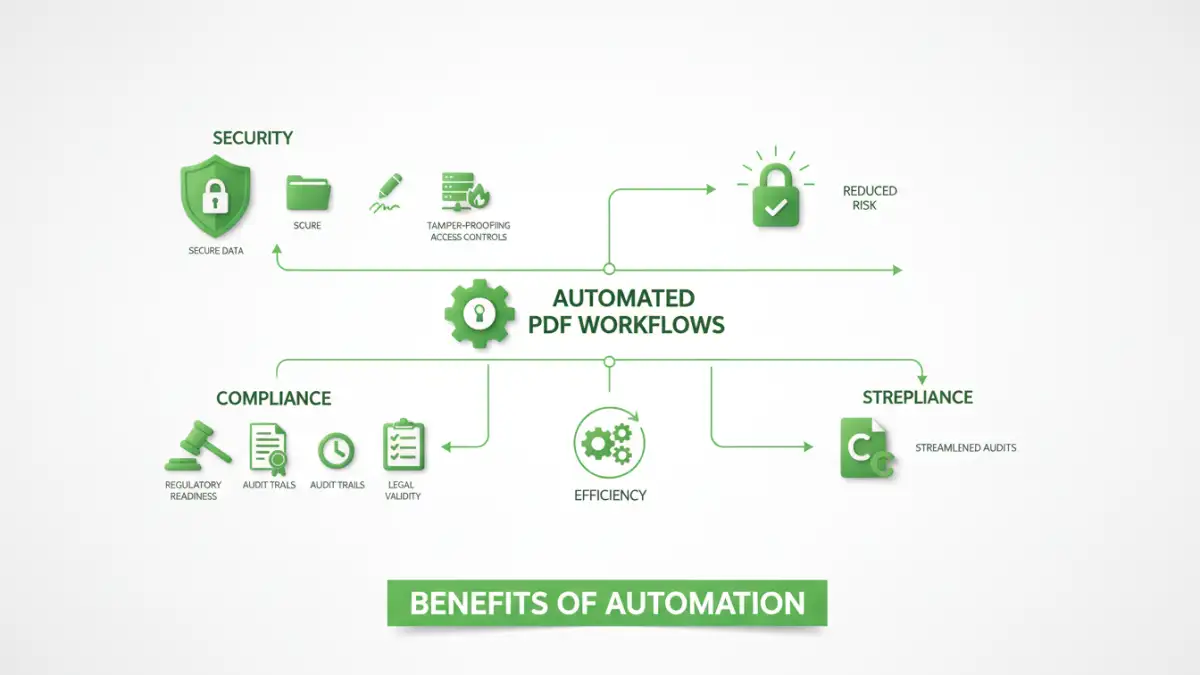
At its core, an automated PDF workflow involves using software and predefined rules to manage PDF documents without manual intervention. This can range from automatically applying security settings upon creation to routing documents for approval and archiving them securely. The goal is to create a predictable, repeatable, and auditable process.
Core Components
A robust automated system typically includes features for document ingestion, processing (like encryption or watermarking), routing, approval, and secure storage. These components work in concert to ensure that documents are handled consistently and securely throughout their lifecycle. Think of it as a digital assembly line for your critical paperwork.
Benefits for Compliance

Compliance is a major driver for adopting automated workflows. Regulations like GDPR, HIPAA, or SOX demand meticulous record-keeping and data protection. Automation ensures that documents are processed according to established protocols, making audits significantly smoother and reducing the risk of non-compliance penalties.
Automated workflows provide an immutable audit trail, logging every action taken on a document, by whom, and when. This transparency is invaluable for demonstrating adherence to regulatory bodies and internal policies. It removes the guesswork from proving you're meeting your obligations.
Benefits for Security
When it comes to security, manual handling of sensitive PDFs is a significant risk. Automation allows for the consistent application of encryption, access controls, and watermarking. This ensures that sensitive information is protected from unauthorized access or distribution, whether the document is at rest or in transit.
By integrating security measures directly into the workflow, organizations can prevent human error, such as forgetting to encrypt a file or assigning incorrect permissions. This proactive approach significantly strengthens the overall security posture and reduces the attack surface.
Implementing Automated Workflows
Getting started with automating your PDF processes involves several key steps. First, identify the specific workflows you want to automate – perhaps it's invoice processing, contract management, or employee onboarding documents. Understanding the pain points in your current manual process is crucial.
Next, select the right tools. This could involve using PDF editing software with automation features, dedicated workflow management platforms, or even custom scripting for highly specific needs. Integrating these tools with existing systems like cloud storage or CRM can further enhance efficiency. I've found that starting with a single, well-defined process often yields the best initial results before scaling.
Choosing the Right Tools
The market offers a variety of solutions. Some PDF editors provide basic automation, like batch processing and applying security templates. More comprehensive solutions include Business Process Management (BPM) software that can orchestrate complex multi-step workflows involving various document types and user actions. The choice depends on the complexity of your needs and budget.
Key Tools and Technologies
Several categories of tools can help establish an automated PDF workflow. PDF editing software with scripting capabilities or action wizards can automate repetitive tasks like page numbering or applying metadata. Document management systems (DMS) often include workflow engines that can manage the lifecycle of documents, including approvals and version control.
For more advanced needs, Robotic Process Automation (RPA) tools can be employed to mimic human interaction with various applications, automating tasks that might otherwise require manual PDF manipulation. Cloud-based platforms also offer integrated solutions for document processing and workflow automation, often with strong security features built-in.
Best Practices for Success
To ensure a successful automated PDF workflow, it's vital to start with clear objectives and involve stakeholders from relevant departments. Thorough testing is non-negotiable to catch any bugs or unexpected behavior before deploying to production.
Regularly review and update your automated workflows to adapt to changing business needs and regulatory requirements. Training your team on how to use and interact with the automated system is also key to adoption and effectiveness. Finally, prioritize security at every stage, ensuring that access controls and encryption are robust.
Comparison Table: PDF Workflow Automation Approaches
| Method | Pros | Cons | Ideal Use Case |
|---|---|---|---|
| PDF Editor Actions | Simple, built-in features, cost-effective | Limited complexity, manual trigger | Batch processing, simple security application |
| Document Management Systems (DMS) | Comprehensive workflow, version control, audit trails | Higher cost, implementation complexity | End-to-end document lifecycle management |
| Robotic Process Automation (RPA) | Automates legacy systems, flexible | Requires technical expertise, can be brittle | Integrating disparate systems, repetitive UI tasks |
| Cloud-Based Workflow Platforms | Scalable, accessible, often integrated security | Subscription costs, vendor lock-in potential | Modern, collaborative, cloud-first environments |