
Protecting your creative work online is a constant challenge. When you share your photographs, illustrations, or designs, there's always a risk of unauthorized use or theft. Implementing a strong copyright protection strategy is essential for any digital artist or photographer. One of the most effective and widely used methods is to add a copyright watermark to your images before publishing them.
This isn't just about slapping a name or logo onto a picture; it's about a strategic approach to digital rights management. Over my years working with digital assets, I've seen countless scenarios where proper watermarking could have prevented significant issues. It acts as a deterrent, a clear identifier of ownership, and a way to maintain control over your visual content.
Table of Contents
What is Image Watermarking?
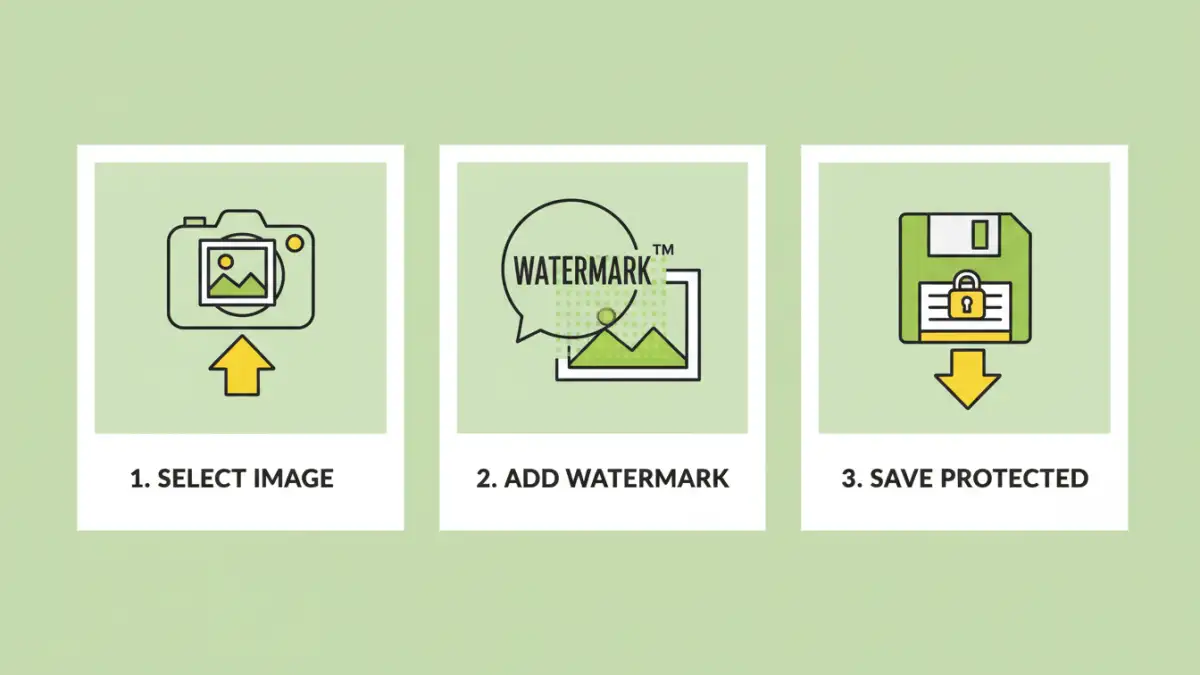
At its core, adding a copyright watermark to an image involves overlaying a semi-transparent logo, text, or pattern onto the original image. This mark serves as a visible indicator of ownership. It's designed to be noticeable enough to deter casual theft but subtle enough not to detract excessively from the image's aesthetic appeal.
The goal is to make it difficult for someone to use your image without acknowledging you or your rights. While not an impenetrable security measure, it significantly raises the bar for unauthorized use and provides a clear path for attribution if the image is shared.
Key Concepts in Watermarking
Understanding what makes a watermark effective is crucial. This includes its placement, opacity, size, and the information it contains. A well-placed watermark is harder to remove without damaging the image. Its opacity should balance visibility with subtlety. The information conveyed typically includes the copyright holder's name or website, reinforcing digital rights management.
Why is Watermarking Important?

The primary reason to add a copyright watermark is to protect your intellectual property. In the digital age, images can be copied and distributed with a few clicks, making it easy for your work to be used without permission or compensation. A watermark asserts your ownership and can help prevent this.
Beyond direct prevention, watermarks also serve as a marketing tool. Even if someone sees a watermarked image on a third-party site, they can trace it back to you, potentially leading to new opportunities or clients. It's a form of secure image stamping that benefits both protection and promotion.
Methods to Add a Copyright Watermark
There are several ways to add a copyright watermark to your images, ranging from simple to sophisticated. The best method often depends on the volume of images, your technical skills, and the level of security you require.
Manual Methods (Software)
For individual images or small batches, using photo editing software is a common approach. Programs like Adobe Photoshop, GIMP (a free alternative), or even built-in tools on some operating systems allow you to create custom text or import logo files. You can then adjust their size, opacity, and position before saving the final image.
This method offers a high degree of control over the watermark's appearance and placement, which is excellent for ensuring secure image stamping. However, it can be time-consuming if you have many photos to process.
Automated and Batch Processing
If you need to watermark hundreds or thousands of images, manual processing is impractical. Fortunately, many software applications offer batch processing capabilities. You can set up your watermark once and apply it automatically to an entire folder of images.
Dedicated watermarking software or plugins for existing editing suites are specifically designed for this. These tools streamline the process, saving significant time and ensuring consistency across your entire portfolio. They are essential for maintaining effective image copyright protection on a large scale.
Online Watermarking Tools
For users who prefer not to install software, numerous online tools can add watermarks to images. You upload your photos to the website, configure your watermark (text, logo, size, opacity), and download the watermarked versions. These are often quick and convenient for occasional use.
However, when using online tools, always consider their privacy policies. Uploading sensitive images to third-party servers carries inherent risks. For critical assets, desktop software or more secure methods are generally preferred for robust digital rights management.
Choosing the Right Method
The best way to add a copyright watermark depends on your specific needs. For professional photographers with large volumes of work, batch processing software is usually the most efficient and secure option. It ensures consistency and saves valuable time.
For hobbyists or those watermarking only a few images at a time, manual editing software or even user-friendly online tools can suffice. The key is to find a balance between ease of use, control, and the security required for your particular situation.
Best Practices for Watermarking
Regardless of the method you choose, several best practices will enhance the effectiveness of your watermarks and your overall image copyright protection strategy.
Placement: Avoid placing watermarks on the edges where they can be easily cropped out. Consider placing them in a central, but not overly distracting, area. Some professionals even use a tiled pattern across the entire image for maximum security.
Opacity and Size: The watermark should be visible enough to deter unauthorized use but not so opaque or large that it ruins the viewing experience. Experiment to find a balance that works for your images.
Information: Include your name, business name, or website. This clearly identifies you as the copyright holder and provides a direct link back to you if the image is shared. This is a crucial aspect of digital rights management.
Consistency: Use the same watermark style, size, and placement across all your images to build brand recognition and maintain a consistent professional appearance.
Comparison Table: Watermarking Methods
| Method | Ease of Use | Control Over Appearance | Time Efficiency (Batch) | Security/Privacy Concerns | Best For |
|---|---|---|---|---|---|
| Manual Editing Software (e.g., Photoshop, GIMP) | Moderate | High | Low (Time-consuming for batches) | Low (if done locally) | Individual images, detailed customization |
| Dedicated Watermarking Software | High | Moderate to High | Very High | Low (if desktop-based) | Bulk processing, consistent application |
| Online Watermarking Tools | Very High | Low to Moderate | High | Moderate to High (data privacy) | Occasional use, quick results, no software installation |
Frequently Asked Questions
What is the purpose of a copyright watermark?
The primary purpose of a copyright watermark is to protect your images from unauthorized use and theft. It serves as a visible indicator of ownership, making it harder for others to claim your work as their own and easier to trace back to you if it's used. It's a fundamental tool for digital rights management.
Can a watermark be removed?
While a watermark makes unauthorized use more difficult, sophisticated users can sometimes remove them, especially if the watermark is placed on the edge or has high contrast. However, effective watermarking strategies, like using subtle, tiled patterns or placing them centrally, make removal much harder and often degrade the image quality, deterring most people.
Is adding a watermark legally required to protect my copyright?
In most countries, copyright protection exists automatically the moment an original work is created. However, a watermark provides clear, visible evidence of your claim to ownership, which can be invaluable in disputes. It also helps deter infringement in the first place, making it a highly recommended practice for image copyright protection.
Should I watermark all my images?
It's generally advisable to watermark images you plan to publish online, especially if they are for commercial purposes or if you are concerned about unauthorized use. For personal use or internal distribution, watermarking might be unnecessary. Consider the potential risks and benefits for each image.