
A photographer friend recently asked me for the best way to send clients a photo proof gallery. He was worried they might just screenshot the images or use the low-res proofs without paying for the final versions. My immediate suggestion was to compile the images into a single file and add a watermark to the PDF document. This simple step acts as a powerful deterrent against unauthorized use.
Watermarking is a fundamental practice for anyone sharing digital assets, whether you're a designer, photographer, or business professional sharing a confidential report. It's about asserting ownership and controlling how your work is distributed. Fortunately, you don't need to be a tech wizard to do it; several straightforward methods are available for everyone.
Table of Contents
Why Watermarking is Essential for Image Protection
Before jumping into the 'how,' it's crucial to understand the 'why.' A watermark is more than just text or a logo overlaid on your document; it's a first line of defense for your intellectual property. It serves several key purposes that contribute to robust image protection in PDF files.
Deterring Unauthorized Use and Theft
The most obvious benefit is theft prevention. A visible watermark, especially one that covers a significant part of an image, makes it difficult for someone to claim the work as their own or use it commercially without permission. While a determined individual might try to remove it, the effort required often outweighs the benefit, encouraging them to purchase a legitimate copy instead.
Promoting Your Brand
A well-designed watermark can also be a subtle marketing tool. When you share a watermarked document, your logo or company name travels with it. If the document is shared across different platforms or between colleagues, your brand gets passive exposure. It reinforces brand identity and can drive traffic back to your website or portfolio.
Methods to Add a Watermark to a PDF

There are several ways to add a watermark, ranging from quick and free online solutions to more powerful desktop applications. The best method for you depends on your needs, budget, and the level of customization you require.
Using Free Online Tools
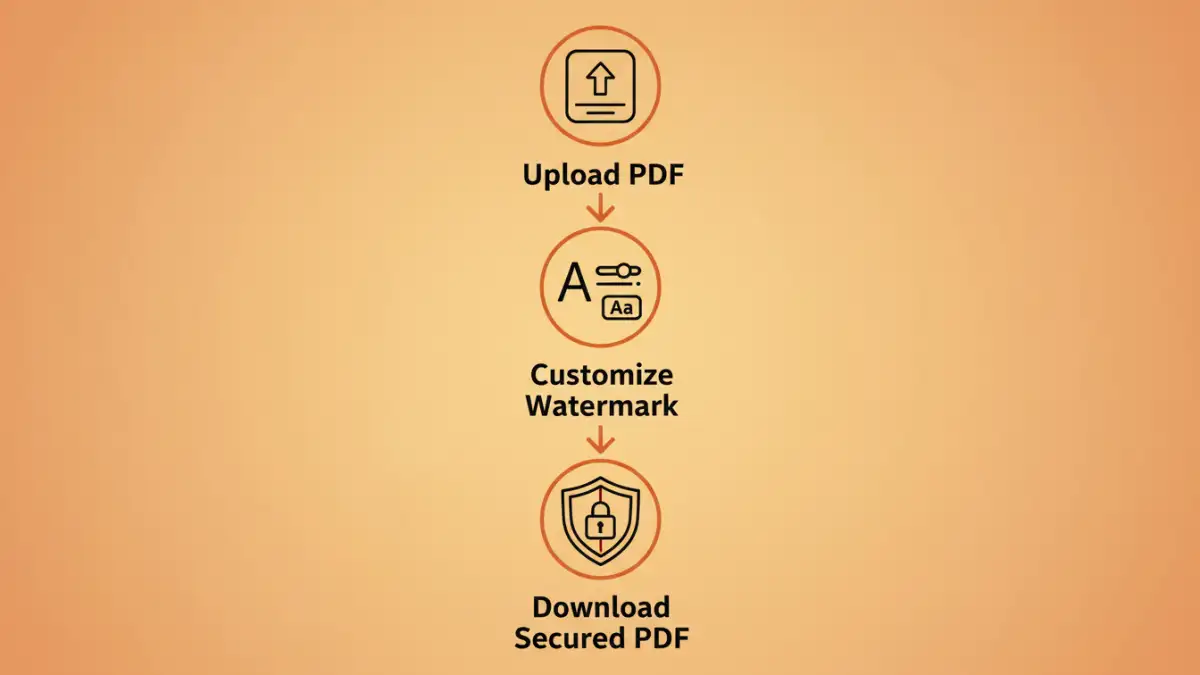
For quick, one-off tasks, online tools are incredibly convenient. Websites like iLovePDF, Smallpdf, and Canva offer simple interfaces to add watermarks. The process is usually the same: you upload your PDF, choose to add a text or image watermark, customize its position, transparency, and rotation, and then download the new file. While these services are great for accessibility, I always advise caution when uploading sensitive or confidential documents due to potential privacy concerns. They are perfect for non-sensitive materials like portfolio proofs.
Using Desktop PDF Editors
For more control and security, a desktop application is the way to go. Software like Adobe Acrobat Pro, Foxit PDF Editor, or Nitro PDF Pro provides extensive watermarking features. You can create detailed, tiled watermarks, control opacity with precision, and save presets for future use. The most significant advantage here is the ability to perform batch processing. I once had to watermark a few hundred technical spec sheets, and Acrobat's batch tool applied the company logo to all of them in minutes—a task that would have been painfully slow online.
Creating an Effective Watermark
The design and placement of your watermark are just as important as adding it. A poorly designed watermark can either be too distracting, ruining the viewing experience, or too subtle, making it easy to remove or ignore. Finding the right balance is key to effective digital watermarking.
Text vs. Image Watermarks
A simple text watermark, such as "© 2024 Your Name" or "DRAFT," is clear and direct. It's easy to create and gets the message across without much fuss. An image watermark, typically a logo, is better for branding. When using a logo, make sure it's a high-quality PNG with a transparent background so it integrates cleanly with the document content.
Placement and Opacity Best Practices
Placing a small watermark in a corner is common, but it can sometimes be cropped out. A more secure method is to place a larger, semi-transparent watermark diagonally across the center of the page. This makes it much harder to remove without damaging the underlying image. I recommend setting the opacity between 15% and 30%. This range makes the watermark visible enough to be a deterrent but not so opaque that it obstructs the content of the PDF.
Advanced Digital Watermarking Techniques
Beyond the visible watermarks most people are familiar with, there are more sophisticated methods for securing PDF images that are used in professional and high-security environments.
Invisible Watermarking
Invisible watermarking, a form of steganography, embeds data directly into the file that is imperceptible to the human eye. This data can include copyright information, a unique identifier, or the creator's credentials. It doesn't prevent copying, but it provides a foolproof way to prove ownership and track the source of a leak if an image appears where it shouldn't. This is often used in industries like stock photography and intelligence.
Dynamic Watermarks
Some secure document-sharing platforms apply dynamic watermarks. When a user views a document, a watermark containing their name, IP address, or the time of access is generated and overlaid in real time. This is a powerful deterrent against screenshots and unauthorized sharing, as the leak can be traced back directly to the individual.
Watermarking Method Comparison
| Method | Pros | Cons | Best For |
|---|---|---|---|
| Online Tools | Free, accessible, easy to use | Privacy concerns, limited features, requires internet | Quick, non-sensitive, one-off tasks |
| Desktop Software | High security, batch processing, advanced customization | Requires purchase and installation, steeper learning curve | Professionals, businesses, sensitive documents |
| Custom Scripts | Fully automated, integrates into workflows | Requires programming knowledge (e.g., Python) | Developers and large-scale automated systems |
| Invisible Watermarking | Undetectable, provides proof of ownership | Specialized software required, doesn't prevent copying | High-value digital assets and forensic tracking |