
I once worked with a project team that hit a brick wall. A key engineer left the company, and with him went the only known password to a set of encrypted design documents critical for the next product release. A standard file backup existed, but it was useless—just a perfect copy of an inaccessible, encrypted file. This scenario highlights a common blind spot: we focus on creating secure documents but often neglect to plan for how we'll recover them when access is lost.
Simply backing up an encrypted file isn't enough. You need a specific strategy to recover the *access* to that file. This is where a dedicated plan becomes essential, moving beyond simple backups to a comprehensive file recovery strategy.
Table of Contents
Why a Standard Backup Isn't Enough for Secure Files
Traditional backup solutions are designed to solve the problem of file deletion or hardware failure. They excel at creating copies of your data that you can restore. However, they don't solve the problem of lost encryption keys or forgotten passwords. If you restore an encrypted PDF but don't have the password, you're no better off than you were before.
A document security recovery plan addresses this specific challenge. It's a set of procedures and tools designed to ensure you can regain access to your secured information under various failure scenarios. This includes everything from a simple forgotten password to a more complex situation like a corrupted file where the encryption header is damaged.
Core Components of a Recovery Plan

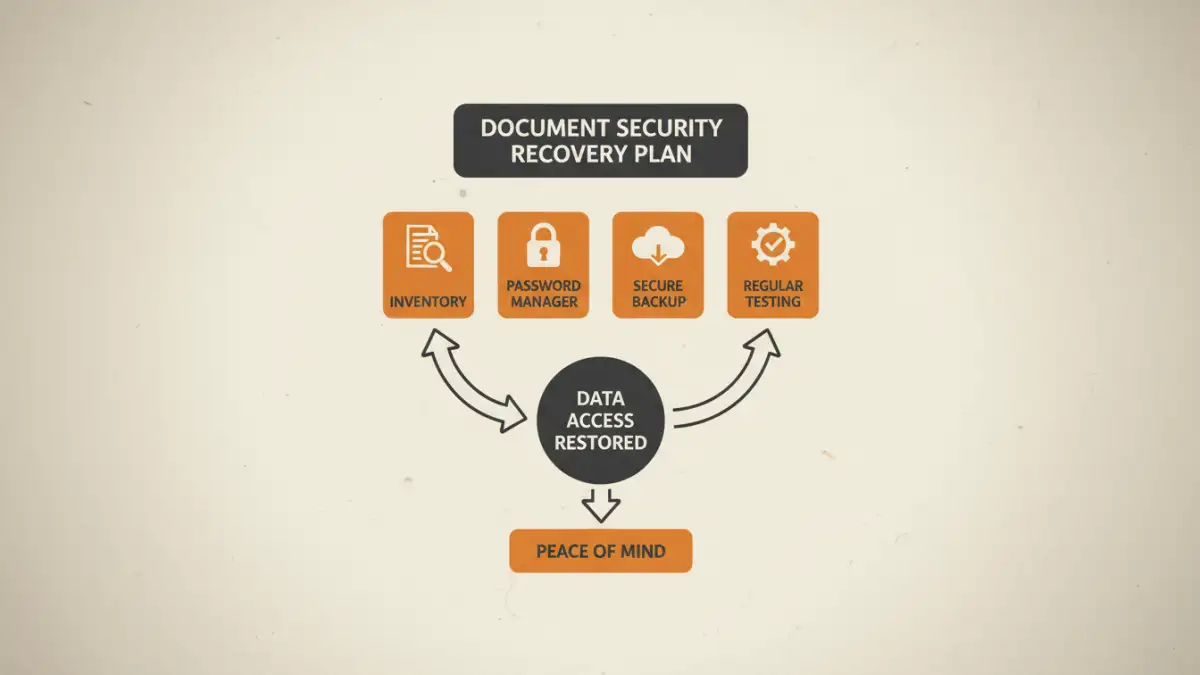
A robust plan is built on several key pillars that work together. Implementing these components provides layers of protection against data loss and ensures business continuity.
Redundant Password and Key Management
This is the heart of your recovery plan. You cannot rely on a single person's memory. This involves using a centralized, secure system to store passwords and encryption keys. A business-grade password manager with sharing capabilities or a dedicated key escrow service is ideal. The goal is to ensure that authorized individuals can retrieve access credentials in an emergency.
Secure Document Backup Strategy
Your backup strategy must account for the nature of encrypted files. This means not only backing up the files themselves but also the recovery keys or master passwords associated with them—stored separately and with different access controls. A good practice is the 3-2-1 rule: three copies of your data, on two different media types, with one copy off-site. For secure documents, the off-site copy should also have its access credentials stored securely.
Defined Access and Recovery Protocols
Who is allowed to initiate a recovery? What is the process? These questions must be answered and documented. Clear protocols prevent misuse while ensuring a swift response when needed. This documentation should outline the step-by-step procedure for an authorized user to request and gain access to a recovery key, including any required multi-person approvals.
Step-by-Step: Building Your Plan
Creating your plan doesn't have to be overly complex. By following a structured approach, you can build an effective data loss prevention plan for your most sensitive documents.
Step 1: Inventory Your Secure Assets
You can't protect what you don't know you have. Start by creating a comprehensive inventory of all critical documents that are encrypted or password-protected. For each asset, document its location, the type of encryption used, and who currently has access. This inventory forms the foundation of your entire strategy.
Step 2: Centralize Credential Management
Select and implement a tool for managing your passwords and encryption keys. For small teams, a shared vault in a reputable password manager like 1Password or Bitwarden works well. For larger organizations, a dedicated secrets management platform might be necessary. The key is to eliminate single points of failure, like one person holding all the keys.
Step 3: Implement and Automate Backups
Set up an automated secure document backup system. Use software that can handle encrypted files and consider cloud storage providers that offer high-security, zero-knowledge storage. Crucially, ensure that your backup process is separate from your primary file access. This prevents a compromised account from deleting both the original files and their backups.
Testing and Maintaining Your Plan
A recovery plan is purely theoretical until it's tested. You must regularly conduct drills to ensure the process works as expected. Can the designated backup person actually retrieve a password from the vault and open a test document? Are the instructions clear?
Schedule a review of your plan at least twice a year or whenever there's a significant change in personnel or technology. During this review, verify that your inventory is up to date, access permissions are correct, and all tools are functioning properly. An untested plan is often no better than having no plan at all.
Recovery Component Comparison
| Component | Primary Function | Best For | Potential Weakness |
|---|---|---|---|
| Team Password Manager | Securely stores and shares passwords among authorized users. | Small to large teams needing collaborative access control. | If the master password is lost, access to all keys is lost. |
| Digital Key Escrow | A third-party or internal system holds recovery keys in trust. | High-security corporate environments with strict compliance needs. | Can be complex and costly to implement and manage. |
| Physical Safe Storage | Storing master passwords or hardware keys in a physical safe. | Air-gapped, offline recovery for ultimate security. | Vulnerable to physical theft or disaster; slow recovery process. |
| Redundant Cloud Backup | Storing encrypted backups in a separate, secure cloud account. | Disaster recovery from hardware failure or site-wide outages. | Does not solve lost password issues without a key management plan. |