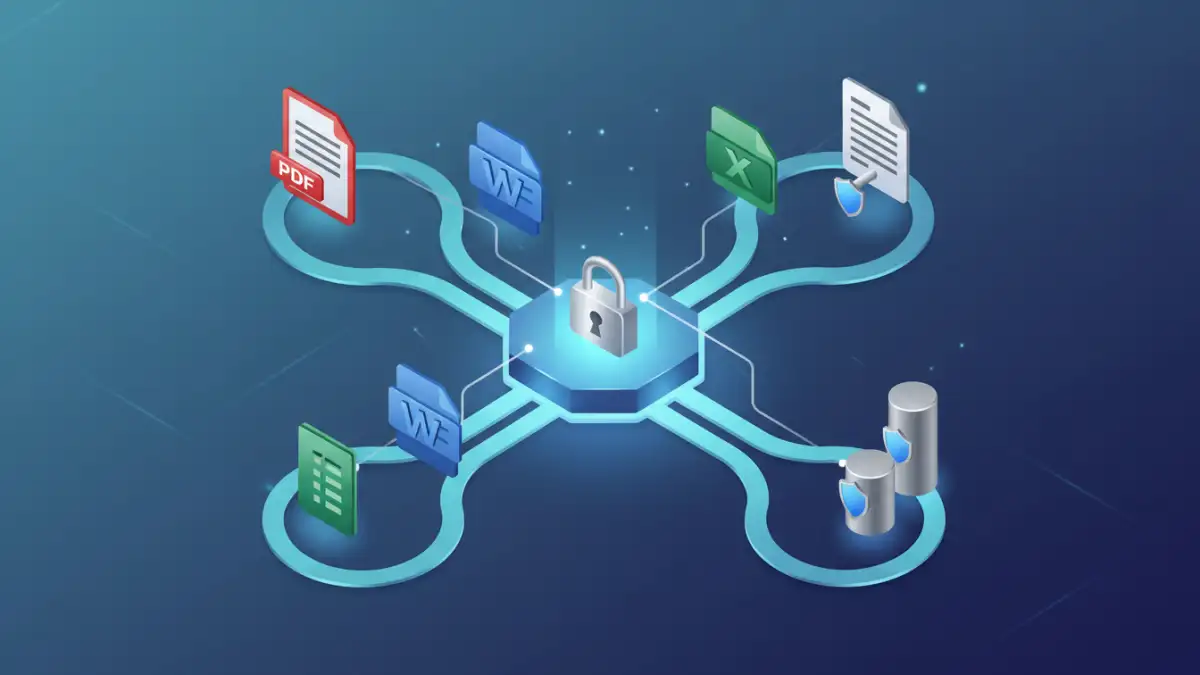
I recently helped a colleague who was struggling with a mountain of confidential client documents. Each one needed to be encrypted before being shared, a manual process that was eating up hours of their week. This isn't an uncommon challenge; securing sensitive information is paramount, but the manual effort can quickly become overwhelming, leading to delays and potential human error.
In today's fast-paced digital environment, where data breaches are a constant threat, relying solely on human intervention for critical security tasks like encryption is a risky strategy. This is where the power of automation comes into play, transforming tedious, error-prone manual steps into efficient, secure, and consistent processes.
Table of Contents
Understanding the Need for Automation
Manually encrypting every sensitive document before it leaves your system or is stored can be incredibly time-consuming. Imagine a legal firm handling hundreds of client contracts daily, or a healthcare provider managing patient records. The sheer volume makes manual encryption a bottleneck, increasing the risk of human error or oversight.
Risks of Manual Processes
Beyond the time sink, manual encryption processes introduce significant security vulnerabilities. A forgotten step, an incorrect password, or a delay in applying encryption can expose sensitive data. This lack of consistency is a major concern for compliance and data protection regulations like GDPR or HIPAA.
Benefits of Automation
Automating the encryption process ensures consistency and reduces human error. It guarantees that every document meeting specific criteria is encrypted without fail, adhering to your organization's security policies. This not only enhances data protection but also frees up valuable employee time, allowing them to focus on more strategic tasks.
Core Principles of Document Encryption
Before diving into automation, it's crucial to grasp the basics of document encryption. Encryption transforms readable data into an unreadable format, requiring a key to decrypt it back to its original state. This fundamental process is the backbone of securing sensitive information.
Types of Encryption
There are two primary types of encryption: symmetric and asymmetric. Symmetric encryption uses a single key for both encryption and decryption, making it fast but requiring secure key sharing. Asymmetric encryption uses a public key for encryption and a private key for decryption, offering better security for key exchange but is generally slower.
Key Management
Effective key management is as important as the encryption itself. If encryption keys are compromised, the encryption becomes useless. Automated systems must integrate with secure key management solutions, such as Hardware Security Modules (HSMs) or robust key management services, to protect these vital assets.
Setting Up Automated Encryption Workflows
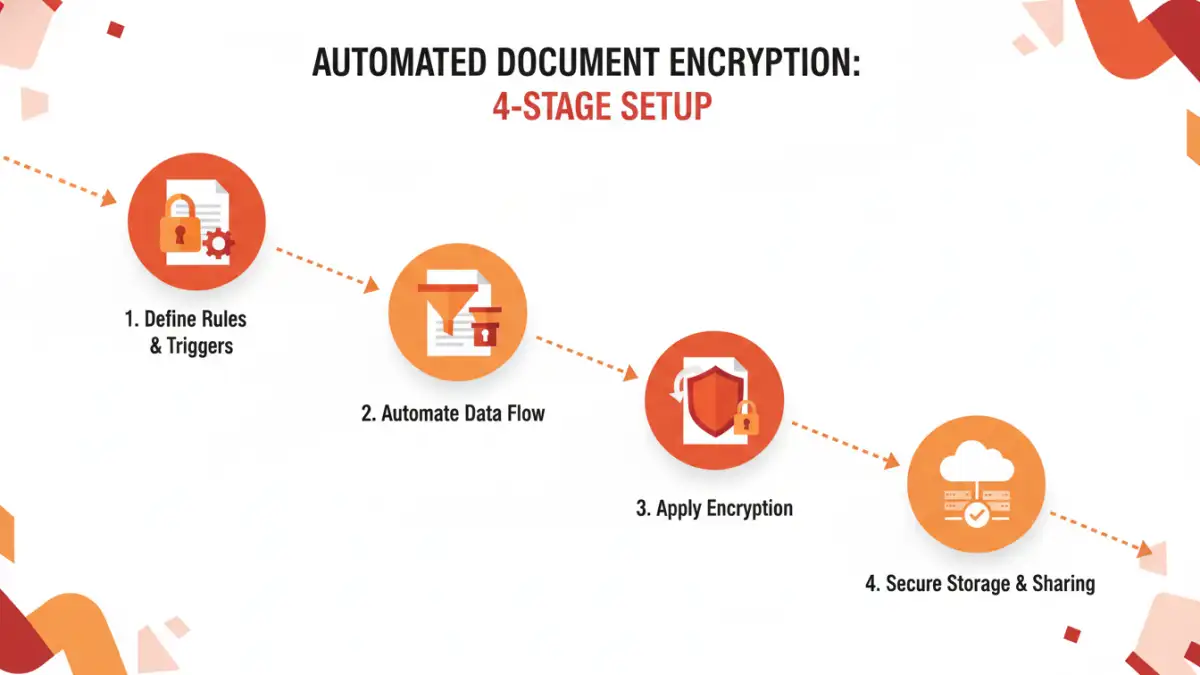
Implementing an automated encryption workflow involves identifying trigger events, defining encryption rules, and selecting the right tools. The goal is to create a seamless, hands-off process from document creation or receipt to its secure storage or transmission.
Defining Your Workflow Triggers
Start by identifying what triggers the need for encryption. This could be a document being saved to a specific folder, an email attachment being sent, or a file being uploaded to a cloud service. Clear triggers are essential for an effective automated file encryption setup.
Scripting with PowerShell or Bash
For Windows environments, PowerShell offers powerful capabilities to script file operations, including encryption. You can write scripts to monitor folders, identify files based on content or metadata, and then apply encryption using built-in Windows features or third-party tools. Similarly, Bash scripts are excellent for Linux/Unix systems, providing robust command-line automation.
Integrating with Document Management Systems
Many modern Document Management Systems (DMS) or Enterprise Content Management (ECM) platforms offer built-in automation features. These systems can be configured to automatically apply encryption policies to documents upon check-in, check-out, or based on their classification. This is a powerful way to integrate encryption directly into your existing secure document workflows.
Tools and Technologies for Automation
A range of tools and technologies can help you workflow automate encrypt documents effectively. The choice often depends on your existing infrastructure, budget, and specific security requirements.
Dedicated Encryption Software
Solutions like VeraCrypt, AxCrypt, or commercial offerings provide robust encryption capabilities, often with command-line interfaces or APIs that can be integrated into automation scripts. These tools allow for strong encryption algorithms and detailed control over the encryption process.
Cloud Service Features
Cloud providers like AWS, Azure, and Google Cloud offer native encryption services (e.g., AWS KMS, Azure Key Vault) that can be integrated into your cloud-based workflows. You can set up policies to automatically encrypt data at rest and in transit, often with minimal configuration.
Robotic Process Automation (RPA)
For more complex workflows that involve multiple applications or user interfaces, RPA tools can simulate human interactions to automate encryption tasks. An RPA bot could, for example, open a document, apply a password, and then save the encrypted version, bridging gaps between disparate systems.
Best Practices for Secure Automated Workflows
Simply automating encryption isn't enough; it must be done securely and thoughtfully. Adhering to best practices ensures your automated processes enhance, rather than compromise, your overall security posture.
Policy Enforcement and Classification
Before automation, establish clear policies for what constitutes sensitive data and how it should be handled. Implement data classification tools to automatically tag documents, allowing your automated workflows to apply the correct encryption level based on sensitivity. This proactive approach is crucial for effective document encryption automation.
Auditing and Monitoring
Regularly audit your automated encryption workflows to ensure they are functioning as intended. Monitor logs for any failures, unauthorized access attempts, or deviations from policy. This continuous oversight helps identify and rectify issues quickly, maintaining the integrity of your secure document workflows.
Regularly Update and Patch Systems
Ensure that all operating systems, encryption software, and automation tools are kept up-to-date with the latest security patches. Vulnerabilities in underlying software can undermine even the most robust encryption implementation. Staying current is a foundational element of any secure workflow.
Comparison of Automation Methods for Document Encryption
| Method | Pros | Cons | Best For |
|---|---|---|---|
| Scripting (PowerShell/Bash) | Highly customizable, low cost, integrates with OS | Requires coding skills, can be complex to maintain | Specific, repeatable tasks within a single OS environment |
| Document Management Systems | Integrated, policy-driven, user-friendly | Vendor lock-in, potentially high cost, limited flexibility | Organizations with existing DMS, structured content |
| Dedicated Encryption Software | Strong algorithms, robust features, cross-platform | May require manual integration, can be complex to deploy | High-security requirements, diverse file types |
| Cloud Service Encryption | Scalable, managed by provider, seamless cloud integration | Vendor-specific, cost implications, reliance on cloud security | Cloud-native applications, data stored in cloud environments |
| Robotic Process Automation (RPA) | Automates complex UI interactions, bridges system gaps | High initial setup, can be brittle if UI changes | Legacy systems, complex multi-application workflows |