
Working with password-protected documents can be frustrating, especially when you've forgotten the password or inherited a file without one. The need to access sensitive information quickly often leads people to search for ways to bypass or remove these protective layers. While robust encryption is designed to keep your data safe, understanding the methods and implications of removing a password is crucial for both security and accessibility.
As someone who has navigated complex data security scenarios, I've seen firsthand how critical it is to balance security with usability. The ability to remove an encrypted file password, or at least regain access to it, is a common requirement, but it's not always straightforward. It involves understanding the type of encryption used and the tools available, while always being mindful of the ethical and legal considerations.
Table of Contents
Basics of File Encryption
File encryption is a process that scrambles data, making it unreadable without a specific key or password. This ensures that only authorized individuals can access the information contained within a file. Different applications and operating systems use various encryption algorithms, ranging from simple password protection to advanced AES (Advanced Encryption Standard) encryption.
Types of Encryption
The complexity of removing a password often depends on the type of encryption employed. Simple password protection, often found in basic document editors or archive tools, might be easier to circumvent than strong, system-level encryption. Understanding whether your file uses a symmetric or asymmetric encryption method can give you clues about the difficulty of password removal.
Common Methods for Password Removal

When faced with a password-protected file, several approaches can be considered. These range from simple, built-in features to third-party tools designed for specific file types. It's important to note that the success and legality of these methods depend heavily on the origin of the file and your authorization to access it.
Using Built-in Software Features
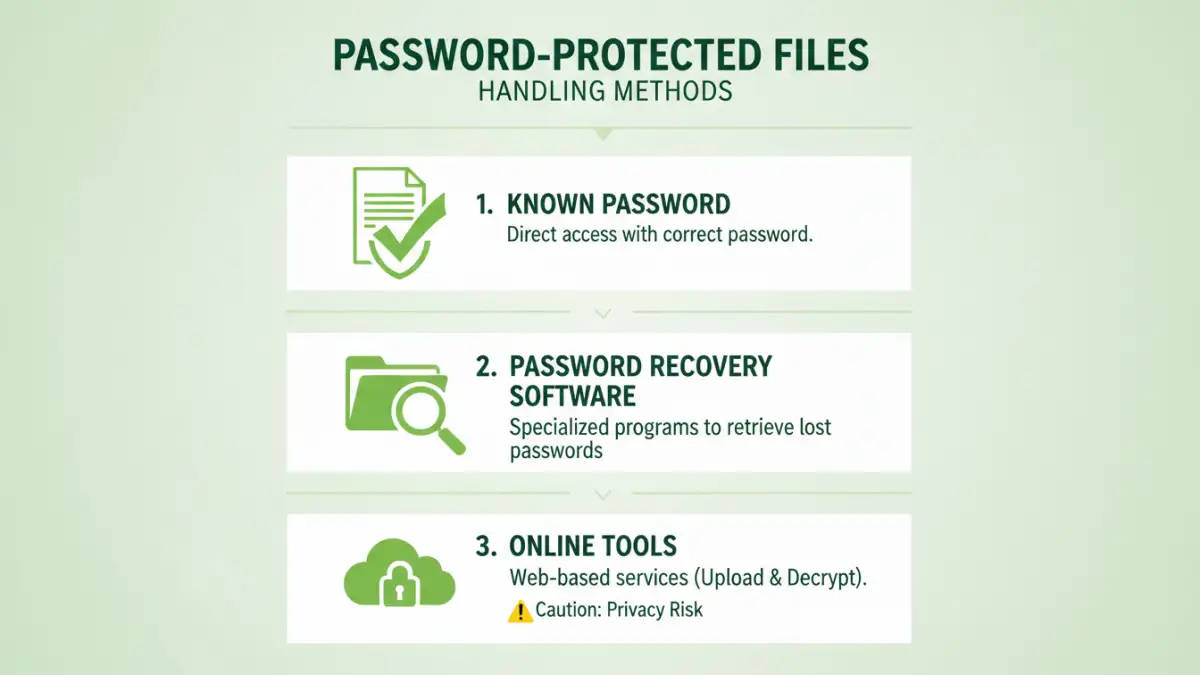
Some applications allow you to remove a password if you know the current one. For instance, in Microsoft Word or Excel, you can open a password-protected document, go to the file information or save options, and re-save it without a password after entering the correct one. This is the most straightforward method if you have the password but want to disable it.
Leveraging Online Tools
A plethora of online services claim to help you bypass file passwords. These tools often work by attempting brute-force attacks or exploiting known vulnerabilities in specific file formats. However, using online tools for password protected file removal comes with significant risks, including privacy concerns as you upload potentially sensitive documents to third-party servers.
Desktop Software Solutions
Dedicated desktop software offers more robust solutions for decrypting files. These programs can often handle various file types and employ advanced techniques like brute-force or dictionary attacks to crack passwords. While some are free, many powerful tools require a purchase. It's essential to download software only from reputable sources to avoid malware.
Advanced Techniques and Considerations
For highly encrypted files or when simpler methods fail, more advanced techniques might be explored. These often require technical expertise and can be time-consuming. It's crucial to remember that attempting to bypass passwords on files you don't own or have permission to access can have legal consequences.
Brute-Force and Dictionary Attacks
These automated methods involve trying every possible combination of characters (brute-force) or a list of common words and phrases (dictionary attack) until the correct password is found. The effectiveness depends on the password's complexity and length. Strong passwords can take an impractically long time to crack with these methods, making it infeasible to remove encrypted file password this way.
Exploiting Vulnerabilities
In some cases, specific encryption implementations might have known security flaws. Security researchers and ethical hackers can develop tools to exploit these vulnerabilities to bypass password protection. However, these exploits are often patched quickly by software vendors, making them unreliable for older or frequently updated software.
Best Practices for File Security
While understanding how to remove encrypted file passwords can be useful, the best approach is always strong preventative security. Implementing robust password management and encryption practices minimizes the risk of losing access to your own files.
Choose Strong, Unique Passwords
Use complex passwords that combine uppercase and lowercase letters, numbers, and symbols. Avoid easily guessable information like names or birthdays. Consider using a password manager to generate and store strong, unique passwords for all your encrypted files and accounts.
Understand Your Encryption Tools
Familiarize yourself with the encryption features of the software you use. Know how to apply strong encryption, and importantly, how to securely store the passwords you create. For critical data, consider using dedicated encryption software that offers more advanced security features and recovery options.
Comparison Table: Methods for Handling Password Protected Files
| Method | Pros | Cons | Best For |
|---|---|---|---|
| Known Password Removal (Software Feature) | Fast, secure, no risk of data loss if password is known. | Requires knowing the current password. Not a solution for forgotten passwords. | Disabling password protection on your own files when the password is readily available. |
| Online Password Removal Tools | Convenient, accessible from any device, often free for basic use. | Significant privacy risks, potential for malware, limited effectiveness on strong encryption. | Quickly attempting to bypass simple passwords on non-sensitive files where privacy is not a major concern. |
| Desktop Password Recovery Software | More powerful, supports various file types, can perform brute-force/dictionary attacks. | Can be costly, requires installation, success not guaranteed, time-consuming for complex passwords. | Recovering lost passwords for your own encrypted files when other methods fail and you have the legal right to access the data. |
| Professional Data Recovery Services | Expert handling, high success rates for complex cases, legal compliance. | Expensive, takes time, requires sending data to a third party. | Critical business data or highly sensitive personal files where data integrity and legal compliance are paramount. |
Frequently Asked Questions
Can I easily remove a password from any encrypted file?
No, removing a password from an encrypted file is not always easy or possible. The difficulty depends heavily on the strength of the encryption algorithm used and the complexity of the password. Strong encryption methods like AES-256 are designed to be highly resistant to brute-force attacks or other bypass methods.
Is it legal to bypass a file password?
The legality of bypassing a file password depends entirely on your ownership of the file and your authorization to access it. Attempting to remove a password from a file you do not own or have explicit permission to access can be illegal and unethical, potentially leading to legal repercussions.
What should I do if I forget the password to my own encrypted file?
If you forget the password to your own encrypted file, your best options are to try known password variations, use password recovery software designed for that file type (from reputable sources), or, in critical cases, consult professional data recovery services. Remember that if the encryption is strong, recovery might not be possible.
Are online tools safe for removing encrypted file passwords?
Online tools can pose significant security and privacy risks. When you upload a file to an online service, you are entrusting your data to a third party. This can lead to data breaches, misuse of your information, or even malware infections. It's generally safer to use trusted desktop software for handling sensitive encrypted files.