Collaborating on projects often means sharing documents, code, and sensitive information. Ensuring that this shared access is secure is paramount to protecting intellectual property and maintaining data integrity. When multiple team members need to work on the same files, the risk of unauthorized access or accidental data leaks increases significantly. Implementing robust security measures from the outset is not just good practice; it's essential for modern team dynamics.
The challenge lies in balancing accessibility for legitimate team members with stringent protection against external threats. This requires a thoughtful approach to selecting the right tools and configuring them correctly. My experience has shown that a multi-layered security strategy is often the most effective, combining access controls, encryption, and clear communication protocols.
Table of Contents
Understanding the Core Principles
At its heart, secure collaboration for shared project files revolves around controlling who can access what, when, and how. This involves understanding the types of data you are sharing and the potential risks associated with them. Sensitive project data might include client information, proprietary code, financial reports, or strategic plans.
Key Security Concepts
Central to this is the principle of least privilege, where users are granted only the minimum necessary permissions to perform their tasks. This significantly reduces the attack surface. Another critical aspect is data lifecycle management, understanding how data is created, stored, shared, and eventually deleted. Each stage presents unique security considerations for protected file collaboration.
Implementing Secure Collaboration Methods

Several platforms and tools can facilitate secure shared project files. Cloud storage solutions like Google Drive, OneDrive, and Dropbox offer built-in security features, including access controls and encryption. However, their effectiveness depends heavily on how they are configured and the security practices of the users.
Cloud Storage Solutions
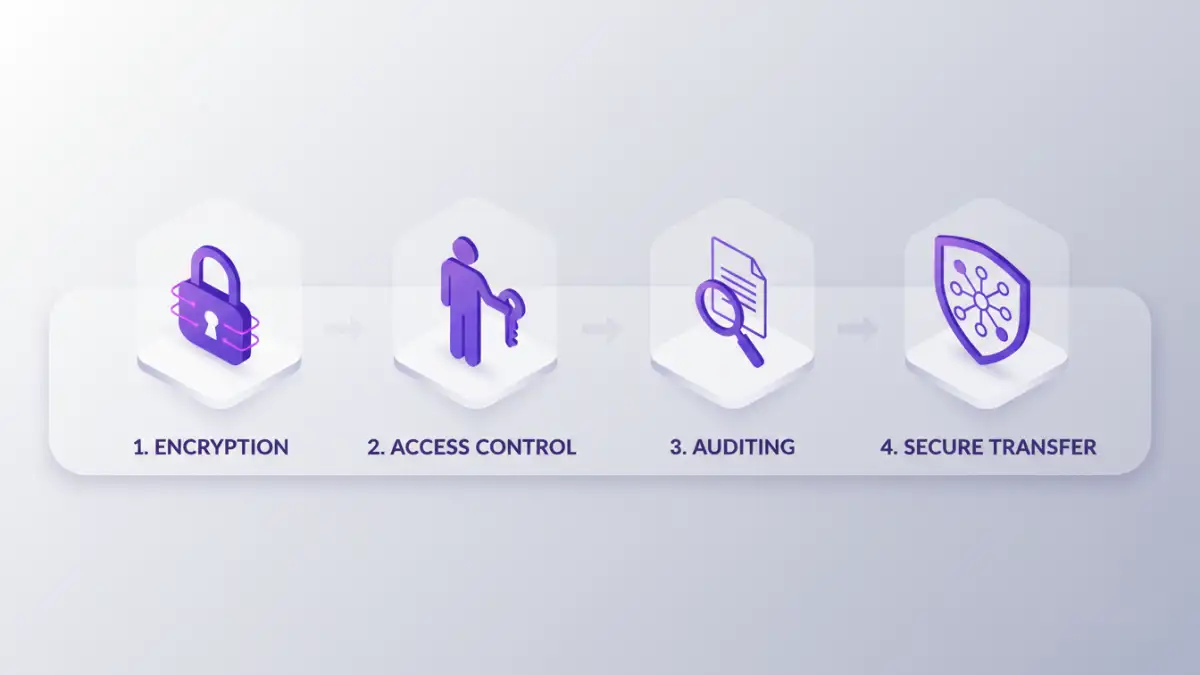
These platforms allow you to set granular permissions for folders and individual files. You can invite collaborators via email, assign roles (viewer, commenter, editor), and revoke access at any time. For enhanced security, consider using their enterprise-grade versions, which often provide more robust auditing and compliance features. Shared file encryption can also be a layer applied before uploading to these services.
Version Control Systems
For software development projects, version control systems like Git (with platforms like GitHub, GitLab, or Bitbucket) are indispensable. They not only manage code changes but also provide secure repositories with access controls, commit history, and branching strategies that enhance team document security. Access to these repositories is typically managed through user accounts and SSH keys, offering a high level of security.
Managing User Access and Permissions
Effective access management is a cornerstone of secure project data sharing. This involves not just granting access but also regularly reviewing and revesting permissions. When a team member leaves a project or the company, their access must be promptly revoked to prevent unauthorized data access.
Role-Based Access Control (RBAC)
Implementing RBAC means assigning permissions based on a user's role within the project or organization, rather than to individuals directly. This simplifies management, especially in larger teams, and ensures consistency. For example, all 'Developers' might have edit access, while 'Testers' have read-only access.
Leveraging Encryption for Protection
Encryption is a powerful tool for protecting data both in transit and at rest. Even if unauthorized parties gain access to the files, they will be unreadable without the decryption key.
File-Level and Drive Encryption
Many cloud services offer encryption for data stored on their servers (at rest) and when it's being transferred (in transit). For extra protection, you can use tools to encrypt individual files or entire drives before sharing them. This provides an additional layer of security for your secure shared project files.
Essential Best Practices
Beyond tools and technical configurations, fostering a security-conscious culture within the team is vital. Regular training on security best practices, clear policies for data handling, and prompt incident response are crucial components of a comprehensive security strategy.
Regular Audits and Monitoring
Periodically auditing access logs and file activity can help detect suspicious behavior or misconfigurations. This proactive approach allows you to identify and address potential security breaches before they escalate. Ensuring team document security is an ongoing process, not a one-time setup.
Comparison Table: Collaboration Security Methods
| Method | Primary Use Case | Security Features | Ease of Use | Cost |
|---|---|---|---|---|
| Cloud Storage (e.g., Google Drive, OneDrive) | General document sharing, team collaboration | Access control, encryption (in transit/at rest), audit logs | High | Free to Paid Tiers |
| Version Control Systems (e.g., GitHub, GitLab) | Code management, software development | Access control, commit history, secure repositories, SSH keys | Medium (for non-developers) | Free to Paid Tiers |
| Encrypted Folders/Drives (e.g., VeraCrypt, BitLocker) | High-security file storage and sharing | Strong file-level encryption, password protection | Medium | Free (VeraCrypt), Built-in (BitLocker) |
| Secure File Transfer Protocols (SFTP) | Securely transferring large files | Encrypted data transfer | Medium | Requires client/server setup |