Sending out a digital portfolio for a potential commission used to fill me with a mix of excitement and anxiety. On one hand, it was a chance to showcase my best work. On the other, I was essentially sending high-resolution files into the void, with no control over how they might be used or distributed. The thought of my art appearing uncredited on a blog or, worse, being used commercially without my permission was a constant worry.
This wasn't just a theoretical problem. After finding one of my character designs on a t-shirt printing website, sourced from a portfolio I'd sent to a prospective client, I knew I had to find a better way. My background is in software, so I started approaching this problem systematically, looking for a robust container that could protect my work without degrading its quality. That's when I rediscovered the humble PDF, not as a static document format, but as a secure vault for my creative assets.
Table of Contents
The Problem with Traditional Methods
Like many artists, my initial attempts at protection were rudimentary. I relied on the two most common tactics: watermarking and sending low-resolution images. While better than nothing, both came with significant drawbacks that ultimately undermined the professional presentation I was aiming for.
The Intrusive Watermark
A large, semi-transparent watermark across the center of an image certainly makes it difficult to steal, but it also makes it difficult to appreciate. It distracts from the details, color balance, and composition I worked so hard to perfect. Subtle corner watermarks are easily cropped out. It felt like I was forced to choose between protecting my work and presenting it properly.
The Low-Resolution Compromise
Sending a 72dpi JPEG is another common tactic. It prevents high-quality printing, but it also fails to convey the true detail and texture of the artwork. When a potential client is zooming in to examine brush strokes or line work, a pixelated mess doesn't inspire confidence. It can make your work look amateurish and suggests you lack trust in the recipient from the outset.
Why PDF Is the Ideal Container for Artists
My engineering mindset led me to look for a solution that offered layers of control, and that's where PDF shines. A PDF can encapsulate high-resolution vector or raster images without compression loss, preserving every detail. More importantly, the format has a robust security framework built right into its specification.
Instead of just slapping a lock on the front door, PDF allows for granular control over what someone can do once they're inside. This capability is the cornerstone of effective pdf security for artists. You can allow someone to view the work in full fidelity while preventing them from extracting the images, printing a copy, or even making edits. This multi-layered approach was the solution I had been looking for.
My Core PDF Security Workflow
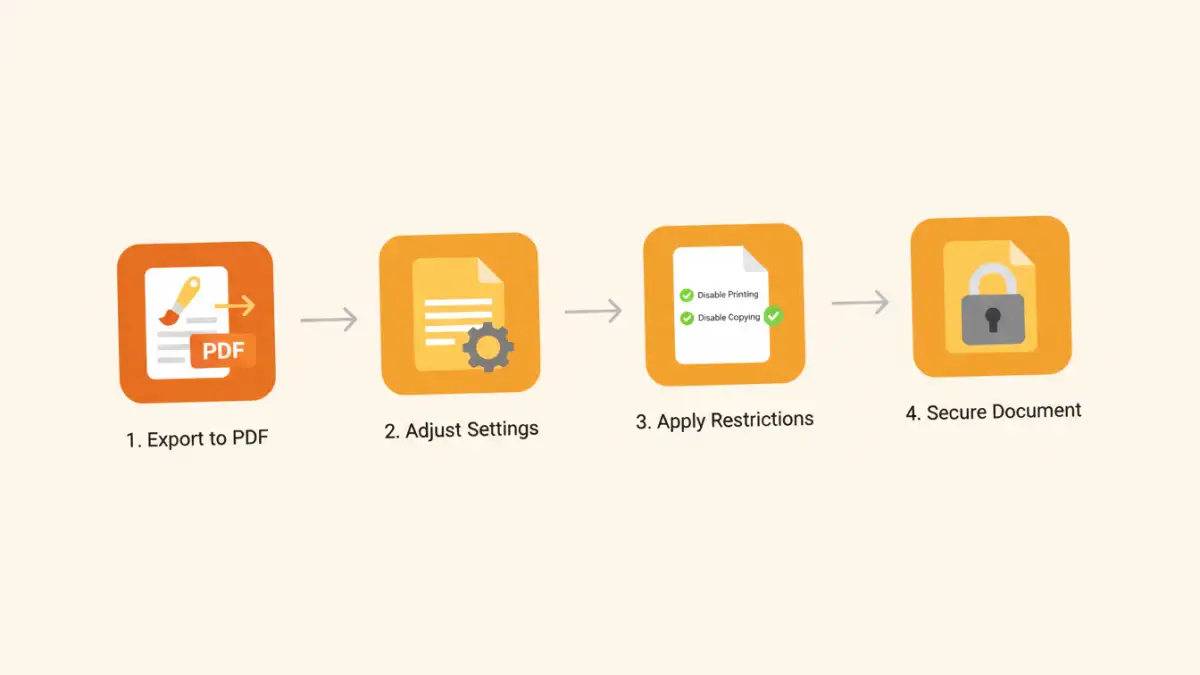
Once I settled on using PDFs, I developed a simple but effective workflow to protect digital portfolio files. This process can be done with various tools, from Adobe Acrobat Pro to other third-party PDF editors. The key is to understand the two types of passwords a PDF can have.
Step 1: The 'Open' Password (User Password)
This is the most basic level of security. It's a password required to simply open and view the document. I use this when sending a portfolio to a specific person or a small group. I'll send the PDF in one email and the password in a separate message or via a different channel (like a text message) for added security. It ensures that only the intended recipient can access the file.
Step 2: The 'Permissions' Password (Owner Password)
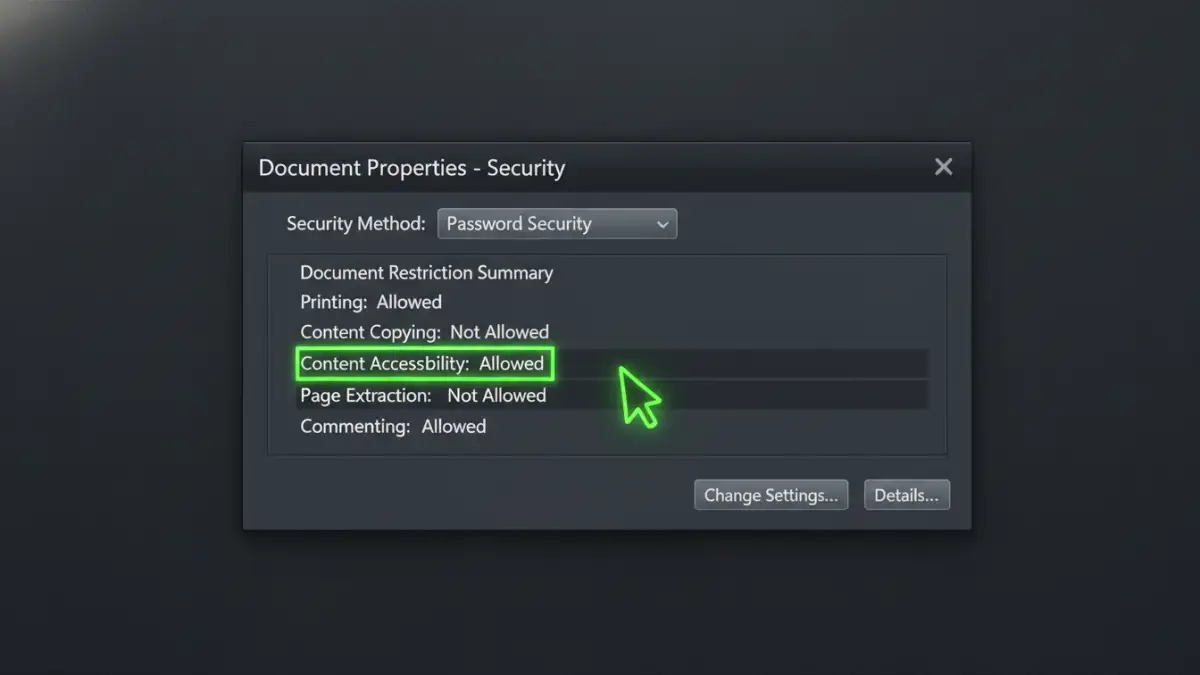
This is where the real power lies for artists. The permissions password, or owner password, locks down the security settings of the PDF. By setting this password, I can configure a whole range of restrictions that apply to anyone who opens the file (even if there's no 'Open' password).
My standard configuration for a portfolio preview is:
- Printing: Not Allowed. This prevents anyone from making unauthorized physical copies.
- Changing the Document: Not Allowed. This protects the integrity of the file.
- Copying of Content: Not Allowed. This is the most crucial setting. It prevents the user from simply right-clicking to copy the image or using selection tools to extract the artwork from the PDF.
With these settings, a client can view my art in perfect, high-resolution detail, but they cannot easily print, edit, or extract it. To change these settings, they would need the owner password, which I never share.
Advanced Considerations and Automation
As I started sending more portfolios, I looked for ways to streamline the process. Manually setting passwords and permissions for every single PDF became tedious. Many professional PDF tools, like Adobe Acrobat, offer 'Action Wizard' features. I created an action that automatically applies my standard security settings to any file I drop into it. This saves time and ensures I never forget a step.
For truly sensitive projects or high-value commissions, I also explore artist file encryption beyond what standard PDFs offer. This can involve using encrypted containers (like VeraCrypt) or secure file-sharing services that offer end-to-end encryption and download tracking. However, for 95% of my portfolio-sharing needs, the built-in PDF security framework provides the perfect balance of protection, professionalism, and ease of use for the recipient.
Digital Art Protection Methods Compared
| Protection Method | Pros | Cons | Best For |
|---|---|---|---|
| Heavy Watermarking | Strong visual deterrent. | Obscures the artwork; can be removed with effort. | Public posting on social media where theft is rampant. |
| Low-Resolution JPEGs | Quick to load; prevents high-quality printing. | Poorly represents the quality and detail of the work. | Quick, informal previews or website gallery images. |
| Basic PDF 'Open' Password | Simple to implement; restricts initial access. | Once open, provides no protection against copying or printing. | Sending files to a single, trusted individual. |
| Advanced PDF Permissions | High-resolution viewing; prevents printing, copying, and editing. | Requires PDF software (like Acrobat) to set up properly. | Professional portfolios, client proofs, and contest submissions. |
| Full Disk Encryption | Extremely high level of security for files at rest. | Doesn't protect the file once it's sent to someone else. | Securing your local work-in-progress files on your hard drive. |