Navigating the complexities of securing digital assets is a constant challenge in today's interconnected world. Whether it's protecting confidential business information, intellectual property, or personal data, ensuring that documents are secure and accessible only to authorized individuals is paramount. This involves a blend of technical measures, policy enforcement, and a keen understanding of various regulations and standards like Digital Rights Management (DRM).
My work as a software engineer has often involved designing and implementing systems where data integrity and access control are non-negotiable. I've seen firsthand the consequences of inadequate security, from costly data breaches to loss of client trust. Therefore, approaching document security compliance with a structured and informed strategy is crucial for any organization or individual handling sensitive information.
Table of Contents
Understanding Security Fundamentals
At its core, document security is about preventing unauthorized access, modification, or distribution of files. This involves several layers of protection, starting with basic access controls and extending to sophisticated encryption techniques. Implementing these measures ensures that your data remains confidential and intact.
Key Security Concepts
Understanding fundamental concepts like encryption, access control lists (ACLs), and digital signatures is the first step. Encryption scrambles data so it's unreadable without a key, while ACLs dictate who can view or edit a file. Digital signatures verify the authenticity and integrity of a document, ensuring it hasn't been tampered with and originates from a trusted source.
The Role of DRM
Digital Rights Management (DRM) is a specialized set of technologies designed to control the use, modification, and distribution of copyrighted digital content. For businesses, DRM compliance is essential when dealing with proprietary documents, software, or media that they wish to protect from piracy and unauthorized sharing.
DRM systems can enforce restrictions such as limiting the number of times a document can be opened, preventing printing, restricting copying, and setting expiration dates for access. Implementing DRM effectively requires careful consideration of user experience versus security needs.
Implementing Security Measures
There are numerous ways to implement document security, ranging from simple password protection to complex enterprise-level solutions. The choice of method often depends on the sensitivity of the data, the intended audience, and the regulatory environment.
Password Protection and Encryption
Most modern operating systems and office suites offer built-in password protection for documents like PDFs and Microsoft Office files. This is a good first line of defense. For more robust protection, especially for highly sensitive data, employing stronger encryption algorithms like AES-256 is recommended. This can be done through specialized software or cloud storage services that offer end-to-end encryption.
Access Control and Permissions
Beyond file-level protection, managing user access through system-level permissions is critical. This involves setting up user accounts and groups with specific privileges, ensuring that only relevant personnel can access certain documents or folders. This is particularly important in collaborative environments where multiple users might work on the same project.
Developing Compliance Strategies
Achieving and maintaining document security compliance requires a strategic approach. It's not just about applying technology; it's about establishing policies and procedures that support secure data handling throughout its lifecycle. This includes data classification, regular audits, and employee training.
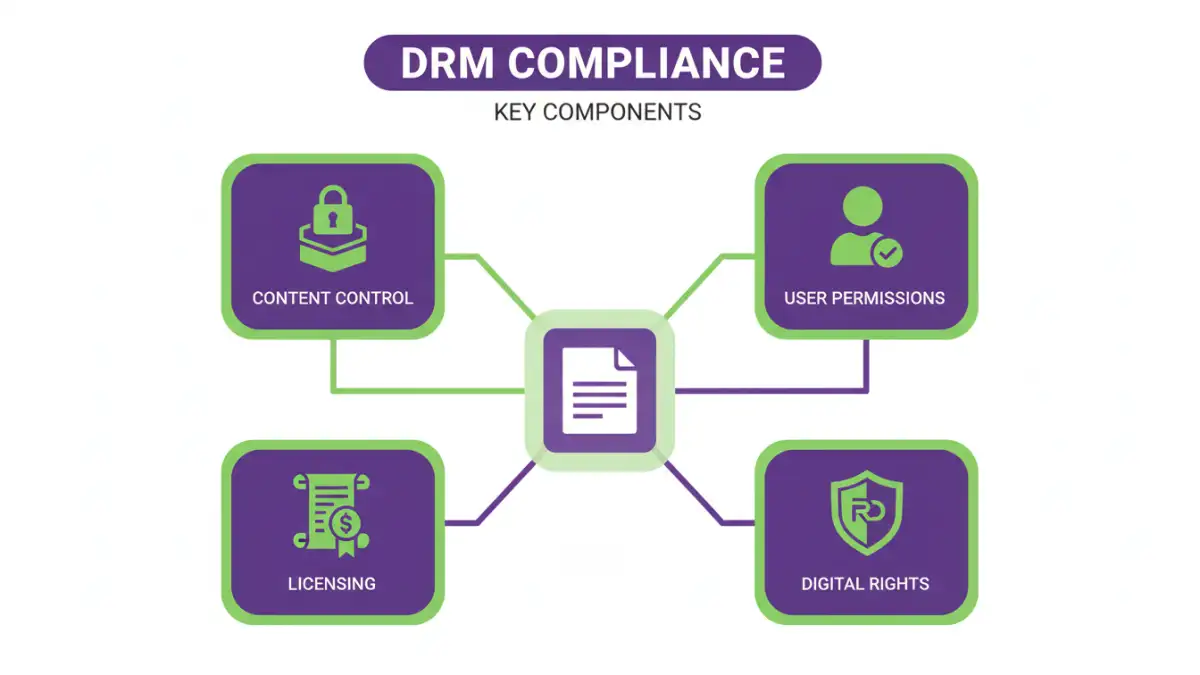
Organizations must also stay abreast of relevant data security regulations, such as GDPR, HIPAA, or CCPA, depending on their industry and geographical reach. Ensuring DRM compliance also means understanding licensing agreements and content protection requirements for digital assets.
Best Practices for Ongoing Security
Security is not a one-time setup; it's an ongoing process. Regular security audits, keeping software updated to patch vulnerabilities, and conducting employee training on security best practices are vital. Implementing the principle of least privilege—granting users only the access they need—further minimizes risk.
Furthermore, developing a robust data backup and disaster recovery plan is essential. In the event of data loss or corruption, having secure backups ensures business continuity and data availability. This layered approach to file protection is key to comprehensive data security.
Comparison Table: Document Security Methods
| Method | Ease of Use | Security Level | Cost | Best For |
|---|---|---|---|---|
| Built-in Password Protection (Office/PDF) | High | Basic to Moderate | Free | Personal documents, general office files |
| File Encryption Software (e.g., VeraCrypt, BitLocker) | Moderate | High | Free to Paid | Sensitive personal or business data, full disk encryption |
| Cloud Storage Encryption (e.g., Google Drive, Dropbox with E2EE) | High | Moderate to High | Free tier available, Paid subscriptions | Collaborative documents, remote access, backups |
| DRM Solutions | Varies (often complex) | High (for controlled content) | Paid (often enterprise-level) | Copyrighted content, digital media, intellectual property protection |
| Digital Signatures | Moderate | Ensures Authenticity & Integrity | Varies (software/certificates) | Verifying document origin and preventing tampering |