
I recently worked with a small business owner who was confident their client data was secure. They had encrypted all the critical folders on their server. However, during a routine security audit, we discovered that the password used for encryption was 'CompanyName2024!'. It was a classic case of a well-intentioned security measure being completely undone by a simple, predictable password.
This scenario is far more common than you might think. Simply clicking 'Encrypt' isn't enough. True security lies in the process, and over the years, I've seen a few recurring errors that users make. Understanding these pitfalls is the first step toward implementing truly robust protection for your sensitive information.
Table of Contents
Mistake 1: The Predictable Password Problem
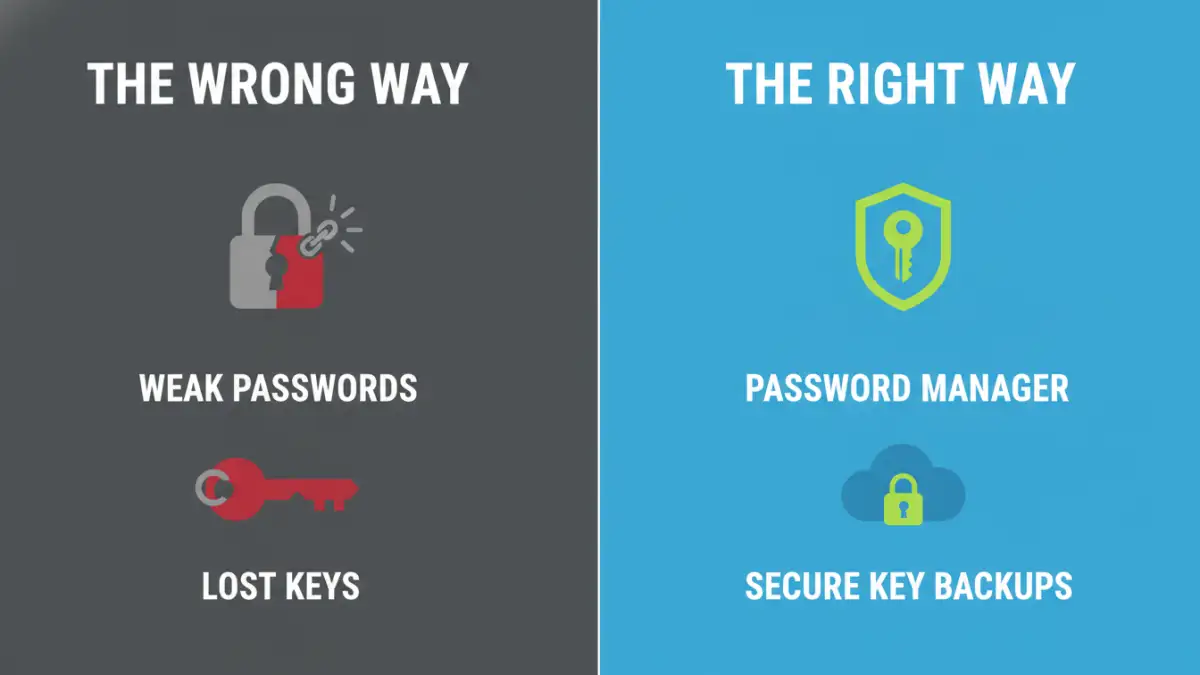
The single most frequent point of failure in any encryption scheme is the human element, specifically password choice. Users often put significant effort into selecting encryption software but then 'secure' their data with a password that can be cracked in minutes. This is like building a bank vault and locking it with a bicycle lock.
A weak password renders the strength of the encryption algorithm irrelevant. Attackers often don't bother trying to break the complex math of the encryption itself; they just break the password. Reusing passwords across different services also poses a massive risk. If your email password is leaked in a breach and you use it for your encrypted archives, that data is now vulnerable.
Creating and Managing Strong Passwords
The solution is twofold: create strong, unique passwords and manage them securely. A strong password should be long (16+ characters is a good start), random, and include a mix of uppercase letters, lowercase letters, numbers, and symbols. Avoid dictionary words, personal information, or predictable patterns.
Of course, remembering dozens of such passwords is impossible. This is where a reputable password manager becomes essential. It can generate and store highly complex passwords for you, requiring you to remember only one strong master password. This is a fundamental step in how to encrypt files correctly.
Mistake 2: Forgetting There's No 'Forgot My Password' Link

Properly implemented encryption is unforgiving. If you lose the password or the encryption key, the data is gone forever. There is no backdoor, no reset option, and no customer support agent who can recover it for you. This is a feature, not a bug—it's what makes the encryption secure.
I've seen users lose years of critical business data or irreplaceable personal photos because they stored their password in a volatile place, like a sticky note on their monitor, or simply forgot it. Treating your encryption key with the same care as the data it protects is non-negotiable.
Strategies for Secure Key Management
The best defense against lost keys is a solid management strategy. Store your password or recovery keys in at least two secure, separate locations. A password manager is an excellent primary location. For a secondary backup, you might consider a physically secure location (like a safe) for a printed copy or a secure, encrypted USB drive stored separately from your main computer.
Mistake 3: Encrypting the Wrong Thing Entirely
This sounds basic, but it's a surprising document encryption error I've encountered multiple times. A user intends to encrypt a folder full of sensitive documents but accidentally encrypts a shortcut to the folder instead. They feel secure, but the actual data remains completely unprotected on the hard drive.
Another variation is failing to encrypt temporary files or caches created by applications. You might encrypt the final report, but the application may have saved multiple unencrypted drafts in a temporary directory. A thorough approach requires understanding where your data lives, including its temporary copies, and ensuring the entire lifecycle is protected.
Mistake 4: Using Outdated and Vulnerable Encryption
Not all encryption is created equal. The cryptographic landscape is constantly evolving as new vulnerabilities are discovered and computing power increases. Using an old tool that relies on outdated algorithms like DES or early versions of SSL/TLS is a significant risk. These standards have known weaknesses that can be exploited by determined attackers.
Always opt for software and services that use modern, trusted encryption standards. The current industry standard for most applications is AES (Advanced Encryption Standard), specifically AES-256. When choosing an encryption tool, check its documentation to confirm it uses strong, contemporary algorithms. This is a core tenet of secure file tips.
Encryption Best Practices for Everyday Use
Avoiding common file encryption mistakes comes down to adopting a security-first mindset. Always verify what you are encrypting and double-check the settings. Use tools from reputable sources and keep them updated to protect against the latest threats. Finally, implement a clear backup strategy for both your encrypted data and your keys. An encrypted backup is your best defense against data loss from hardware failure, malware, or accidental deletion.
Common Encryption Mistakes and Solutions
| Mistake | Risk Level | The Correct Approach |
|---|---|---|
| Using weak or reused passwords | High | Use a password manager to generate and store long, random, unique passwords. |
| Losing the encryption key/password | Critical | Store keys securely in a password manager and maintain a separate, offline backup. |
| Encrypting a shortcut or wrong file | High | Verify the file path and contents before encrypting. Ensure temporary files are also secured or deleted. |
| Relying on old encryption standards (e.g., DES) | High | Use software that implements modern, trusted algorithms like AES-256. |
| Not backing up encrypted data | Medium | Regularly create encrypted backups of your important files and store them separately. |
| Sharing keys insecurely | High | Use secure channels like end-to-end encrypted messaging or secure file transfer protocols to share keys. |