
I've often seen organizations struggle with the inherent risks of sharing sensitive information. From financial reports to confidential client data, manually attaching files to emails or using consumer-grade cloud storage can lead to severe data breaches and compliance nightmares. This isn't just about encrypting a file; it's about building a reliable, repeatable system that minimizes human error and maximizes protection.
As a software engineer with over a decade in the field, I’ve learned that the most effective security isn't just about adding more layers, but about making the secure path the easiest path. Implementing automated workflows for secure document sharing is precisely this – it removes the burden of remembering security protocols from individual users and embeds them directly into the process.
Table of Contents
The Imperative for Secure Document Sharing
In today's interconnected business environment, documents are constantly moving between teams, departments, and external partners. The sheer volume and velocity of this data exchange make manual security checks impractical and prone to failure. One misstep can expose critical business intelligence or personal data.
The Risks of Manual Sharing
Relying on human vigilance for secure document sharing is a recipe for disaster. Employees might forget to password-protect a file, accidentally send it to the wrong recipient, or use insecure methods like unencrypted email. These seemingly small errors can lead to significant financial penalties, reputational damage, and a loss of trust from clients and stakeholders.
What Defines a "Secure" Workflow?
A truly secure workflow for sharing documents goes beyond simple encryption. It encompasses a holistic approach that includes authentication, authorization, data integrity, non-repudiation, and auditability. The goal is to ensure that only authorized individuals can access the data, that the data remains unaltered, and that every action is logged for accountability and compliance.
Core Components of an Automated Secure Workflow
Building an automated workflow requires understanding the foundational elements that contribute to its security. These components work in concert to protect data throughout its lifecycle, from creation to archival.
Encryption and Access Control Mechanisms
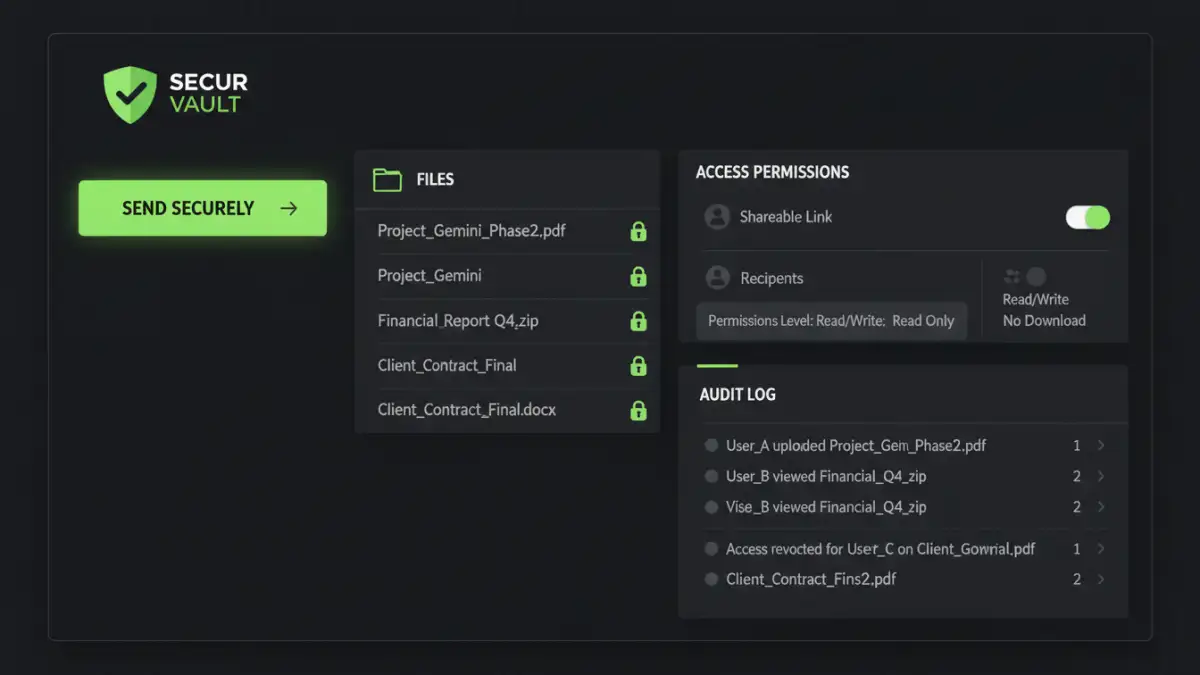
Encryption is non-negotiable for protecting data both at rest (when stored) and in transit (when being shared). Automated workflows can enforce strong encryption standards without user intervention. Granular access control ensures that even if a document is shared, recipients only have the permissions necessary for their role, preventing unauthorized viewing, editing, or further sharing.
Audit Trails, Versioning, and Compliance
Robust audit trails are critical for accountability and meeting regulatory compliance like GDPR, HIPAA, or SOC 2. An automated system should log every interaction with a document: who accessed it, when, from where, and what actions they performed. Versioning helps track changes, allowing rollbacks if necessary and providing a historical record of document evolution.
Implementing Automated Secure Document Sharing Solutions
Putting these concepts into practice involves selecting the right tools and carefully designing the workflow. It's about integrating security seamlessly into daily operations rather than making it an afterthought.
Choosing the Right Tools and Platforms
Several types of solutions facilitate automated secure document sharing. This includes dedicated Secure File Transfer (SFT) or Managed File Transfer (MFT) platforms, Enterprise Content Management (ECM) systems with advanced security features, or even specialized modules within existing cloud storage providers. The choice depends on your organization's specific needs, existing infrastructure, and compliance requirements.
Designing Your Automated Workflow
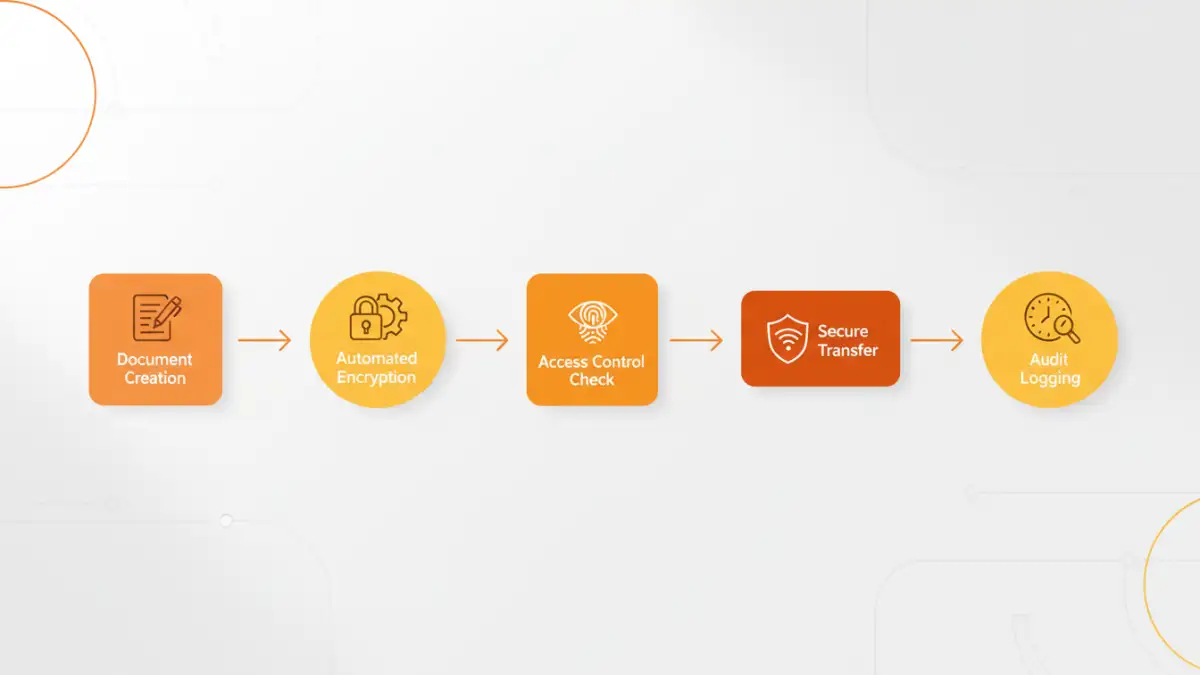
A typical automated workflow might start with a trigger – for example, a document being saved to a specific folder or a request being submitted via an internal portal. The system then automatically applies encryption, checks recipient permissions against predefined rules, and sends the document via a secure channel. Notifications, reminders, and expiration dates for access can also be automated, reducing administrative overhead and human intervention.
Advanced Considerations and Best Practices
While the core components provide a strong foundation, true enterprise-grade secure document sharing requires looking at the bigger picture and continuously refining your processes.
Integration with Existing Systems (DLP, IAM)
For maximum effectiveness, your automated secure sharing workflow should integrate with other security systems. Data Loss Prevention (DLP) solutions can scan documents before sharing to prevent sensitive information from leaving the organization. Identity and Access Management (IAM) systems ensure that user identities are verified and permissions are consistent across all platforms. This creates a cohesive security posture.
Continuous Monitoring, Review, and Improvement
Cyber threats evolve, and so should your security measures. Regularly review audit logs for suspicious activity, assess the effectiveness of your workflows, and update security policies as needed. Conduct periodic security audits and penetration tests to identify vulnerabilities. Continuous improvement ensures your automated secure document sharing remains robust against emerging threats.
Comparison Table: Automated Secure Document Sharing Solutions
| Solution Type | Pros | Cons | Best For |
|---|---|---|---|
| Cloud-based MFT/SFT | Easy setup, scalability, strong audit trails, dedicated security features. | Subscription costs, vendor lock-in, data residency concerns for some. | Frequent external transfers, high volume B2B sharing. |
| Dedicated Secure Collaboration Platforms | Integrated secure workspaces, granular controls, versioning, collaboration tools. | Can be complex to implement, higher cost, may require user training. | Internal & external project collaboration on sensitive data. |
| Enterprise Content Management (ECM) Systems | Centralized document management, lifecycle control, robust compliance. | Heavy implementation, higher cost, might be overkill for simple needs. | Large enterprises with complex document management & regulatory needs. |