Handling sensitive visual data requires robust security measures. Whether you're a photographer sharing client proofs, a business owner protecting proprietary visuals, or an individual safeguarding personal memories, ensuring your image files are secure is paramount. Manually securing each image file can be incredibly time-consuming, especially when dealing with large collections. Fortunately, there are efficient methods to batch password protect images, streamlining the security process and saving valuable time.
Over the years, I've encountered numerous situations where safeguarding entire folders of images was a critical task. From protecting client portfolios before a sale to ensuring family vacation photos remained private, the need for efficient security solutions became clear. This led me to explore and implement various techniques for bulk file protection, ultimately finding reliable ways to batch password protect images without sacrificing security or ease of use.
Table of Contents
Understanding the Need for Image Security
Digital images, much like any other digital file, can be vulnerable to unauthorized access, theft, or misuse. Sensitive information might be embedded within images, or the images themselves might hold significant personal or commercial value. Protecting these assets is not just about privacy; it's about maintaining control over your intellectual property and personal data.
Why Batch Protection is Essential
When you have dozens, hundreds, or even thousands of images to secure, individual password protection is simply not feasible. Batch processing allows you to apply security measures to an entire collection of files simultaneously. This significantly reduces the time and effort required, making it a practical solution for managing large volumes of visual data.
Methods for Batch Protection

Several approaches can be employed to batch password protect images. These range from simple archiving methods to dedicated software solutions, each offering different levels of security and convenience. Understanding these methods will help you select the most appropriate one for your needs.
Archiving with Password Protection
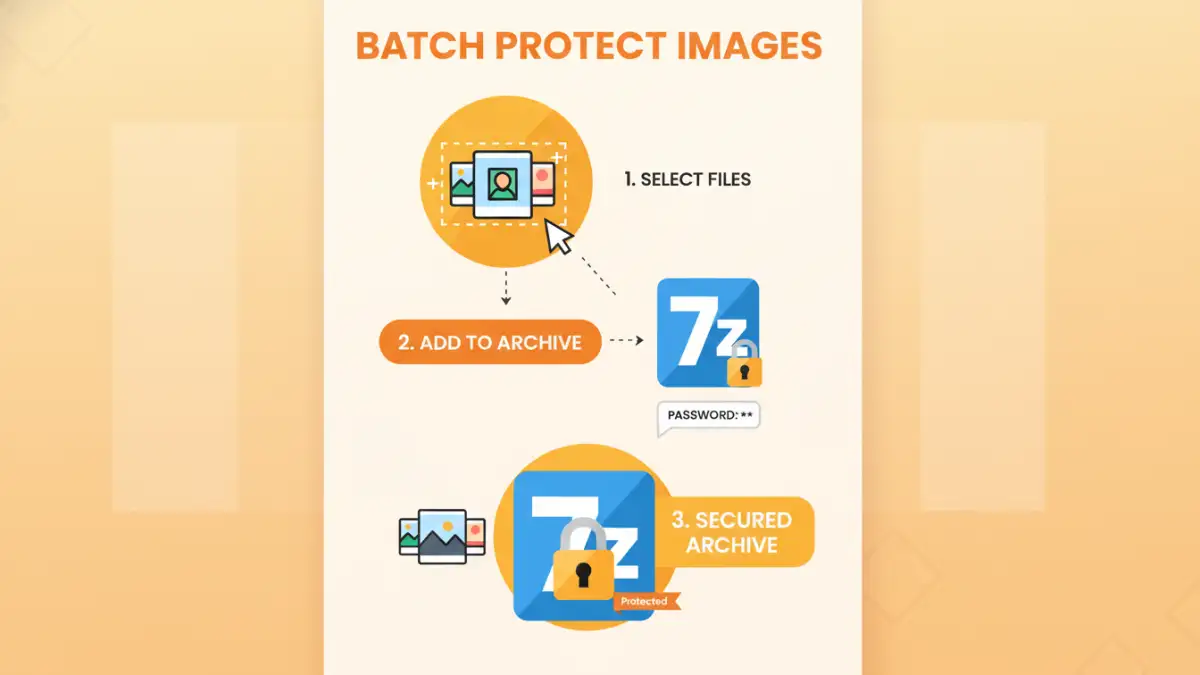
One of the most straightforward methods involves using file archiving tools like WinRAR, 7-Zip, or even built-in operating system features. You can add multiple image files into a single archive (e.g., a ZIP or RAR file) and set a password for that archive. Anyone wishing to access the images must then provide the correct password to extract them.
Using Dedicated Software
There are specialized software applications designed for bulk file protection. These tools often offer more advanced features, such as encrypting files directly or creating secure containers. Some can even automate the process of adding passwords and encrypting entire folders of images, providing a robust solution for frequent users.
Command-Line Utilities
For users comfortable with command-line interfaces, various utilities can be scripted to automate batch password protection. This method offers a high degree of control and can be integrated into automated workflows, though it requires technical expertise.
Choosing the Right Tool
The best method for you depends on your technical skill, the number of images, and the level of security required. For casual users, archiving with a strong password is often sufficient. Businesses or individuals needing higher security might opt for dedicated encryption software.
Factors to Consider
When selecting a tool, consider ease of use, the strength of the encryption (if applicable), compatibility with different operating systems, and whether the software is free or paid. Always ensure the tool is reputable to avoid malware or data loss.
Best Practices for Image Security
Beyond simply applying a password, several best practices can enhance the overall security of your image files. These practices complement the chosen protection method and help mitigate risks.
Create Strong, Unique Passwords
A weak password is an open invitation for intruders. Use a combination of uppercase and lowercase letters, numbers, and symbols. Avoid easily guessable information like birthdays or names. Crucially, use a different password for each sensitive collection of images.
Keep Software Updated
If you're using archiving software or dedicated security tools, ensure they are always updated to the latest version. Updates often include patches for security vulnerabilities that could otherwise be exploited.
Securely Store Your Passwords
Losing your password means losing access to your images. Use a reliable password manager to store your complex passwords securely. Avoid writing them down on easily accessible notes or storing them unencrypted digitally.
Comparison Table: Image Security Methods
| Method | Pros | Cons | Best For |
|---|---|---|---|
| File Archiving (ZIP, RAR) | Widely available, easy to use, free options | Relies on archive password strength; not true encryption | Securing personal photo collections |
| Dedicated Encryption Software | Strong encryption, robust security features | May require purchase, learning curve | Businesses, sensitive commercial images |
| Command-Line Utilities | Highly customizable, scriptable, powerful | Requires technical expertise, steep learning curve | Automated workflows, advanced users |
| Cloud Storage Encryption | Convenient, accessible, often built-in | Relies on provider's security, internet required | Users who need remote access to secured images |