
Data loss is a constant threat, whether from hardware failure, accidental deletion, or malicious attacks. When dealing with sensitive information stored in databases, this risk is amplified. It's not just about having a backup; it's about ensuring that backup is secure, especially when the database files themselves contain encrypted data. A compromised backup can be as bad as no backup at all, potentially exposing your most critical information.
My experience has shown that while many organizations implement backup strategies, the nuances of handling encrypted database files often get overlooked. This can lead to vulnerabilities that attackers are eager to exploit. This article will walk you through the essential steps and considerations for creating a robust and secure backup system for your encrypted database files.
Table of Contents
Understanding Encryption in Databases
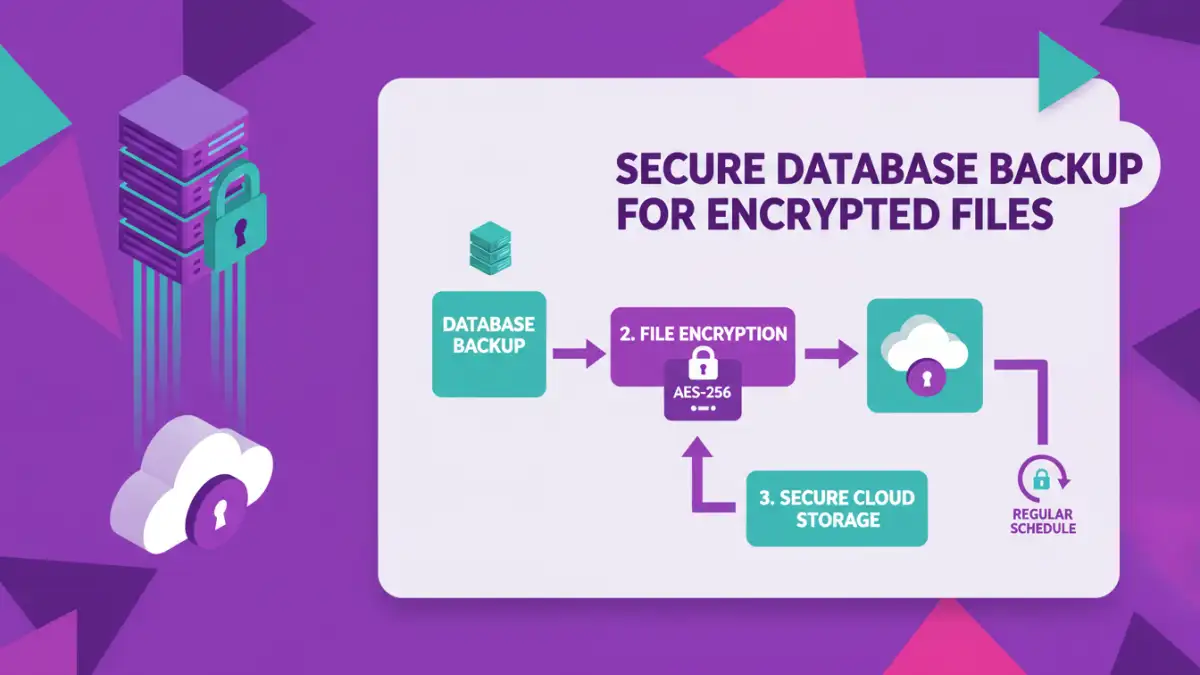
Databases often hold sensitive customer information, financial records, or proprietary data. Encrypting this data at rest, and sometimes in transit, is a fundamental security measure. This encryption can be applied at different levels: transparent data encryption (TDE) where the database engine handles it automatically, column-level encryption for specific fields, or application-level encryption where the application encrypts data before it's stored.
Key Encryption Concepts
Regardless of the method, the critical aspect for backups is managing the encryption keys. If your database files are encrypted, the encryption keys are essential for decryption. Losing these keys means your data becomes inaccessible, even with a perfect backup. Therefore, securing your encryption keys alongside your database backups is paramount.
Developing a Secure Backup Strategy

A comprehensive backup strategy involves more than just copying files. It requires a layered approach that considers frequency, retention policies, the security of the backup process itself, and the integrity of the restored data. For encrypted database files, this means ensuring the backup mechanism doesn't weaken the encryption or expose the keys.
When designing your strategy, think about Recovery Point Objective (RPO) and Recovery Time Objective (RTO). RPO defines the maximum acceptable amount of data loss measured in time, while RTO is the target time within which a business process must be restored after a disaster. These objectives will influence how often you back up and the methods you employ.
Methods for Backing Up Encrypted Files
Several methods can be employed to back up encrypted database files, each with its own advantages and considerations. The choice often depends on the database system, the volume of data, and existing infrastructure.
Full Database Backups
A full database backup captures all data, including the transaction logs, at a specific point in time. When dealing with encrypted databases, the backup process typically copies the encrypted files. The key is to ensure that the encryption keys used by the database are also securely managed and backed up separately or are accessible when the backup is needed for recovery. Some database systems have built-in backup tools that handle encryption and key management.
Incremental and Differential Backups
These methods back up only the data that has changed since the last full (differential) or last backup (incremental). For encrypted files, this means backing up the changed encrypted blocks or files. While efficient for storage and time, these methods require a full backup and all subsequent incremental/differential backups to be present for a complete restore. The security of the encryption keys remains a critical factor.
Snapshot-Based Backups
Storage systems or cloud providers can create point-in-time snapshots of your database volumes. These snapshots capture the state of the encrypted database files. It's crucial to understand how your storage provider handles encryption within snapshots. If the underlying storage is encrypted, the snapshot will contain encrypted data. However, ensure that access to these snapshots is strictly controlled.
Secure Storage and Access Control
Where you store your backups is as important as how you create them. Encrypted database backups should be stored in a secure location, ideally off-site or in a separate, secured cloud environment. Access to these backup files must be strictly controlled using robust authentication and authorization mechanisms.
Consider encrypting your backup files themselves, even if the original database files are encrypted. This adds an extra layer of security. Use strong encryption algorithms and securely manage the keys for these backup archives. Multi-factor authentication for accessing backup storage and regular audits of access logs are essential practices.
Testing Your Backup and Recovery Process
A backup is only as good as its ability to be restored. Regularly testing your backup and recovery process is non-negotiable. This involves performing test restores in an isolated environment to ensure that the data is intact, can be decrypted, and that the database is functional. Pay close attention to the decryption process during the test restore.
Documenting the entire recovery procedure, including how to access and use the encryption keys, is vital. This documentation should be stored securely and made accessible to authorized personnel who will be responsible for recovery operations. Without regular testing, you can't be confident in your ability to recover from a disaster, especially when dealing with encrypted database files.
Comparison Table: Backup Methods for Encrypted Databases
| Method | Description | Pros | Cons | Key Management Consideration |
|---|---|---|---|---|
| Full Database Backup (Built-in) | Copies all encrypted database files and logs. | Comprehensive, often managed by DB system. | Can be large, time-consuming. | Requires secure backup of encryption keys. |
| Incremental/Differential Backup | Copies only changed encrypted data since last backup. | Faster, smaller backups. | Complex restore process, requires multiple files. | Key management is consistent across all backup sets. |
| Storage Snapshot | Point-in-time copy of the entire storage volume. | Fast, captures full system state. | May require specific storage hardware/software. | Depends on storage encryption; keys must be accessible. |
| File-Level Backup with Archive Encryption | Copies encrypted DB files and encrypts the archive. | Adds an extra layer of security. | Requires robust archive encryption key management. | Separate key management for DB encryption and archive encryption. |