Securing sensitive documents is a constant challenge, especially when dealing with digital formats. While setting a password on a PDF offers a baseline level of protection, it often falls short against determined individuals or accidental misuse. This is where Digital Rights Management (DRM) steps in, offering a sophisticated layer of control and security that goes far beyond simple password encryption.
I've worked on systems where safeguarding proprietary information was paramount. Implementing robust security measures for documents, particularly PDFs, became a key focus. Traditional password protection can be bypassed, shared, or forgotten, leaving sensitive data vulnerable. DRM provides a more comprehensive solution to manage and protect digital content effectively.
Table of Contents
Understanding Digital Rights Management (DRM)
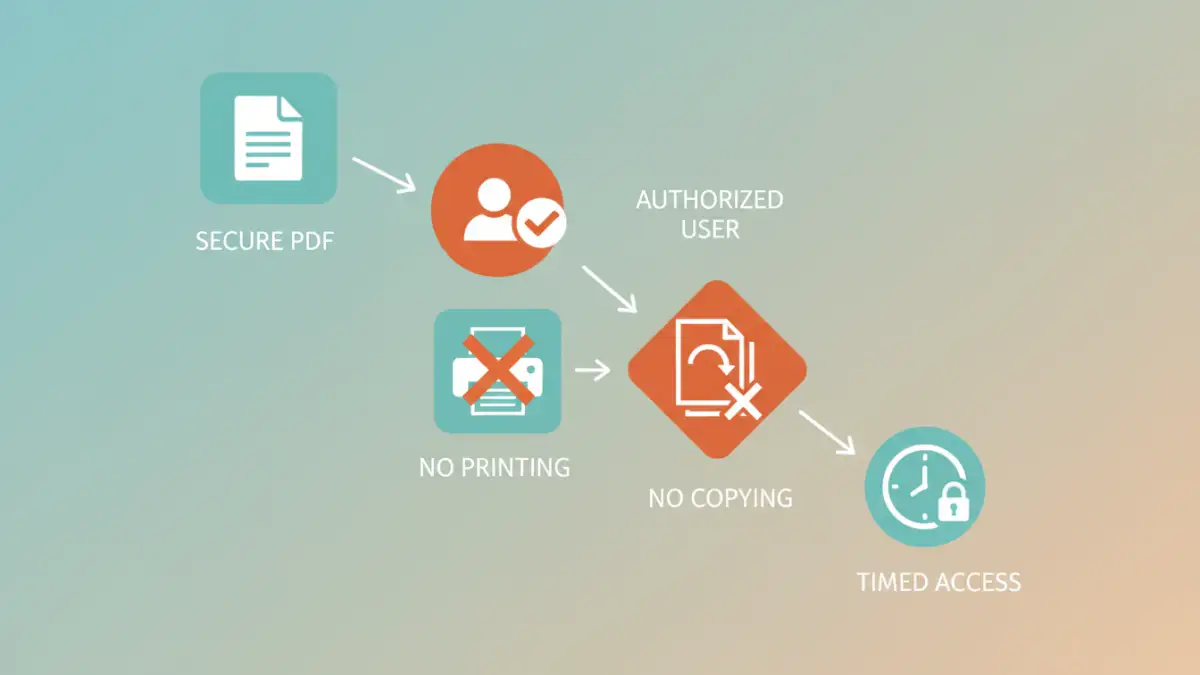
Digital Rights Management (DRM) is a technology used to control the use, modification, and distribution of copyrighted digital content. In the context of documents, it acts as a digital guardian, enforcing policies set by the content owner. Unlike a simple password that unlocks a file, DRM embeds permissions directly into the document or manages access through a secure server.
This technology is designed to prevent unauthorized actions such as copying, printing, forwarding, or even viewing the document beyond specific parameters. It's about managing the rights associated with a digital asset, ensuring it's used only as intended by its creator or owner.
The Core Concept of Access Control
At its heart, DRM is about granular access control. Instead of a binary 'locked' or 'unlocked' state, DRM allows for a spectrum of permissions. This means you can define precisely who can do what with your PDF, for how long, and under what conditions.
How DRM Enhances PDF Password Protection
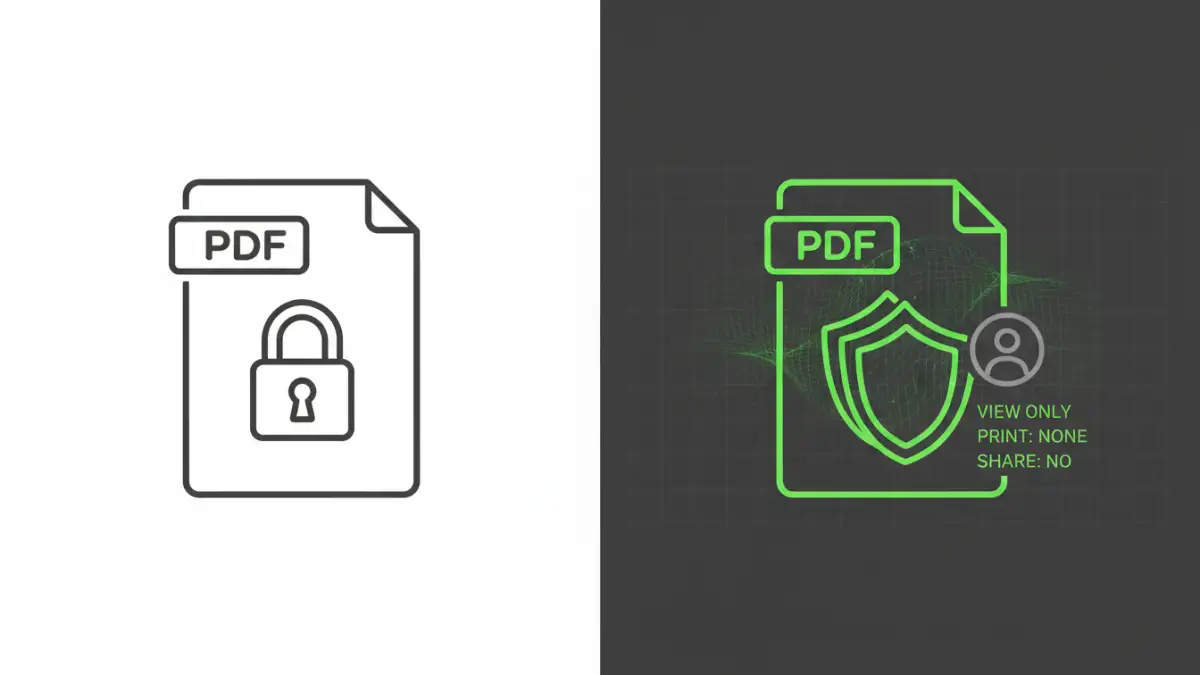
DRM transforms the static nature of a password-protected PDF into a dynamic, controlled asset. While a standard password encrypts the file's content, DRM controls how users interact with that content *after* it's accessed. It typically works by embedding encryption keys and access policies within the file itself or by requiring a secure viewer application that communicates with a central DRM server.
This approach prevents common bypass methods. For instance, even if someone obtains the password, they cannot simply copy the PDF text or print it if the DRM policy forbids it. The restrictions are enforced at a deeper level, ensuring compliance with the owner's rules.
Key DRM Features for Secure PDFs
DRM solutions offer a suite of powerful features that significantly bolster document security. These go beyond basic file encryption and password requirements, providing granular control over document usage.
Preventing Unauthorized Copying and Printing
One of the most significant advantages of DRM is its ability to restrict content duplication. Policies can be set to disable copy-paste functionality for text and images, and to prevent printing altogether or limit it to a certain number of times. This is crucial for sensitive reports, intellectual property, or confidential data.
Time-Based Access and Revocation
DRM allows for time-bound access. You can grant users permission to view a document for a specific period, after which access is automatically revoked. Furthermore, if a user's access needs to be terminated for any reason, the DRM system can remotely disable their ability to view the document, even if they previously downloaded it.
Watermarking and User Tracking
Many DRM systems can apply dynamic watermarks to documents, embedding the user's name, email, or IP address. This acts as a deterrent against unauthorized sharing and helps trace the source if a document is leaked. Detailed audit trails can also track who accessed the document, when, and what actions they performed.
Implementing DRM for Your Documents
Integrating DRM into your document workflow typically involves using specialized software or cloud-based services. These platforms allow you to define access policies, encrypt your PDFs with these policies, and manage user permissions.
When a user attempts to open a DRM-protected PDF, the system verifies their identity and checks if they have the necessary permissions. If authorized, the document is decrypted and displayed within a secure viewer, enforcing all the predefined restrictions. This process ensures that only legitimate users with appropriate rights can interact with the document.
Comparing DRM to Basic Password Protection
While standard password protection for PDFs is a good starting point for basic security, it has limitations that DRM effectively overcomes. A simple password encrypts the file, but once decrypted, the content is often freely available for copying, printing, or modification, depending on the PDF reader's capabilities and the encryption strength.
DRM, on the other hand, provides continuous protection. It manages rights and enforces policies *after* initial access, offering a much more robust solution for sensitive or valuable digital content.
Comparison Table: Basic Password vs. DRM for PDFs
| Feature | Basic Password Protection | Digital Rights Management (DRM) |
|---|---|---|
| Encryption | Encrypts file content | Encrypts file content and enforces usage policies |
| Access Control | Single password for all users | Granular, user-specific permissions (view, print, copy, forward) |
| Unauthorized Copying | Easily bypassed | Effectively prevented |
| Printing | Usually allowed | Can be disabled or limited |
| Time-Based Access | Not supported | Supported (e.g., expiry dates) |
| Revocation | Not supported | Supported (remote access revocation) |
| Tracking | Limited or none | Detailed user activity logging and watermarking |
| Complexity | Simple to implement | More complex setup and management |