
Working with password-protected documents can be frustrating, especially when you’ve forgotten the password or inherited a file without credentials. Whether it's a critical report, a personal archive, or a shared project, being locked out can halt progress. Thankfully, there are several approaches and tools designed to help you regain access.
As someone who has navigated numerous digital security challenges, I understand the urgency and sensitivity involved. My goal here is to provide a clear overview of the methods and software available to help you decrypt your files responsibly and efficiently.
Table of Contents
Understanding Document Security
Document security, particularly password protection, is a vital feature for safeguarding sensitive information. It typically involves encrypting the file’s content, making it unreadable without the correct password. This prevents unauthorized access, ensuring privacy and data integrity.
Types of Document Protection
Documents can be protected in various ways. Some files have a simple password to open them, while others might have separate passwords for editing or printing. The complexity of the encryption can influence the methods available for password removal. Understanding the type of protection is the first step in choosing the right approach to decrypt document.
Methods for Password Removal

There isn't a single magic bullet for every password-protected document. The effectiveness of a method often depends on the file type, the strength of the encryption, and whether you have any prior knowledge of the password. We'll explore common techniques, from simple workarounds to specialized software.
The 'Owner' Password vs. 'User' Password Distinction
For PDF files, a crucial distinction exists between an 'owner' password and a 'user' password. An owner password (often called a permissions password) restricts actions like printing or copying, while a user password (or open password) prevents the file from being opened at all. Some tools can easily bypass owner password restrictions, while removing a user password is a much more complex cryptographic challenge.
Online Document Password Removers
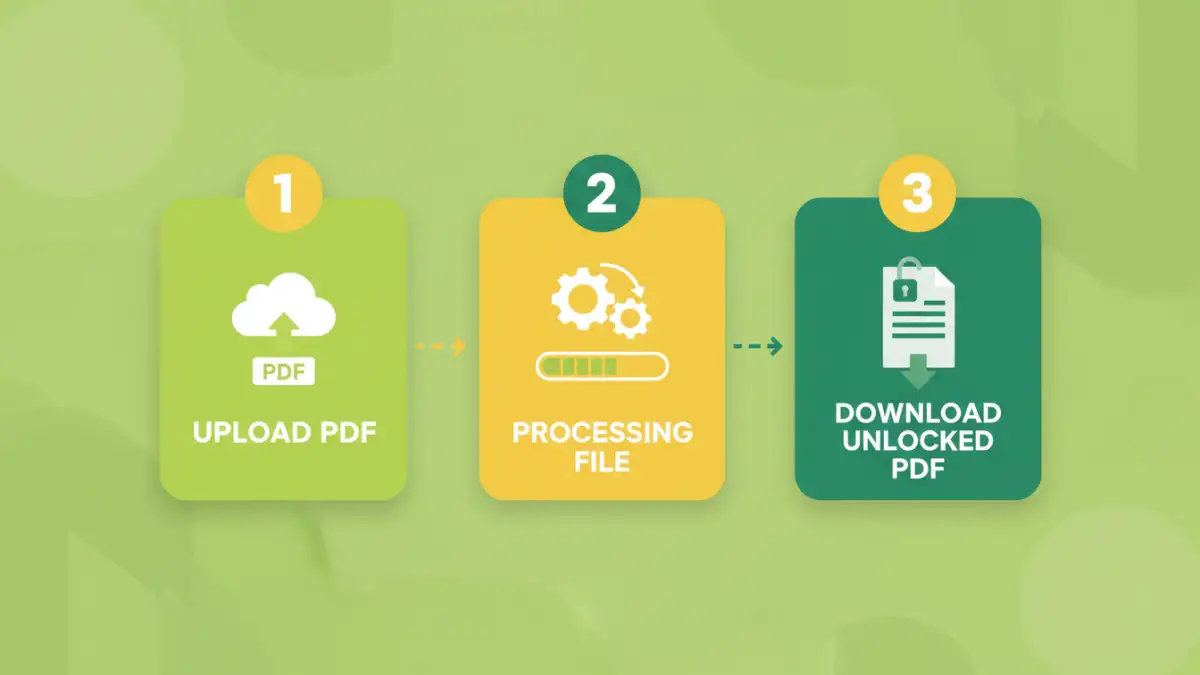
The internet offers a plethora of online tools claiming to remove passwords from documents. These are often the quickest and most accessible options, especially for less robust protection. You typically upload your document, the tool attempts to bypass or remove the password, and then you download the unlocked file.
Many of these services specialize in PDF files. They can be very effective for removing restrictions set by an 'owner' password. However, when dealing with strong encryption or a forgotten 'user' password, their success rate can vary significantly. It’s crucial to choose reputable services to avoid potential privacy risks or malware.
Desktop Software Solutions
For more complex situations or when dealing with a high volume of files, dedicated desktop software often provides a more powerful and secure solution. These applications are installed on your computer and can offer advanced features for password recovery or removal.
Some software utilizes brute-force attacks or dictionary attacks to guess the password, which can be time-consuming but effective for weaker passwords. Others may offer more direct methods for removing certain types of restrictions. When looking for a document password removal tool, consider its compatibility with your operating system and the types of files it supports.
Choosing the Right Software
When evaluating desktop software, look for features like support for various file formats (PDF, Word, Excel), different password attack methods, and user-friendly interfaces. Reputable pdf password remover software often comes with trial versions, allowing you to test their capabilities before making a purchase. Always download software from official sources to ensure you're not installing anything malicious.
Best Practices and Considerations
Regardless of the method or tool you choose, it’s important to approach document password removal with caution and ethical considerations. Always ensure you have the legal right to access and modify the document.
For forgotten passwords, try to recall any potential password combinations you might have used. Sometimes the simplest answer is the correct one. If you're dealing with sensitive data, prioritize tools that offer strong privacy policies and secure processing. Using a reliable secure file unlocker is paramount to protecting your data during the process.
Comparison Table: Document Password Removal Approaches
| Method | Pros | Cons | Best For |
|---|---|---|---|
| Online Tools | Quick, accessible, no installation | Privacy concerns, limited file types/protection strength, potential malware risk | Removing PDF print/edit restrictions, simple passwords |
| Desktop Software | Powerful, supports various file types, advanced features | Requires installation, can be costly, longer processing times for recovery | Stronger password protection, batch processing, recovering forgotten user passwords |
| Manual Workarounds (e.g., Print to PDF) | Free, uses existing software | Only works for removing 'owner' passwords, not 'user' passwords; may alter formatting | Removing PDF print/edit restrictions when password is known or easily bypassed |
| Password Recovery Tools | Can recover forgotten passwords | Time-consuming (brute-force), not guaranteed, requires technical understanding | Recovering lost 'user' passwords on documents you own |