
Many of us have folders filled with older spreadsheet files, perhaps from past projects or historical records. While these files might seem innocuous, they can contain sensitive information that, if compromised, could lead to significant issues. Ensuring the security of these legacy documents is just as important as protecting current ones, especially as cyber threats continue to evolve.
The challenge with older files is that they might have been created with less robust security features or may not have received the same level of attention regarding protection over time. This makes them potential weak points in your overall data security strategy. It's crucial to review and implement appropriate measures to keep your data safe.
Table of Contents
Understanding the Risks of Old Spreadsheets
Older spreadsheets, particularly those in legacy formats like .xls, can present unique security challenges. They might lack modern encryption capabilities or be more susceptible to known vulnerabilities. If these files contain financial data, personal information, or proprietary business secrets, a breach could result in identity theft, financial loss, or competitive disadvantage.
Common Vulnerabilities
One of the primary risks is the potential for outdated security measures. Early versions of spreadsheet software might have offered weaker password protection or lacked built-in encryption altogether. This makes them easier targets for brute-force attacks or unauthorized access if the files are not stored securely. Furthermore, if the original creator is no longer available, understanding the original security intent or recovering forgotten passwords can become a significant hurdle.
Basic Protection Methods

Implementing basic protection measures is the first line of defense for your older spreadsheet files. These are often straightforward and can significantly enhance the security posture of your data without requiring complex technical expertise. Simple steps can make a big difference in preventing casual or opportunistic unauthorized access.
Password Protection
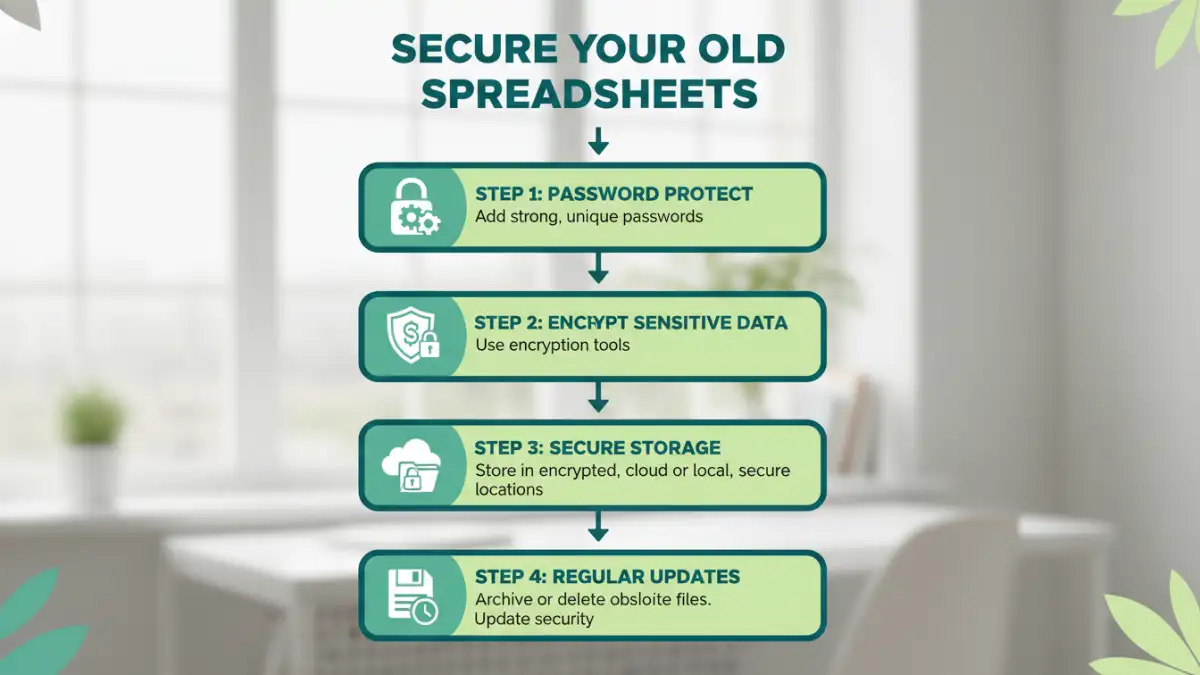
The most common method is to password protect your files. Most spreadsheet applications allow you to set a password for opening the file or for modifying it. For older files, it's advisable to re-save them in a more current format (like .xlsx) and apply a strong password. A strong password should be a combination of uppercase and lowercase letters, numbers, and symbols, and should not be easily guessable.
File Encryption
Beyond simple passwords, consider encrypting the files. Modern spreadsheet software often includes options for stronger encryption when you set a password. This makes the data unreadable without the correct key. For extremely sensitive data, you might even consider using third-party encryption tools to add an extra layer of security, especially if the native application's encryption is deemed insufficient or if you are dealing with very old file formats.
Advanced Security Strategies
For highly sensitive legacy data, basic protection might not be enough. Advanced strategies can offer more robust security, ensuring that even if one layer of defense is breached, your data remains protected. These methods often involve more technical setup but provide peace of mind for critical information.
Secure Storage and Access Control
Where you store your old spreadsheet files matters. Avoid storing them on easily accessible shared drives or unsecured cloud storage. Consider using encrypted drives or secure, access-controlled network locations. Implementing user-level permissions can also ensure that only authorized individuals can access specific files, adding another layer to your spreadsheet file security.
Regular Audits and Updates
It's a good practice to periodically audit your old spreadsheet files. Check which ones contain sensitive data and review their current security settings. If a file's security is weak or outdated, update it. This might involve re-saving the file in a modern format, applying stronger passwords, or even migrating the data to a more secure database system if the spreadsheet's function has become obsolete.
Ongoing Maintenance and Best Practices
Security isn't a one-time task; it's an ongoing process. Maintaining the security of your old spreadsheets requires consistent attention and adherence to best practices. This proactive approach helps prevent future security incidents and ensures your data remains protected over time.
Data Minimization and Archiving
Regularly review your old spreadsheets to identify data that is no longer needed. Sensitive information should be minimized wherever possible. For data that needs to be retained for compliance or historical purposes but isn't actively used, consider archiving it securely. This might involve moving it to offline storage or using specialized archiving solutions that offer robust data protection and retrieval capabilities.
Employee Training and Awareness
If your organization handles sensitive data within spreadsheets, ensure that employees are trained on security best practices. This includes understanding the importance of strong passwords, recognizing phishing attempts, and knowing how to handle and store sensitive files securely. A well-informed team is a critical component of overall data protection.
Method Comparison
| Method | Description | Pros | Cons | Best For |
|---|---|---|---|---|
| Built-in Password Protection | Applying passwords via spreadsheet software (e.g., Excel, Sheets) | Easy to implement, widely available | Can be weak if passwords are simple, some formats have limited protection | General users, basic protection |
| File Encryption (Native) | Using software's built-in encryption features when setting passwords | Stronger than simple passwords, integrated | Requires modern software versions, may not be available in very old formats | Users with modern software, moderate to high sensitivity |
| Third-Party Encryption Tools | Using dedicated software (e.g., VeraCrypt, BitLocker) to encrypt files or containers | Very strong encryption, versatile | Requires installation, can have a learning curve, adds complexity | Highly sensitive data, maximum security needs |
| Secure Cloud Storage with Encryption | Storing files in cloud services that offer robust encryption at rest and in transit | Convenient, accessible, often automated encryption | Reliance on provider's security, potential privacy concerns | Collaboration, remote access, data backup |