
In the fast-paced world of engineering and design, CAD (Computer-Aided Design) files are the lifeblood of innovation. These digital blueprints contain intricate details, proprietary information, and the core of a company's intellectual property. However, the very nature of digital files means they can be vulnerable if not handled with care. Failing to secure these critical assets can lead to significant problems, from competitive disadvantage to outright theft.
Over my years working with complex software systems, I've seen firsthand how easily valuable design data can be compromised. It's not just about preventing external hackers; internal oversight and accidental exposure are equally significant threats. Protecting your design documents is as crucial as the design process itself.
Table of Contents
Understanding the Risks of Unsecured CAD Files
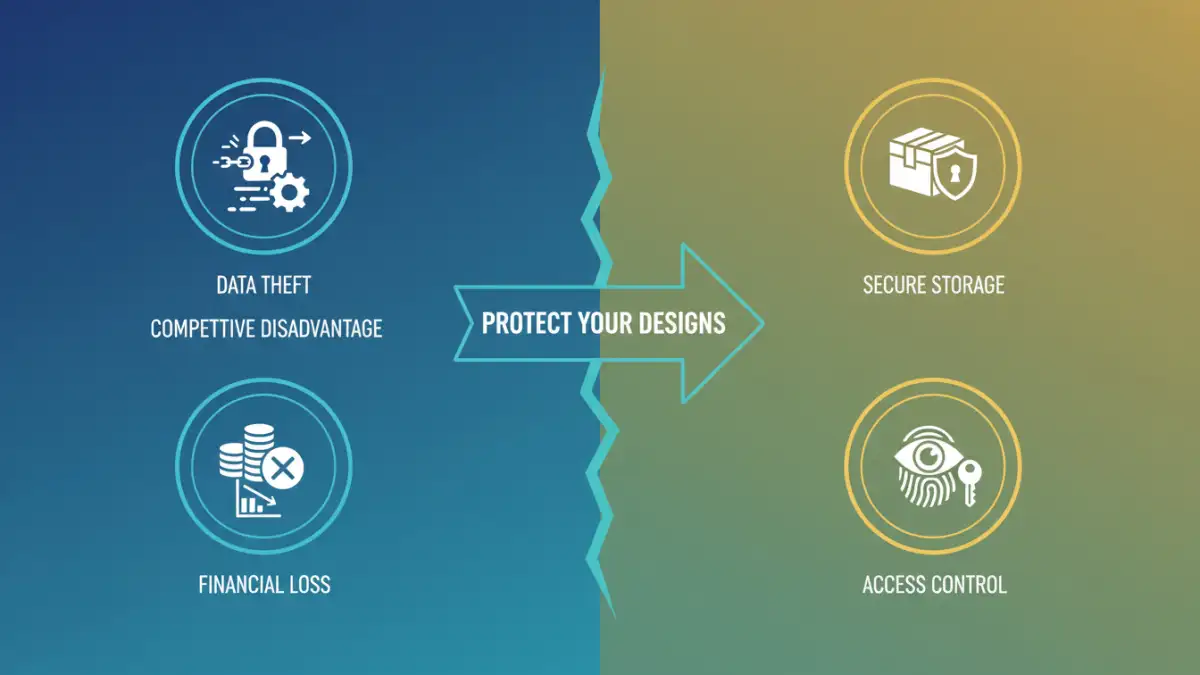
When CAD files are left unprotected, they become prime targets for various malicious activities. This isn't just about the final product; it's about the detailed plans, material specifications, and manufacturing processes embedded within. A single unsecured CAD file can expose years of research and development.
The digital nature of these files means they can be copied, modified, or stolen with relative ease if proper safeguards are not in place. This makes proactive security measures an essential part of any design workflow.
Common Vulnerabilities
Several common vulnerabilities make CAD files susceptible to compromise. These include weak or no password protection, insecure storage on shared networks, and lack of access control for sensitive project data. Employees might also inadvertently share files through unsecured email or cloud storage without realizing the risks.
Furthermore, older software versions or unpatched systems can introduce exploitable weaknesses. Keeping all software updated and aware of common phishing or malware tactics that target design professionals is vital.
Impact of Data Breaches
The consequences of a data breach involving unsecured CAD files can be devastating. Competitors might gain access to your designs, leading to the loss of market advantage and significant financial setbacks. Theft of intellectual property can undermine your company's unique selling propositions and patent strategies.
Beyond financial and competitive losses, a breach can also damage your company's reputation, erode client trust, and lead to legal liabilities. The time and resources spent recovering from such an incident can be substantial.
Prevention Strategies
Fortunately, robust strategies exist to mitigate the risks associated with unsecured CAD files. The first line of defense often involves implementing strong access control mechanisms and utilizing encryption technologies. Regular security audits and employee training are also critical components of a comprehensive CAD file security plan.
By layering multiple security measures, you create a more resilient defense against potential threats, ensuring your valuable design data remains protected.
Implementing Access Control
Access control is fundamental to preventing unauthorized access. This involves assigning permissions based on roles and responsibilities, ensuring that only authorized personnel can view, edit, or share specific CAD files. Implementing multi-factor authentication for accessing design repositories adds another layer of security.
Regularly reviewing and updating access privileges is also important, especially when team members change roles or leave the company. This prevents dormant accounts from becoming security risks.
Encryption and Data Protection
Encryption transforms your CAD files into unreadable code for anyone without the decryption key. This is particularly useful for sensitive designs that might be stored on portable media or transmitted over less secure channels. Modern CAD software often includes built-in encryption features, or you can use third-party tools for robust protection.
Consider employing end-to-end encryption for files shared externally. This ensures that even if the data is intercepted during transit, it remains unintelligible to unauthorized parties.
Best Practices for Secure Drawings
Beyond technical controls, adopting sound practices is crucial for maintaining CAD file security. This includes establishing clear policies on file handling, storage, and sharing. Educating your team about the importance of CAD file security and the potential consequences of negligence is paramount.
Regularly back up your design data to a secure, off-site location. This ensures data recovery in case of hardware failure, accidental deletion, or a successful cyber attack. Implementing watermarking on drawings can also help deter unauthorized use and track distribution.
Comparison of Security Measures
Choosing the right security measures depends on your specific needs, budget, and the sensitivity of your design data. Here's a look at common methods and their trade-offs:
| Security Measure | Pros | Cons | Best For |
|---|---|---|---|
| Password Protection (Built-in) | Easy to implement, widely supported by CAD software | Can be weak if passwords are simple, easily bypassed if file is shared | Basic protection for internal use |
| File Encryption (Software/OS) | Strong protection against unauthorized access, data remains unreadable | Requires key management, can slow down access if not managed well | Sensitive data, transit protection |
| Access Control Lists (ACLs) | Granular control over who can access what, good for network shares | Complex to manage for large teams, requires careful configuration | Networked environments, team collaboration |
| Digital Watermarking | Deters unauthorized use, aids in tracking | Does not prevent access, can affect file usability | Protecting against misuse of shared documents |
Additional Tips for Enhanced Security
Consider implementing a secure data management system that specifically caters to engineering and design workflows. These systems often integrate access control, version history, and auditing features tailored for CAD environments. Regularly update your CAD software and operating systems to patch known security vulnerabilities.
Encourage a culture of security awareness within your design team. When everyone understands their role in protecting intellectual property, the overall security posture of your organization strengthens significantly.