
Working with sensitive data often means dealing with files that contain confidential information. While many file formats, like Microsoft Word or Excel, have built-in password protection features, structured documents such as CSV (Comma Separated Values) or plain text files don't typically offer this directly. This can be a significant security concern, especially when sharing these files or storing them in shared environments.
Over the years, I've seen many situations where a simple CSV file held critical customer data, financial records, or proprietary information. The lack of inherent protection for such files was a recurring vulnerability. Fortunately, there are effective ways to implement security measures for these document types, ensuring your data remains private and accessible only to authorized individuals.
Table of Contents
Understanding the Basics of File Protection
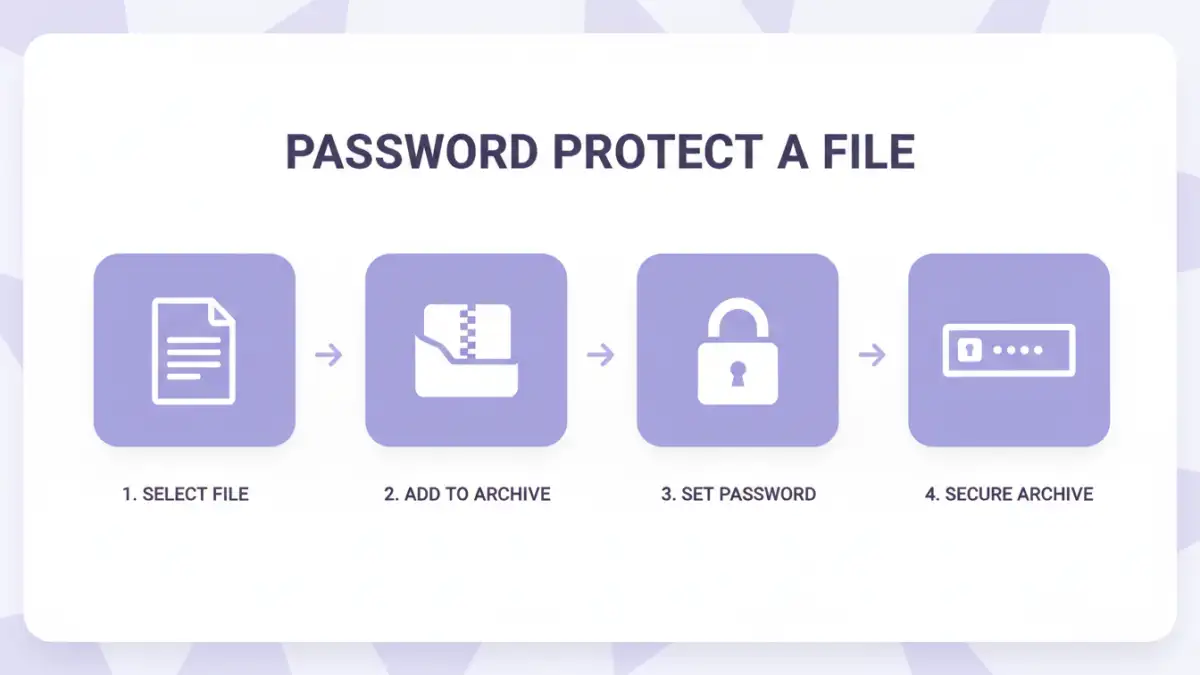
At its core, securing a document file involves restricting access to its content. This is typically achieved through encryption or password protection. Encryption scrambles the data into an unreadable format, requiring a key (often derived from a password) to decrypt it. Password protection, while often using encryption under the hood, is the user-facing mechanism that prompts for a password before granting access.
Why Protect Structured Files?
Structured files like CSVs and plain text documents are common for data exchange and storage. They are easily readable by humans and machines, making them convenient but also vulnerable. If this data falls into the wrong hands, it could lead to identity theft, financial fraud, or competitive disadvantage. Implementing password protecting document files is crucial for maintaining data integrity and confidentiality.
Methods for Structured Files
Since CSV and text files lack native password protection, we need to employ external methods. These can range from simple file archiving to more robust encryption tools.
Using Archive Utilities
One of the most straightforward methods is to compress the file using an archiving utility like 7-Zip, WinRAR, or even the built-in ZIP functionality in most operating systems. These tools allow you to create a password-protected archive. When you add your CSV or text file to the archive and set a password, anyone trying to extract the file will need to provide that password.
- Process: Select your CSV/text file, right-click, choose 'Add to archive' (or similar), and select the option to set a password during archive creation.
- Security: The strength of protection depends on the encryption algorithm used by the archiving tool (e.g., AES-256 is highly secure) and the complexity of your password.
Leveraging Encryption Software
For more robust security, dedicated encryption software can be used. Tools like VeraCrypt allow you to create encrypted containers or encrypt entire drives. You can create a small encrypted container, place your sensitive CSV file inside it, and then mount this container as a virtual drive, accessible only with a password.
- VeraCrypt: A free, open-source utility that provides strong encryption. It's highly recommended for sensitive data.
- Other Tools: Many other commercial and free tools offer file or folder encryption, often with user-friendly interfaces.
Text File Protection via Programming
If you're comfortable with scripting or programming, you can write a simple script to encrypt and decrypt your text-based files. Python, for instance, has libraries like `cryptography` that can be used to encrypt files. This offers a high degree of customization and control over the security process.
- Example (Conceptual Python): A script could read the CSV, encrypt each line or the entire content using AES, and save it as a new file. A separate script would be needed for decryption using the same key/password.
- Considerations: This method requires programming knowledge and careful implementation to avoid security flaws.
Advanced Techniques and Considerations
Beyond basic password protection, several advanced strategies can enhance the security of your structured documents.
Data Masking and Anonymization
Before even applying passwords, consider if all the data within the file is necessary for sharing. Techniques like data masking or anonymization can remove or obscure personally identifiable information (PII) or sensitive details, reducing the risk even if the file's protection is breached. This is particularly relevant for CSV security when dealing with customer lists or financial reports.
Access Control Lists (ACLs)
While not directly password protecting the file itself, operating systems and network file systems often support Access Control Lists (ACLs). These allow you to define specific users or groups who have permission to read, write, or execute files. This is a form of data access control that complements file-level protection.
Secure File Transfer Protocols
When transmitting password-protected files, always use secure methods like SFTP (SSH File Transfer Protocol) or FTPS (FTP Secure) instead of plain FTP. This ensures the data is encrypted during transit, adding another layer of security.
Best Practices for Data Security
Implementing security measures is only part of the equation. Adhering to best practices ensures your efforts are effective and sustainable.
- Strong Passwords: Use long, complex passwords that combine uppercase and lowercase letters, numbers, and symbols. Avoid easily guessable information.
- Unique Passwords: Never reuse passwords across different files or services. A breach in one place shouldn't compromise others.
- Regular Audits: Periodically review who has access to sensitive files and update passwords or permissions as needed.
- Secure Storage: Store encrypted files in secure locations, whether on local drives or cloud storage, ensuring the storage itself is protected.
- Educate Users: If others need access, ensure they understand the importance of password security and how to handle protected files responsibly.
Comparison of Methods for Securing Structured Files
| Method | Pros | Cons | Best For |
|---|---|---|---|
| Archive Utility (ZIP, 7z) | Easy to use, widely supported, free options available | Relies on archive software, can be vulnerable to brute-force if password is weak | Quickly securing individual files or small collections |
| Dedicated Encryption Software (VeraCrypt) | Very strong encryption, creates secure containers, flexible options | Requires software installation, can have a learning curve | Highly sensitive data, long-term storage, comprehensive security |
| Programming Scripts (Python) | Full control and customization, can integrate into workflows | Requires technical expertise, potential for implementation errors | Automated processes, custom security requirements |
| Built-in OS File Permissions (ACLs) | System-level control, granular permissions | Doesn't encrypt file content itself, relies on OS features | Multi-user environments, network shares |