
When a multi-million dollar contract lands on your desk—or more accurately, in your inbox—the last thing you want to worry about is the integrity of the digital signature. Is it legally binding? Can it be forged? How do you know the document hasn't been tampered with after signing? These aren't just paranoid questions; they are critical business concerns I've helped teams navigate for years.
The shift from wet ink signatures to digital ones has been swift, but trust in the technology lags for many. At the forefront of this industry are two giants: DocuSign and Adobe Sign. Both promise security and compliance, but their approaches and feature sets have important distinctions. This e-signature software review will break down exactly how they protect your most critical agreements.
Table of Contents
The Foundations of E-Signature Security
Before comparing platforms, it's crucial to understand what makes an electronic signature secure. It's not just about a digital scribble on a PDF. True security is built on a foundation of legal compliance, cryptographic integrity, and a verifiable audit trail. These elements work together to ensure a signature is authentic, intentional, and non-repudiable.
Legal and Regulatory Compliance
In the United States, the legal framework is primarily defined by the Electronic Signatures in Global and National Commerce (ESIGN) Act and the Uniform Electronic Transactions Act (UETA). These laws establish that electronic signatures have the same legal weight as traditional handwritten ones. Globally, regulations like Europe's eIDAS provide similar frameworks. Reputable platforms are built to meet or exceed these standards, ensuring your agreements are enforceable.
Technical Security Measures
Behind the scenes, encrypted signature platforms use several layers of technology. This includes robust encryption (like AES-256) for documents both in transit and at rest. More importantly, they create a tamper-evident seal. Once a document is fully signed, a cryptographic hash is applied. If even a single character in the document is altered, the hash changes, immediately invalidating the signatures and providing clear evidence of tampering.
A Look at DocuSign Security Features
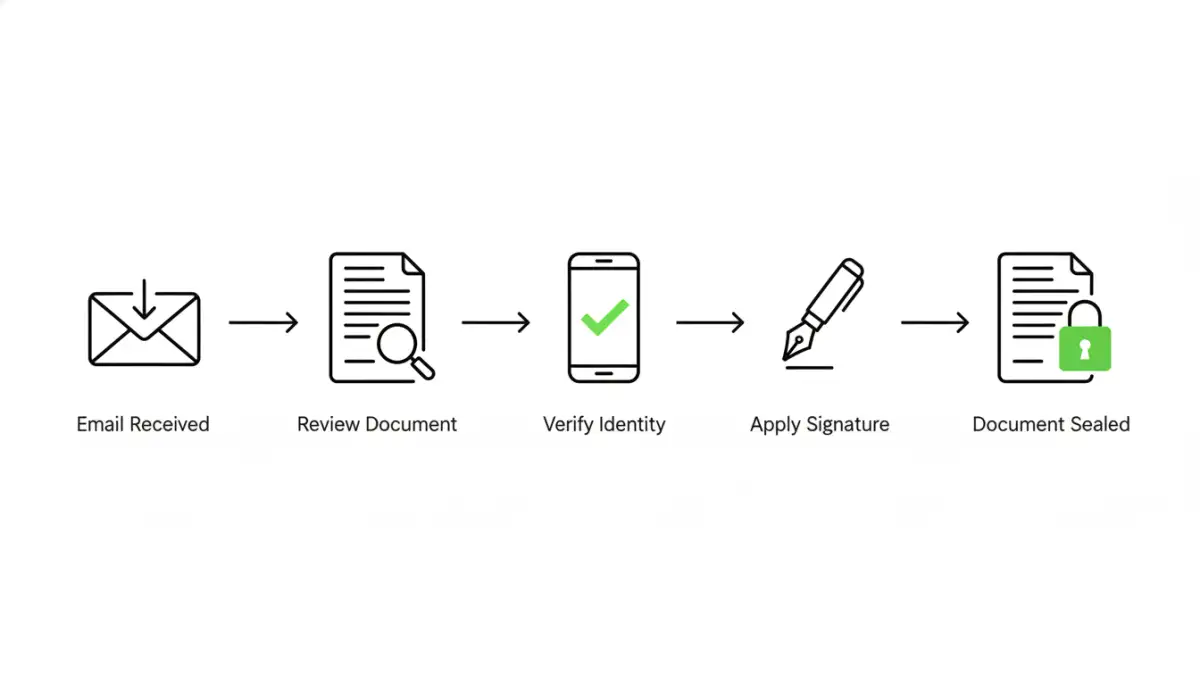
DocuSign is often seen as the industry benchmark, and its security architecture is a primary reason. The platform invests heavily in a multi-layered approach to protect document integrity and user data, operating on a principle of verifiable proof for every transaction.
A core component is the comprehensive audit trail, which DocuSign calls the Certificate of Completion. This document is generated for every completed envelope and meticulously records every action taken: who viewed it, when they signed, their IP address, and other identifiers. This certificate is appended to the signed document, creating a self-contained, court-admissible record of the entire signing process.
Authentication and Identity Verification
DocuSign offers a tiered range of signer identity verification options. The default is email-based authentication, but for higher-stakes transactions, you can enable options like SMS authentication, knowledge-based authentication (KBA) that asks questions from public records, or even ID verification that uses AI to check a government-issued photo ID. This flexibility allows businesses to match the level of security to the risk of the transaction.
Breaking Down Adobe Sign Privacy and Protection
Leveraging its legacy as the creator of the PDF, Adobe Sign builds its security directly into the document format itself. It is a key part of the Adobe Document Cloud, which benefits from Adobe's extensive experience with enterprise-grade security and data privacy.
Adobe Sign emphasizes its adherence to global compliance standards through the Adobe Trust Center. It meets stringent industry-specific regulations like HIPAA for healthcare and FedRAMP for government work. A standout feature is its powerful audit trail, which provides a clear, chronological history of every event related to the document. This trail is securely embedded in the final signed PDF, ensuring its long-term integrity.
Tamper Seals and Workflow Controls
When a document is signed with Adobe Sign, a blue ribbon appears at the top of the PDF in Adobe Acrobat, certifying it with a digital signature. This visual cue confirms the document has not been altered since it was signed. Adobe also offers granular control over signing workflows, allowing administrators to dictate the order of signers and the authentication methods required at each step, which adds a procedural layer of security to the technical one.
Head-to-Head Comparison: Key Security Differentiators
While both platforms offer exceptional security, their focus and advanced features differ slightly. DocuSign has built a massive ecosystem and offers a very broad range of identity verification partners and integrations. This makes it highly adaptable for global enterprises with diverse verification needs. Its standalone Certificate of Completion is also a very clear and powerful artifact for legal disputes.
Adobe Sign's key advantage is its native integration with the PDF standard and the broader Adobe ecosystem. The blue ribbon certification is an intuitive and powerful way to verify document integrity instantly within the world's most common document reader. For organizations already heavily invested in Adobe products, the seamless workflow and unified security posture can be a significant benefit.
Your Role in Maintaining E-Signature Security
Ultimately, the security of any platform is only as strong as its users' practices. Both DocuSign and Adobe Sign have robust defenses, but they can't protect against human error. It's vital to train employees to recognize phishing attempts that mimic e-signature requests. A fake email leading to a credential-stealing site can bypass all the platform's security.
Furthermore, using strong, unique passwords and enabling multi-factor authentication (MFA) on your e-signature account is non-negotiable. This simple step provides a critical barrier against unauthorized access to your account and the sensitive documents within it. The platform provides the tools for secure document signing, but the user holds the key to the front door.
Security Feature Comparison: DocuSign vs. Adobe Sign
| Security Feature | DocuSign | Adobe Sign |
|---|---|---|
| Base Encryption | AES 256-bit encryption for documents at rest | AES 256-bit encryption for documents at rest |
| Audit Trail | Detailed Certificate of Completion (separate file) | Comprehensive audit trail embedded in the final PDF |
| Tamper Evidence | PKI-based tamper-evident seal on the envelope | Certified PDF with blue ribbon validation in Adobe Reader |
| Identity Verification | Email, SMS, KBA, Phone, ID Verification (multiple tiers) | Email, Phone, KBA, Government ID, Federated ID (multiple tiers) |
| Key Compliance | ESIGN, UETA, eIDAS, HIPAA, FedRAMP, SOC 2 | ESIGN, UETA, eIDAS, HIPAA, FedRAMP, SOC 2 |
| Data Residency | Options for data centers in specific geographic regions | Options for data centers in specific geographic regions |