
Working with password-protected documents can be frustrating, especially when you've forgotten the password. You might have an important ODF (Open Document Format) file – perhaps a spreadsheet, presentation, or text document – that's locked, and you urgently need to access its contents. This situation is more common than you might think, and thankfully, there are several approaches you can take to try and recover your password.
As someone who has spent over a decade in software engineering, I've encountered my fair share of password-related issues, both for myself and for colleagues. The good news is that while some encryption methods are very robust, OpenDocument files often use older or less complex encryption schemes that can sometimes be bypassed or cracked with the right tools and techniques. Let's explore how you can attempt to recover your forgotten OpenDocument password.
Table of Contents
Understanding ODF Security
OpenDocument files, commonly saved with extensions like .odt, .ods, and .odp, can be protected using password encryption. The level of security depends on the software used to create and encrypt the file and the specific encryption algorithm employed. Historically, some ODF implementations used weaker encryption algorithms, making them more susceptible to brute-force attacks or other recovery methods. Newer versions of office suites often offer stronger encryption options, making recovery more challenging.
Key Concepts in ODF Encryption
When a document is password-protected, the content is scrambled using a key derived from your password. To decrypt and access the file, you need the correct password, which generates the correct key. If the password is lost, the challenge becomes finding a way to either guess the password or exploit weaknesses in the encryption process. Understanding that different software versions might use different encryption standards is crucial when troubleshooting access issues.
Basic Recovery Methods

Before diving into complex solutions, let's consider some simpler approaches. Sometimes, the solution is less about technical hacking and more about good old-fashioned memory recall or simple workarounds.
Method One: The 'Save As' Trick (for Owner Passwords)
In some older versions of office suites or for specific types of owner passwords (which prevent editing or formatting changes rather than opening the file), there might be a workaround. If you can open the document but not edit it, sometimes saving it in a different format or using a different application that can interpret the ODF structure might strip away the protection. This is less common for full file opening passwords but worth a quick try if applicable.
Method Two: Online Password Recovery Tools
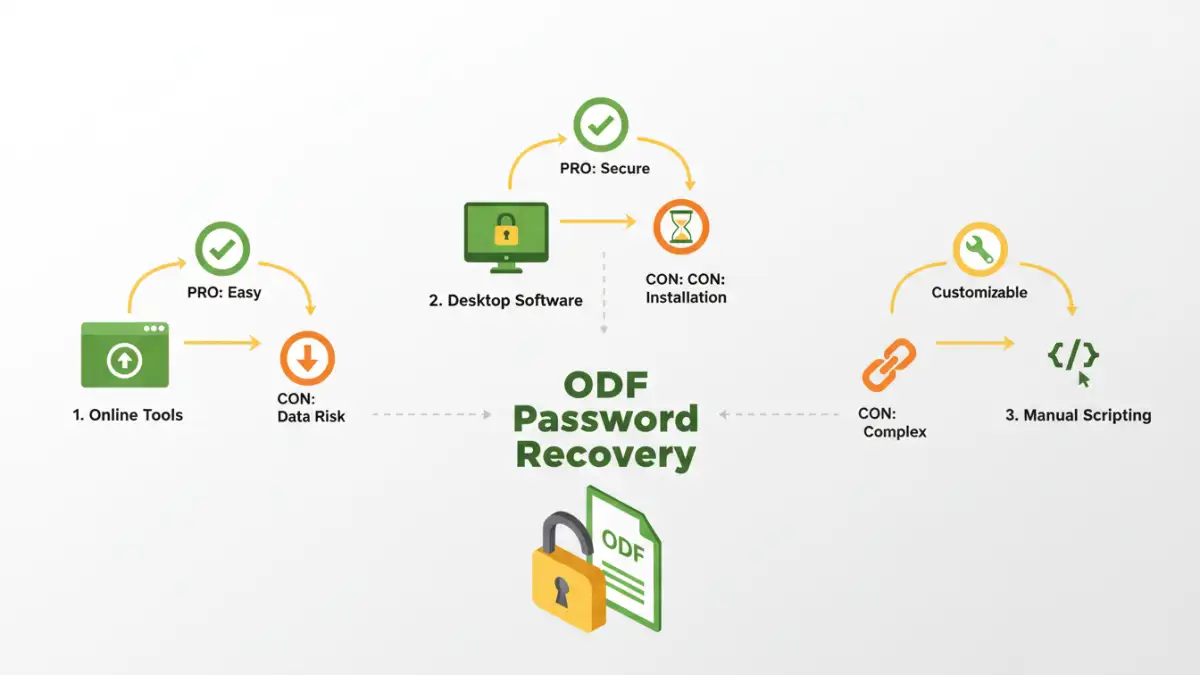
The internet is flooded with tools claiming to help you recover forgotten passwords for various file types. For OpenDocument files, there are online services that specialize in password recovery. These tools often work by attempting a brute-force attack (trying many password combinations) or using dictionary attacks (trying common words and phrases). You upload your encrypted file, the service processes it, and if successful, returns the password. However, be extremely cautious with online tools, as uploading sensitive documents to third-party servers carries privacy risks. Always research the reputation of any online service before using it.
Advanced Recovery Techniques
When basic methods fail, you might need to explore more technical solutions. These often involve dedicated software or a deeper understanding of the file structure.
Method Three: Desktop Password Recovery Software
Dedicated desktop applications offer a more robust and often safer alternative to online tools for those who need to recover open document password. These programs are installed on your computer and can perform more sophisticated password recovery attacks, such as brute-force, dictionary, and mask attacks. A mask attack, for instance, allows you to specify known parts of the password (e.g., if you know it starts with 'Project' and ends with '2023'), significantly speeding up the recovery process. Many reputable software options are available, some free and some paid. They offer better control over the process and keep your sensitive data on your own machine.
Method Four: Using Scripting and Programming (for the Technically Inclined)
For those comfortable with programming, it's sometimes possible to write custom scripts to attempt password recovery. This typically involves understanding the ODF file's encryption implementation and using libraries in languages like Python to iterate through possible passwords or exploit known vulnerabilities. This method requires significant technical expertise but offers the most flexibility and control. You would need to research the specific encryption used by your version of the office suite to tailor your script effectively.
Preventative Measures
The best way to deal with a forgotten password is to avoid forgetting it in the first place. Implementing good password management practices can save you a lot of trouble down the line.
Use a Password Manager
Consider using a reliable password manager. These tools securely store your passwords, generate strong unique passwords for different accounts and files, and can even remind you of your chosen passwords. This eliminates the need to memorize complex passwords and reduces the risk of forgetting them.
Keep Records Securely
If you prefer not to use a password manager, maintain a secure, encrypted log of your important passwords. This could be a separate, highly protected digital file or a physical notebook kept in a safe place. Ensure this record itself is secured, as losing it would defeat the purpose.
Comparison Table: Password Recovery Methods
| Method | Pros | Cons | Best For |
|---|---|---|---|
| Online Tools | Convenient, no installation | Privacy concerns, potential for malware, limited effectiveness | Non-sensitive files, quick attempts |
| Desktop Software | More secure, powerful features (mask/dictionary attacks) | May require purchase, installation needed | Sensitive files, complex password recovery needs |
| Manual/Scripting | Complete control, tailored to specific encryption | Requires advanced technical skills, time-consuming | Highly technical users, specific known vulnerabilities |
| Password Managers | Prevents forgetting, generates strong passwords | Requires setup and trust in the manager | Long-term document security and access |