Working with password-protected documents can be frustrating, especially when you can't recall the password or need to access a file shared with you. While encryption is vital for protecting sensitive information, there are legitimate scenarios where you might need to regain access to your own files. It's crucial to approach this situation with caution and prioritize data integrity and security.
My experience has shown that users often search for ways to bypass OpenDocument encryption when they've misplaced a password for an important ODT file. The goal is always to recover access without compromising the data itself or introducing new security vulnerabilities. This guide will walk through understanding the nuances of OpenDocument encryption and explore safe methods for document encryption removal.
Table of Contents
Understanding OpenDocument Encryption
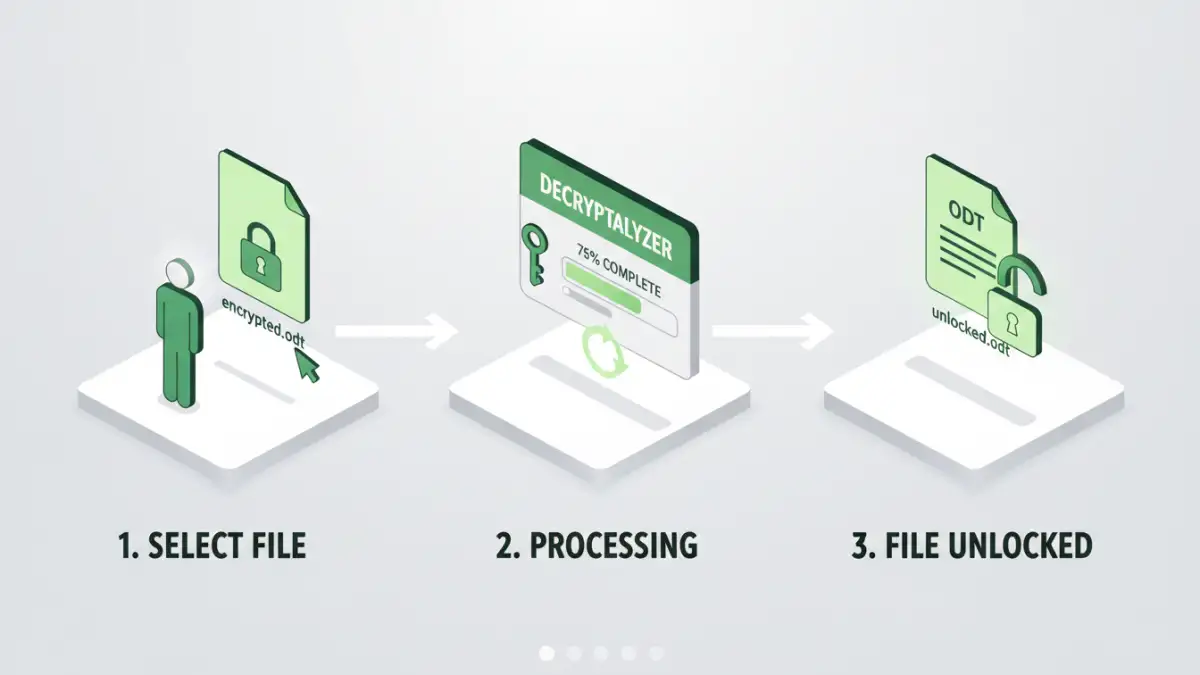
OpenDocument files, commonly known as ODT (text documents), ODS (spreadsheets), and ODP (presentations), can be protected with passwords. This protection typically uses symmetric encryption algorithms to scramble the file's contents. When you set a password, it's used to derive an encryption key. Without the correct password, this key cannot be generated, making the file unreadable.
How ODT Encryption Works
The OpenDocument format supports various encryption mechanisms, with AES (Advanced Encryption Standard) being a common and robust choice for stronger protection. When a file is encrypted, the actual content is transformed into an unreadable format. The password acts as the master key to reverse this process and restore the original, readable data. This ensures that only someone with the correct password can access the information.
Methods to Safely Bypass Encryption

The most straightforward and secure way to bypass OpenDocument encryption is by using the correct password. If you've forgotten it, and the document is yours, consider using password recovery tools or services. However, it's vital to select reputable options to avoid malware or data loss.
For situations where you are the legitimate owner of the file and have lost the password, brute-force or dictionary attack tools can sometimes be effective. These tools systematically try different password combinations. However, their success rate depends heavily on the complexity of the original password and the encryption strength. I've seen colleagues successfully recover files using specialized desktop software that leverages computational power to guess the password, but it can be a time-consuming process.
Using Online Decryption Tools
Several online services claim to help unlock encrypted ODT files. While convenient, these tools come with significant privacy risks. You are uploading your potentially sensitive document to a third-party server. It's essential to thoroughly research the reputation of any online service before using it. Ensure they have a clear privacy policy and a track record of trustworthiness. For less sensitive documents, these can be a quick solution, but for confidential data, caution is paramount.
Desktop Software Solutions
Dedicated desktop software offers a more robust and often safer alternative to online tools for document encryption removal. These applications typically run on your local machine, meaning your file doesn't leave your computer during the recovery process. Many of these programs are designed to handle various encryption standards and can perform brute-force or dictionary attacks more efficiently than web-based services. When considering this route, look for software with good reviews and a clear process for attempting to unlock encrypted ODT files.
Risks and Considerations
Attempting to bypass OpenDocument encryption without the legitimate password carries inherent risks. Firstly, aggressive password recovery attempts can sometimes corrupt the file, leading to permanent data loss. This is especially true if the tool you are using is not designed for the specific encryption method employed by the ODT file. Secondly, using untrusted software or online services can expose your data to theft or malware.
It is also crucial to consider the legal and ethical implications. Attempting to bypass encryption on files you do not own or have permission to access is illegal and unethical. Always ensure you have the legal right to attempt document encryption removal before proceeding. My advice is always to prioritize data safety and legality above all else.
Best Practices for Document Security
Preventing the need to bypass encryption in the first place is the best strategy. Implementing strong password management practices is key. Use unique, complex passwords for your sensitive documents and consider using a reputable password manager to store and manage them securely. Regularly backing up your important files is also a critical safety net.
When sharing encrypted documents, ensure you provide the password through a separate, secure channel. Never send the password in the same communication as the encrypted file. This layered approach significantly enhances your secure file access strategy and minimizes the risk of unauthorized access or the need for complex recovery methods.
Comparison Table: Encryption Bypass Methods
| Method | Pros | Cons | Security/Privacy |
|---|---|---|---|
| Legitimate Password Use | 100% success rate, no data risk | Requires remembering the password | Highest |
| Reputable Desktop Software | Runs locally, good for complex passwords, more control | Can be time-consuming, may require purchase | High (if reputable) |
| Online Decryption Tools | Convenient, quick for simple cases | Privacy/security risks (uploading data), limited features | Low to Medium (depends on service) |
| Brute-Force/Dictionary Tools | Can recover weak passwords | Very time-consuming, may fail on strong passwords, potential file corruption | Medium (depends on tool) |