
Ensuring sensitive information remains accessible yet protected for years to come is a significant challenge. Whether it's for legal compliance, historical records, or proprietary data, the need for robust archival practices is paramount. I’ve seen firsthand how critical it is to have a system in place that not only safeguards data but also ensures its integrity over time, preventing accidental loss or unauthorized access.
The process involves more than just saving files; it requires a strategic approach to how documents are prepared, stored, and managed. This ensures that when you need that crucial document years down the line, it's not only there but also in a usable and unaltered state.
Table of Contents
Understanding Secure Archival
Secure archival is the practice of protecting documents from unauthorized access, corruption, and degradation over extended periods. It’s about creating a trustworthy repository for your most important files. This involves technical measures and clear policies to maintain confidentiality and availability.
Key Principles
The core principles revolve around security, integrity, and accessibility. Security ensures only authorized individuals can access the archives. Integrity means the documents remain unaltered and accurate. Accessibility ensures that authorized users can retrieve documents when needed, even after many years.
Preparing Documents for Archival
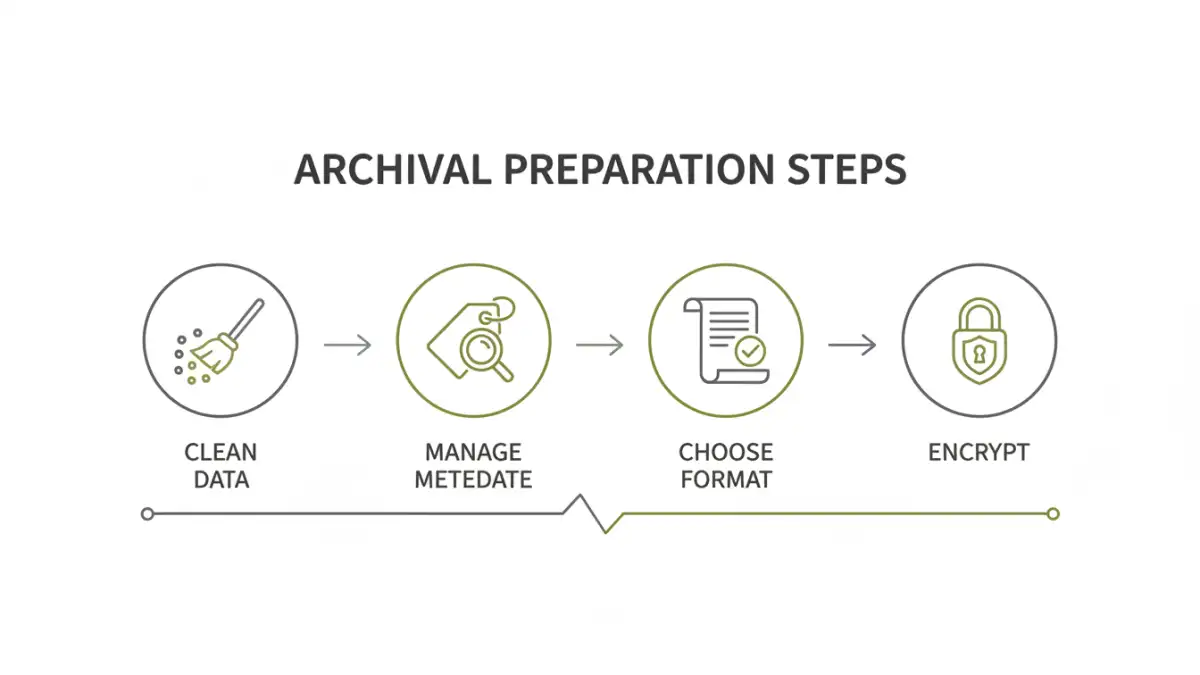
Before documents can be archived, they need careful preparation to ensure their longevity and security. This often involves cleaning up metadata, ensuring all necessary information is present, and applying security measures. My experience shows that neglecting this step can lead to retrieval issues or security breaches later.
Metadata Management
Metadata, such as creation dates, authors, and keywords, is crucial for organizing and retrieving archived documents. Ensure this information is accurate and complete. Removing sensitive or unnecessary metadata can also enhance privacy and security for certain types of documents.
Data Cleaning and Validation
It's essential to review documents for any errors, inconsistencies, or outdated information before archiving. Validating the data ensures that the archived copies are accurate representations of the original records. This step is vital for maintaining the integrity of your archive.
Choosing the Right File Formats
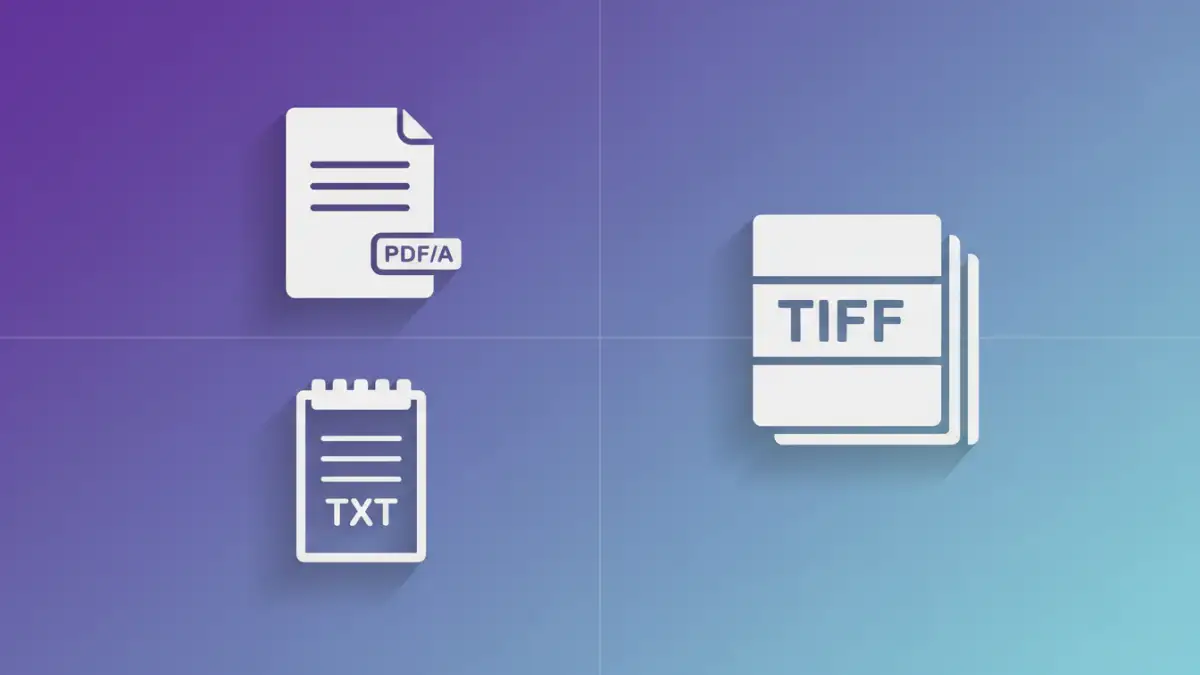
The file format you choose has a significant impact on long-term access and integrity. Some formats are more stable and widely supported than others. For long-term pdf storage, the PDF/A standard is often recommended because it’s specifically designed for archival purposes.
PDF/A Standard
PDF/A is a specialized version of PDF designed for long-term archiving. It prohibits features that are unsuitable for long-term storage, such as embedded fonts that might not be available in the future or external cross-references. This ensures that a PDF/A document will look the same regardless of the software or operating system used to open it.
Other Stable Formats
Beyond PDF/A, consider formats like TIFF for images, plain text (.txt) for textual data, or XML for structured data. These formats are generally well-supported and less prone to obsolescence. The goal is to select formats that are likely to remain readable for decades.
Secure Storage Strategies
Where and how you store your archived documents is as important as how you prepare them. Secure file retention requires a multi-faceted approach, often involving both physical and digital safeguards. Redundancy is key to preventing data loss.
Digital Storage Options
Consider secure cloud storage solutions with robust security features, or dedicated on-premises servers. Encryption at rest and in transit is non-negotiable. Implementing access controls and audit logs further enhances security. Regularly backing up your archives to separate locations is crucial.
Physical Archival Considerations
For organizations that require physical archives, ensure documents are stored in climate-controlled environments, protected from fire, water damage, and pests. Proper labeling and indexing are vital for retrieval. Consider digital scanning of critical physical documents to create redundant digital copies.
Ongoing Maintenance and Verification
Archive optimization isn't a one-time task. Regular maintenance and verification are essential to ensure the long-term viability of your archived documents. This includes checking for data corruption and updating systems as needed.
Regular Audits and Integrity Checks
Periodically audit your archives to ensure they meet compliance requirements and security standards. Perform integrity checks on your files using checksums or other verification methods to detect any signs of corruption. This proactive approach can save significant trouble down the line.
Technology Updates
As technology evolves, so too might the best practices for archival. Stay informed about new security threats and advancements in archival technology. Plan for periodic migrations of data to newer, more stable formats or storage media if necessary.
Comparison Table: Archival Methods
| Method | Pros | Cons | Best For |
|---|---|---|---|
| PDF/A Standard | Designed for long-term access, ensures consistent appearance | Requires specific software to create, can be larger file sizes | Official documents, legal records, reports |
| Plain Text (.txt) | Highly stable, universally compatible, small file size | No formatting, limited for complex documents (images, tables) | Raw text data, logs, simple notes |
| TIFF (Tagged Image File Format) | Lossless compression, high quality for images | Large file sizes, not ideal for textual documents | Scanned documents, photographs, graphic assets |
| XML (Extensible Markup Language) | Structured data, human-readable, machine-readable | Requires schema definition, can be verbose | Complex data sets, configuration files, digital publications |