
When dealing with important information, the format it's stored in often becomes a secondary concern to its security. However, many organizations still rely on older, less common document types for historical records or specific workflows. These legacy document formats, while functional, can present unique challenges when it comes to robust data protection. Ensuring these files remain secure is critical for compliance, preventing data breaches, and maintaining the integrity of vital information.
The challenge isn't just about applying modern encryption to old files. It involves understanding the inherent vulnerabilities of these formats, the available tools, and the best practices for managing them securely. My experience has shown that a proactive approach, combined with a solid understanding of the risks, is key to effective legacy document security.
Table of Contents
Understanding Legacy Formats and Risks
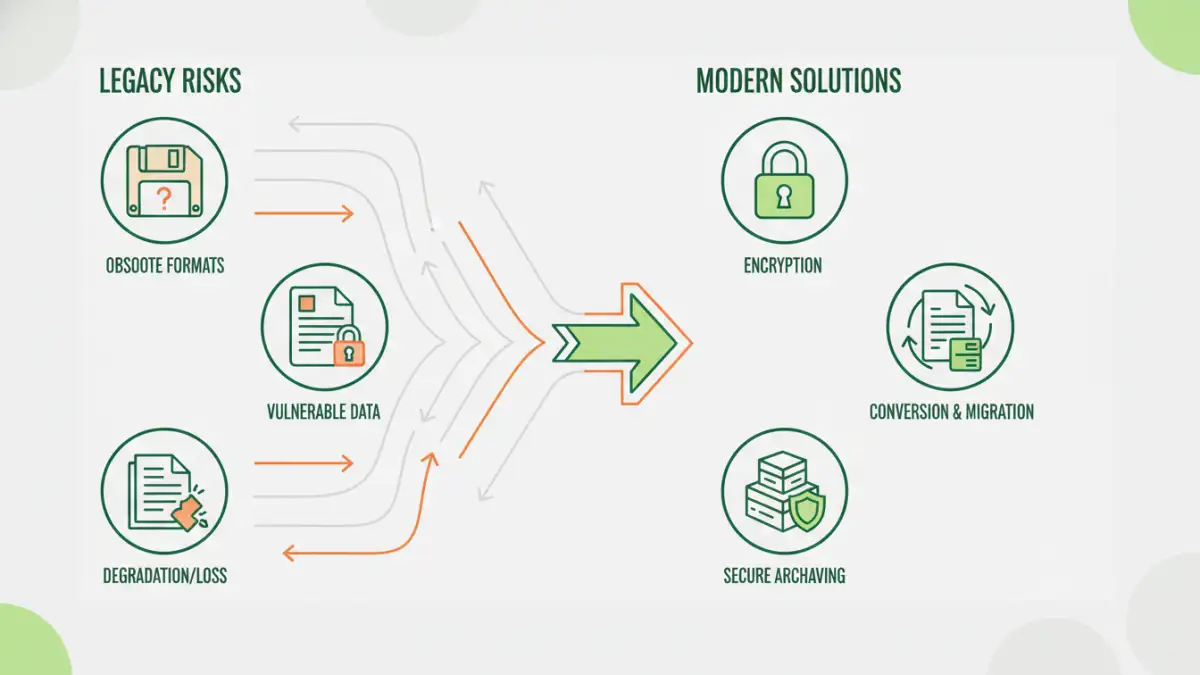
Legacy document formats often predate current cybersecurity standards. This means they might lack built-in encryption options or rely on outdated, easily crackable security protocols. Think of formats like older versions of Microsoft Office (.doc, .xls), proprietary database files, or even scanned images saved in less common image formats. Their age is their primary vulnerability.
Common Vulnerabilities
These older formats might be susceptible to known exploits or lack the robust encryption algorithms that modern files benefit from. Password protection, if available, might be weak or easily bypassed by specialized tools. Furthermore, compatibility issues with modern security software can leave gaps, making them prime targets for malicious actors seeking to access sensitive data.
Basic Protection Methods

Even with older formats, several fundamental steps can significantly enhance document protection. The simplest approach is often password protection, if the format supports it. While not foolproof, a strong, unique password can deter casual snooping. Ensure you're using complex passwords and storing them securely, perhaps using a password manager.
Another basic method is restricting access at the file system level. By adjusting permissions on the folders where these legacy documents are stored, you can limit who can view, edit, or delete them. This is a crucial layer of defense, especially in shared network environments.
Advanced Security Strategies
For more critical data, advanced strategies are necessary. One effective method is to convert legacy documents to more secure, modern formats. For instance, converting an old .doc file to a password-protected .docx or a PDF can leverage stronger encryption standards. This process requires careful validation to ensure no data is lost or corrupted.
Consider implementing encryption at the container level. This involves encrypting the entire folder or drive where legacy documents are stored using tools like BitLocker (Windows) or FileVault (macOS). This protects all files within, regardless of their native format's security features. This is a fundamental aspect of robust data security.
Secure File Archiving
File archiving is often where legacy documents reside. When archiving, it's vital to ensure the archive itself is secured. Using well-established compression and archiving tools that offer strong encryption, such as AES-256, is recommended. Tools like 7-Zip or WinRAR support this level of protection.
Regularly review your archiving strategy. Outdated archiving methods might not meet current data security standards. Ensure that the media used for archiving is also stored securely, protected from physical damage and unauthorized access. This is part of maintaining overall data security.
Best Practices for Ongoing Security
Maintaining the security of legacy documents is an ongoing process. Regular audits of file access logs and security configurations are essential. Identify and address any new vulnerabilities that emerge for older formats or the software used to access them.
Educate users about the risks associated with handling legacy files. They should understand the importance of strong passwords, avoiding suspicious links or downloads, and reporting any security concerns. A well-informed user base is a critical component of any effective data security strategy.
Comparison Table: Document Security Methods
| Method | Pros | Cons | Best For |
|---|---|---|---|
| Native Password Protection | Simple, widely supported in many formats | Weak encryption in older formats, easily bypassed | Basic deterrence for casual access |
| File System Permissions | OS-level security, granular control | Doesn't protect data if the system is compromised | Controlling access within a network |
| Format Conversion (e.g., to PDF/DOCX) | Leverages modern encryption, better compatibility | Potential data loss/corruption, requires conversion effort | Migrating sensitive legacy data |
| Full Disk/Folder Encryption | Protects all data at rest, strong encryption | Requires system setup, can impact performance slightly | Comprehensive protection for sensitive archives |