Working with password-protected documents can be frustrating, especially when you've forgotten a password or received a file you can't open. Just last week, a project manager sent over a critical specification document, but the password they provided was incorrect. With a deadline looming, I needed a quick, legitimate way to access the content. This scenario is more common than you'd think.
Fortunately, there are several reliable methods for handling these situations, most of which don't require expensive software. The key is understanding what type of protection you're dealing with and choosing the right tool for the job. It's not about malicious intent; it's about regaining access to information you're authorized to view.
Table of Contents
Understanding PDF Password Types
Before attempting to unlock a PDF, it's crucial to know there are two different types of passwords. The method you choose depends entirely on which one you're facing. Trying the wrong approach will just lead to wasted time and frustration.
Owner Password (Permissions Password)
An owner password restricts certain actions like printing, copying text, or editing the document. You can still open and view the PDF, but you can't do much else. This is the most common type of protection found on reports, ebooks, and manuals. Most free tools are designed to remove this specific type of password.
User Password (Open Password)
A user password, or open password, completely encrypts the file and prevents you from opening it at all. Without this password, the contents are inaccessible. These are much harder to bypass and typically require brute-force methods, which involve trying thousands of password combinations. Free tools are generally ineffective against strong user passwords.
Method 1: The Browser 'Print to PDF' Trick
This is my go-to first step for any PDF with an owner password. It's incredibly simple, requires no extra software, and works surprisingly often. This technique essentially creates a new, unrestricted copy of the document by leveraging your browser's built-in print functionality.
Here’s the process:
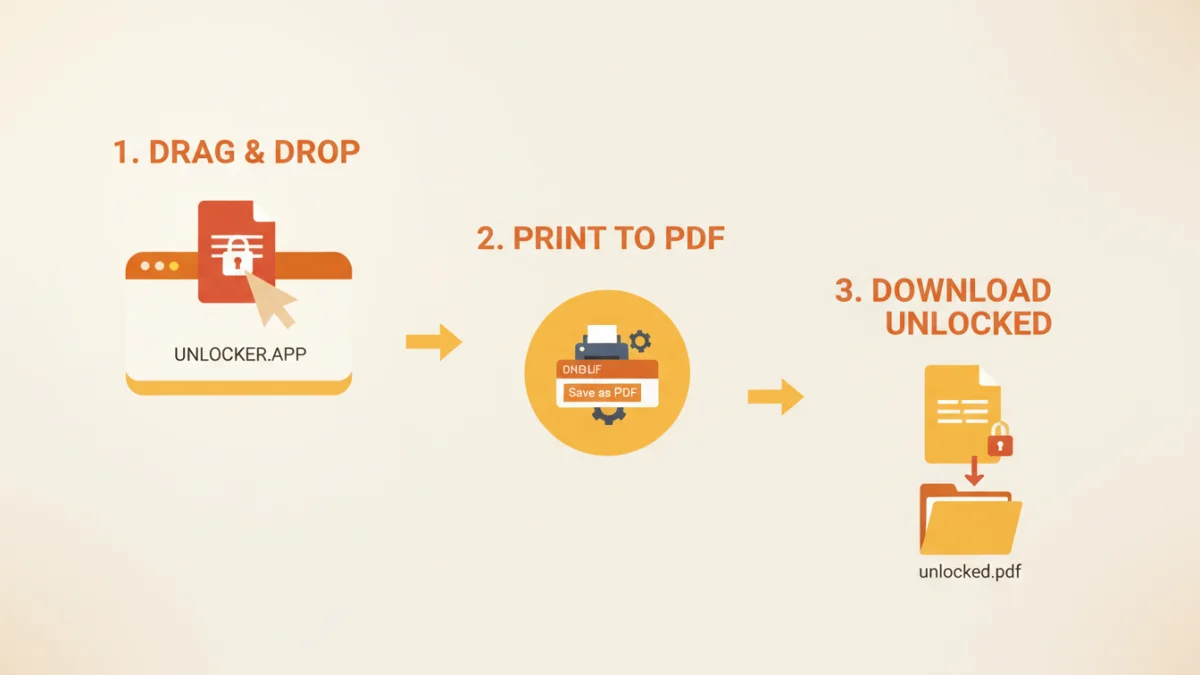
- Drag and drop the locked PDF file into a new tab in a modern web browser like Google Chrome or Microsoft Edge.
- If the file opens (meaning it only has an owner password), click the 'Print' icon or press Ctrl+P (or Cmd+P on Mac).
- In the print dialog, change the 'Destination' from your physical printer to 'Save as PDF'.
- Click 'Save' and choose a new name for the file. This newly saved version will be a clean copy with no printing or copying restrictions.
This is the simplest way to remove pdf password restrictions for printing and copying. It won't work if the document has a user password preventing you from opening it in the first place.
Method 2: Using Online PDF Password Remover Tools
If the browser trick fails or you prefer a dedicated tool, several websites offer to unlock pdf online. Services like Smallpdf, iLovePDF, and Soda PDF have user-friendly interfaces where you simply upload your file, and their servers handle the removal process. They are very effective at stripping owner passwords.
However, I always advise caution here. When you upload a document to a third-party service, you are sending your data to their servers. For sensitive or confidential information, this poses a significant privacy risk. Always read the privacy policy of any online tool before uploading your documents. For non-sensitive files, they are a fast and convenient option.
Method 3: Advanced Desktop Software (QPDF)
For those who are more technically inclined or need a more powerful, offline solution, open-source command-line tools offer robust capabilities. QPDF is a fantastic example. It's a free, powerful program for PDF manipulation that runs on Windows, macOS, and Linux. While it lacks a graphical interface, it's highly effective.
The primary use case here is removing an owner password securely on your own machine. After installing QPDF, you would open your terminal or command prompt and run a simple command like:
qpdf --decrypt "input-locked.pdf" "output-unlocked.pdf"
This command creates a decrypted copy of your file without sending it over the internet. This is the safest method for confidential documents when dealing with permission restrictions. It's a reliable approach to crack pdf password protection using a secure, local process.
Ethical Considerations and When to Stop
It's important to use these tools responsibly. The methods described are intended to help you regain access to documents you are authorized to use—for example, when you've forgotten a password to your own file or have permission from the owner. Attempting to access documents without authorization is unethical and potentially illegal.
If you encounter a PDF with a strong user password that you cannot remember and do not have permission to bypass, the ethical path is to contact the original author or distributor to request access. Brute-force attacks on files you don't own can have serious consequences.
Free PDF Unlocking Method Comparison
| Method | Pros | Cons | Best For |
|---|---|---|---|
| Browser 'Print to PDF' | Completely free, no software needed, 100% secure and offline. | Only works for owner (permission) passwords; cannot open locked files. | Quickly removing restrictions on printing or copying from an accessible PDF. |
| Online PDF Remover | Very easy to use, fast processing, no installation required. | Major privacy and security risks for sensitive documents. | Unlocking non-confidential files with owner passwords. |
| QPDF (Desktop) | Highly effective, secure (offline), and free. | Requires command-line knowledge; not user-friendly for beginners. | Technical users who need to process sensitive files securely on their own computer. |
| Brute-Force Tools | The only way to recover a forgotten user (open) password. | Extremely slow (can take days/weeks), computationally intensive, success not guaranteed. | Last-resort recovery for your own files when the password is completely lost. |